READING ER PROBES
15
The Chk: reading is a measure of probe functionality or integrity. The initial value for
ER probes is 800 ±50 divisions. It is recommended that a CHECK reading be taken
and recorded immediately after unpacking a probe as it will be the value to which all
subsequent CHECK readings will be compared. The general rule is that the CHECK
reading should not vary by more than 1% (±10 divisions) from the initial value. If there is
more than a 1% change, it is an indication of a loss in probe integrity and replacement is
required.
To reread the probe, press the Read (F1) key and another reading will be taken and
displayed.
If the reading is to be saved in memory for later viewing, for corrosion rate calculation or
for downloading to a PC the following procedure should be followed:
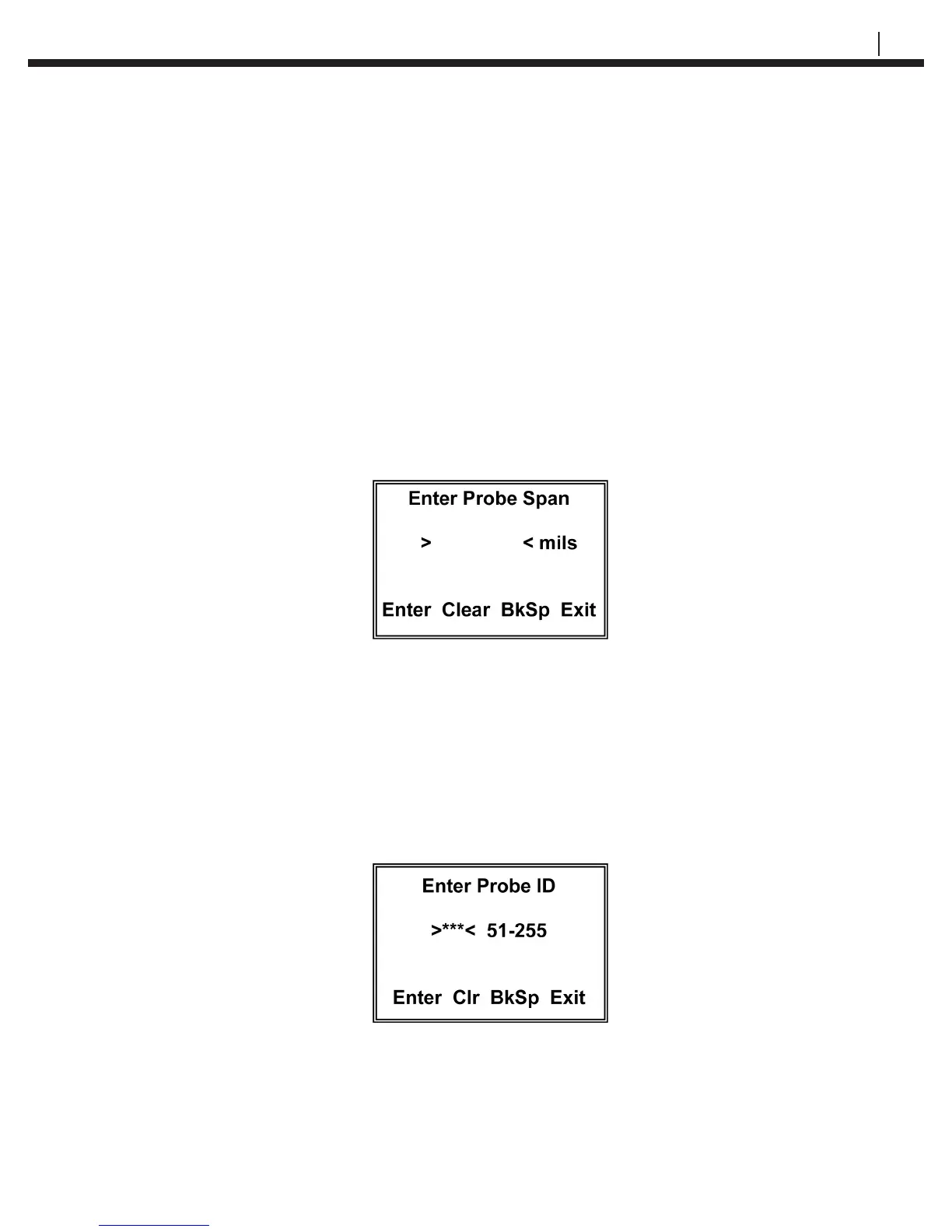
Press the Save key to go to the Enter Probe Span display:
From the keypad, enter the span of the probe element in mils. The span in mils is shown
on the probe packaging or it can be found in Table 5.1. Note: If Type G for the Model 610
Atmospheric Probes is selected, the span is entered in Angs (Angstroms).
Pressing Clear (F2) will clear the value previously set so that a new span can be entered.
Pressing BkSp (F3) backs up one space each time it is pressed so that a change can be
made. Pressing Exit (F4) returns to the Read Probe By display.
Press Enter to go to the Enter Probe ID display:


 To Next Page