TRANSFERRING DATA TO THE PC
31
Transferring Data to the PC
CHAPTER 8
Probe reading data is downloaded to the PC using the CheckMate™ to PC program,
Corrdata
®
CSV. It is a simple, Windows compatible program that allows fast download of
data stored in the CheckMate™ to a Comma Separated Value (CSV) le. This le can
then be opened with Excel or another comparable spreadsheet program.
Installation
The Corrdata CSV program can be found on the CD-ROM included with the instrument.
Insert the auto run CD-ROM and follow the on screen instructions to install. The default
installation directory is C:\Program Files\RCS\Corrdata CSV.
Conguring Corrdata CSV
When installation is complete, click on the Start Menu to launch the program. Click on the
Select menu, then Data Directory to choose the location for where to save the CSV les.
Next, from the Select Menu, place a check next to the COM port to be used.
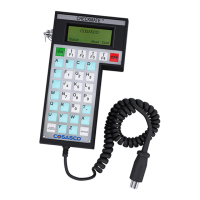
Connect the CheckMate™ to the PC
Connect the CheckMate™ instrument to the 9 pin COM port on the back of the PC using
the provided cable. Make sure this is the same COM port as selected previously (in most
cases this will be COM 1, however verify this in device manager).
Now click on the large button: “Get CHECKMATE Data and Make Excel (CSV) Files.
Click OK on the window that appears next.


 To Next Page