32
CHECKMATE™
CheckMate™ Procedure
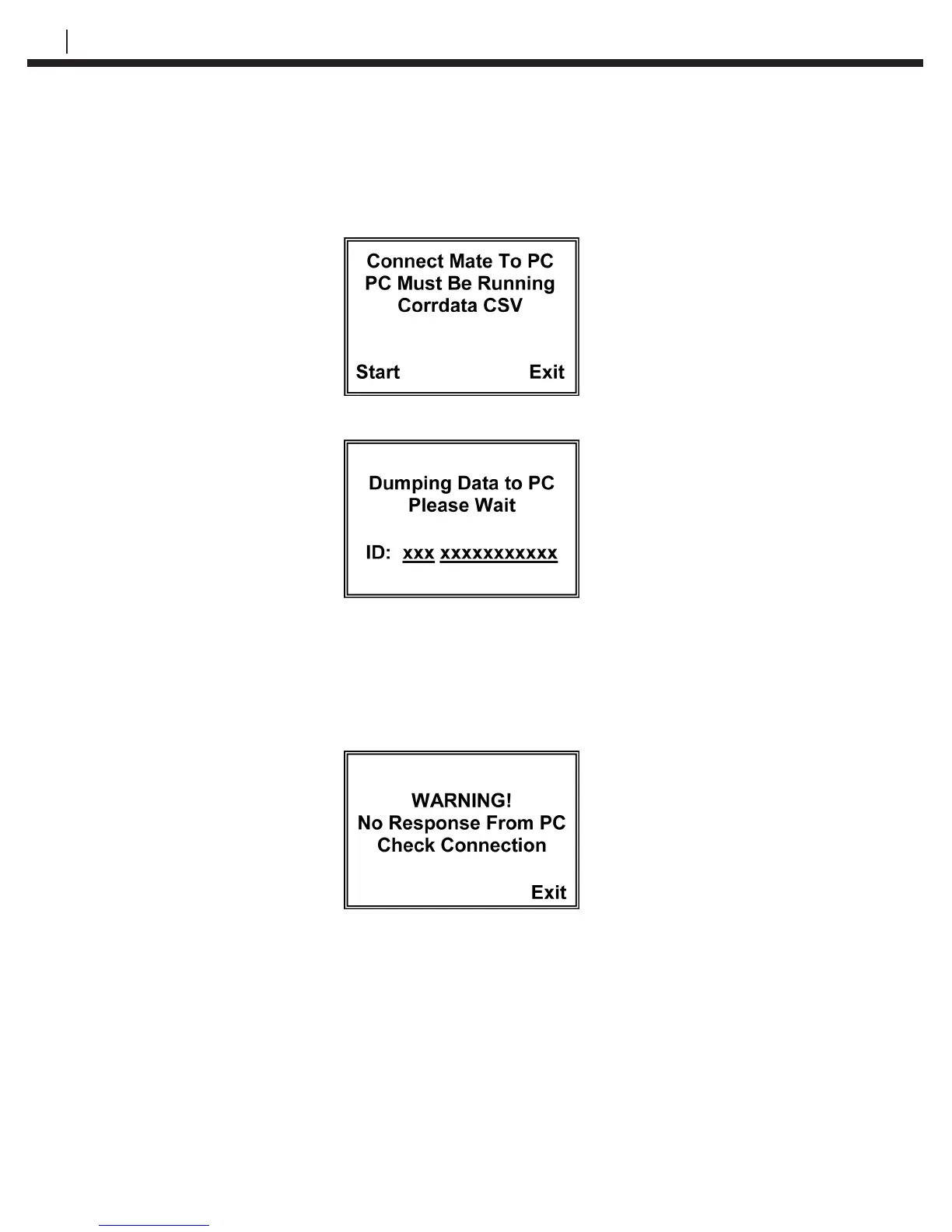
From the Standby screen of the CheckMate™, press Dump (F2) to go to the Start
Dump display:
Press Start (F1) to begin downloading data to the PC.
The CSV les are saved by tag number and ID in a folder called DataFiles under the
directory created previously. They may be opened using Excel or a similar spreadsheet
program.
If the CheckMate™ is not connected to the PC properly, or the PC is not running Corrdata
CSV, the following screen may be displayed.
Make sure that Corrdata CSV software is running, that the correct COM port is checked
in the Select menu, and that the CheckMate™ is connected to that COM port using the
supplied cable.
If data is still not transferred after checking the connection between the PC and
CheckMate™, please see the Troubleshooting section (Chapter 9) for further help.


 To Next Page