DISPLAYING DATA ON THE CHECKMATE™
29
Displaying Data on the CheckMate™
CHAPTER 7
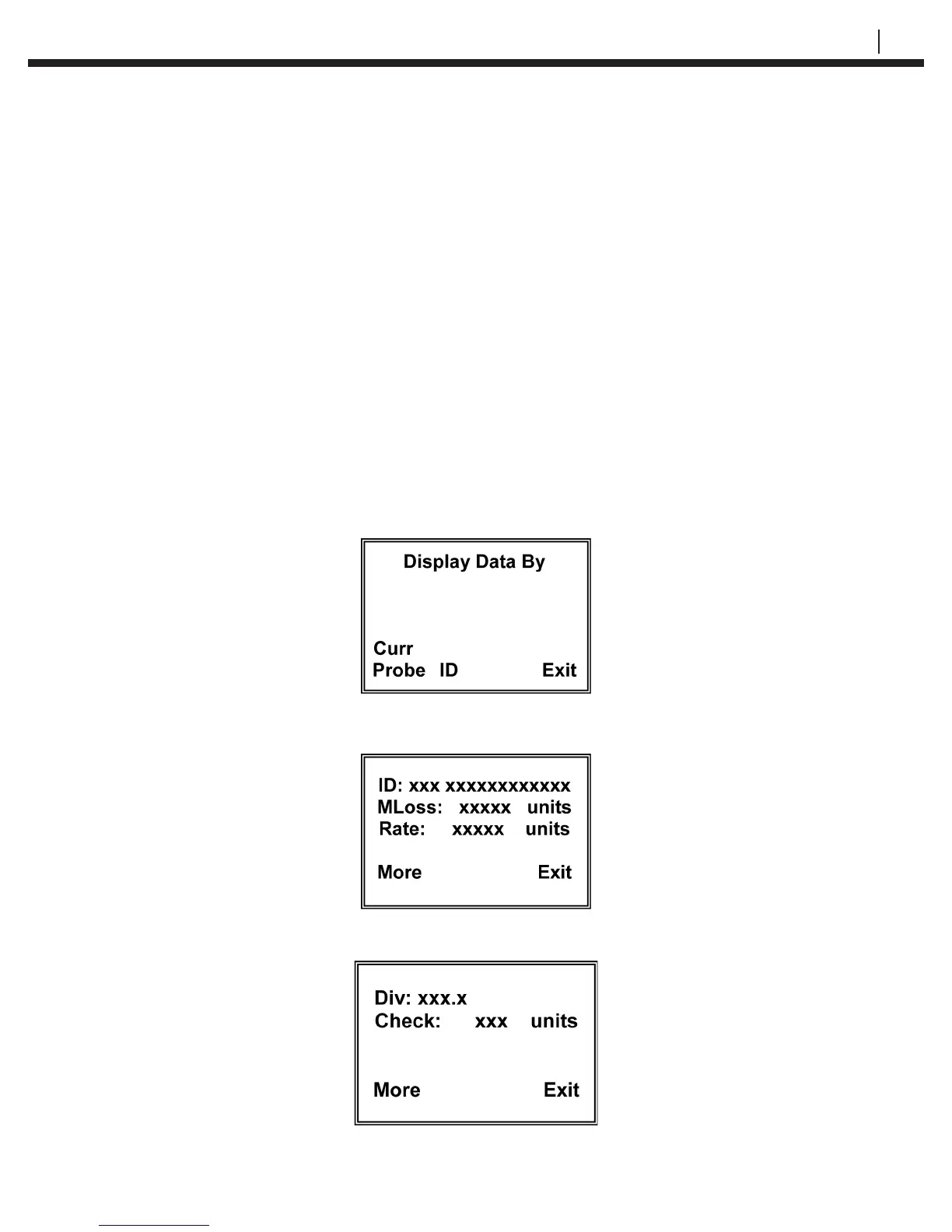
Probe reading data can be displayed on the CheckMate™ either by the probe currently
attached or by ID. The data includes the Tag ID, Metal Loss, Corrosion Rate, Divisions
and Check Readings.
From the Standby screen, press Disp (F2) to go to the Display Data By display:
Press Curr Probe (F1) to go directly to the current probe display or press ID (F2) to
select the probe by ID.
Press More (F1) to go to the second screen of information:


 To Next Page