The preferred method for updating firmware in the
VCC is using our network upgrade utility.
latest version can be downloaded from
http://virtualcash.biz/ftp/2nd%20gen%20board/
have installed the utility, all instructions
are included in the help file. You will also need to
download the latest version of our firmware from
the same location or have it e
You will need a regular Cat5e or
cable to complete the upgrade.
2188 Ext 1 for live help.
the network utility fails to
upgrade your terminal you will need to use our
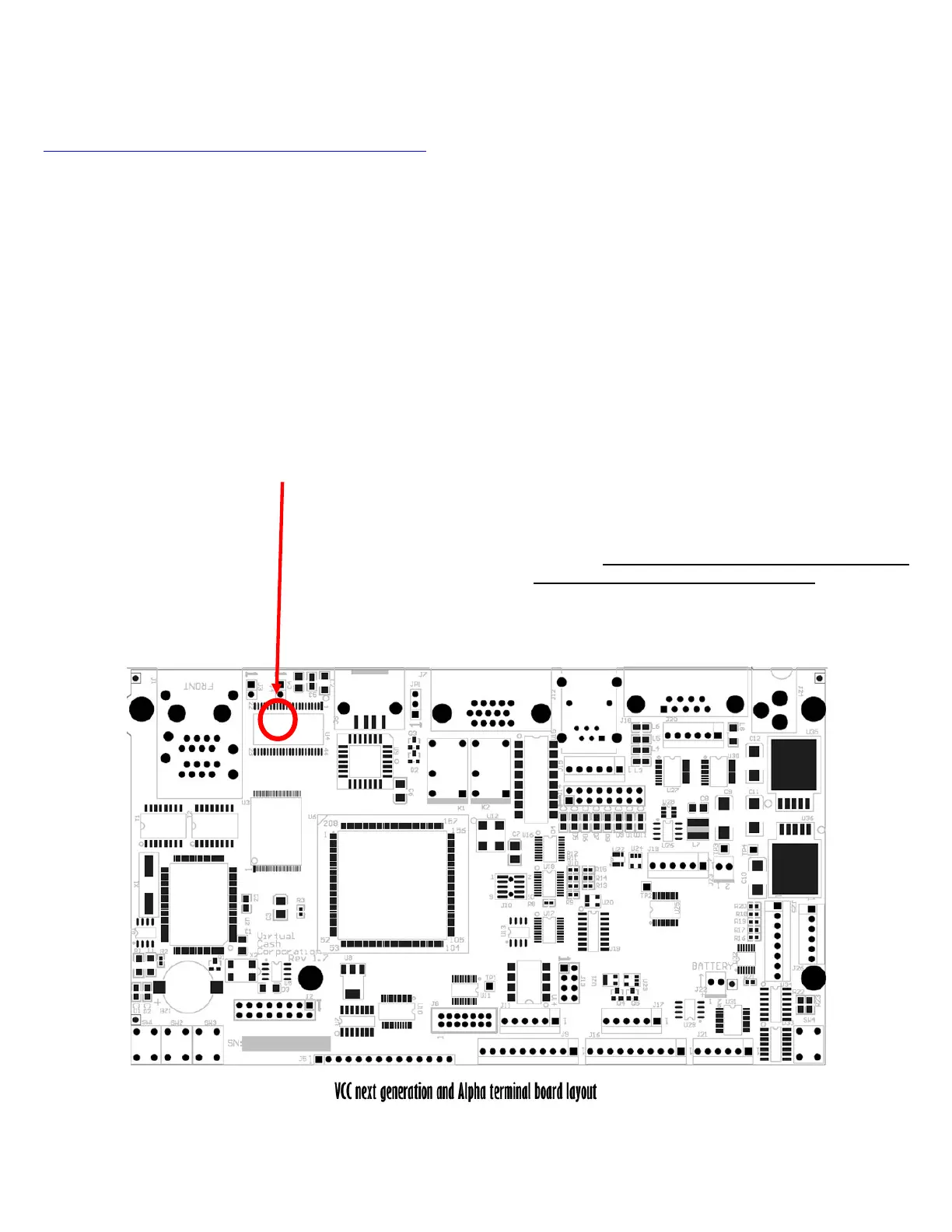
This is the location of jumper J4 (you w
medium Philips type screwdriver to open the case)
Open the VCC and install jumper J4 (at
This jumper is located just to the right of the RJ45
Connect a serial cable between the
PC and activate a serial terminal program such as
HyperTerminal. Set the communication interface to
1 and specify hardware flow control. The
serial cable should be a straight through male to
Apply power to the VCC whi
HyperTerminal. From this menu choose “C” to flash
current firmware location. The VCC will then erase the
flash memory which will take about 15 seconds.
The HyperTerminal display should now read, “Send
ASCII Intel Hex File To Begin
point the board is waiting to receive the Intel hex file.
In order to send the hex file using HyperTerminal, go
SendTextFile and select the hex file
sent to you by Boscop. During the download, the
isplay a list of addresses. At the
end of the download you should receive a message
indicating there were no errors found and that the PCB
should be reset. The download should take about 3.5
When completed, move jumper J4 onto
This completes the firmware upgrade. Power cycle
the unit and the new software should load.



 To Next Page