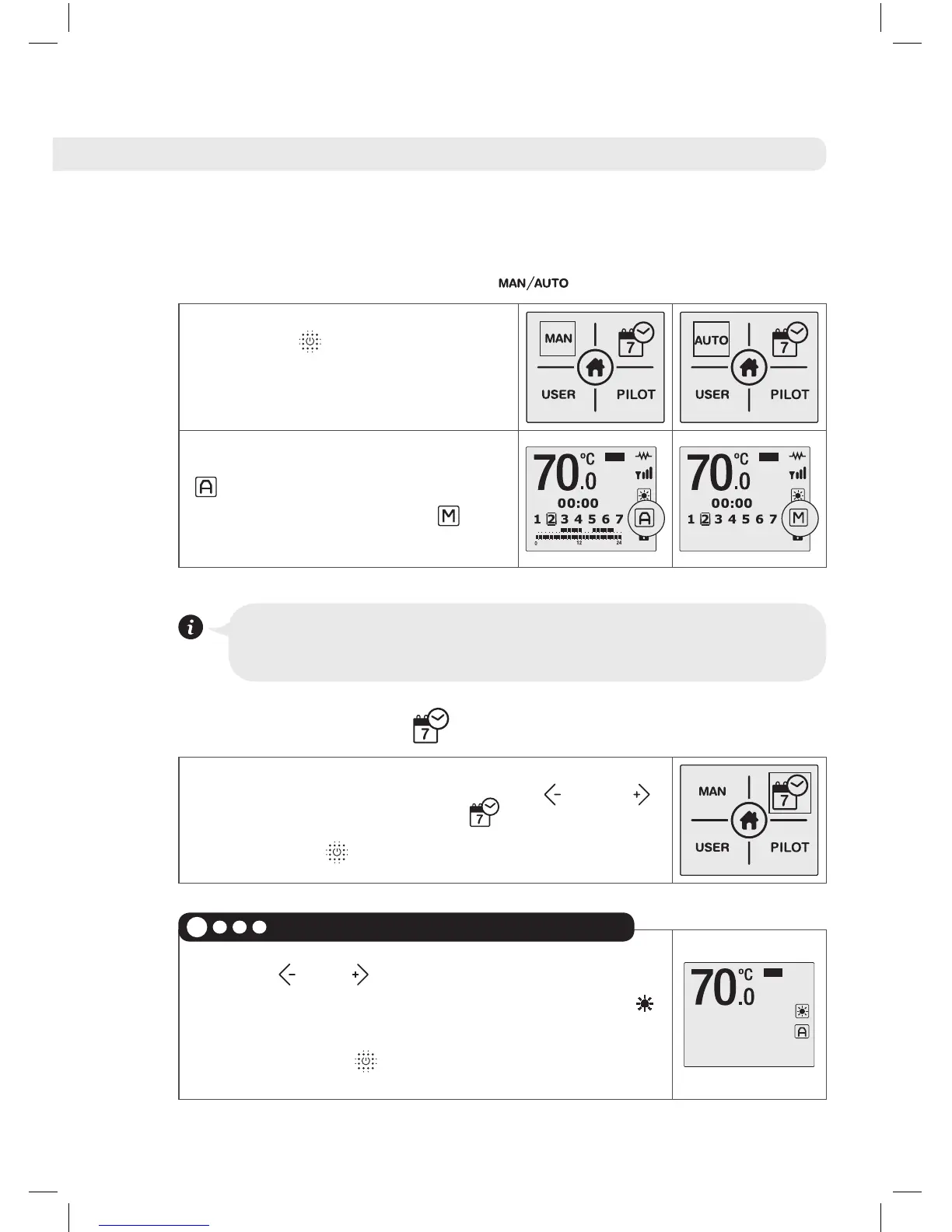
• Manual/Automatic Function
Press the button to change
between the Manual and
Automatic modes.
On the main screen the symbol
will appear in Automatic
mode and the symbol
will
appear in Manual mode.
The Automatic Mode will activate the programming which
you have already set in the product.
• Start Programming
To start programming, use the and
buttons to choose the icon and confirm by
pressing the button.
Use the and keys to select the COMFORT
temperature, between 55ºC and 73ºC. The
symbol and the temperature will flash. Once
selected, press to confirm.
Select the COMFORT temperature
1





 To Next Page