5
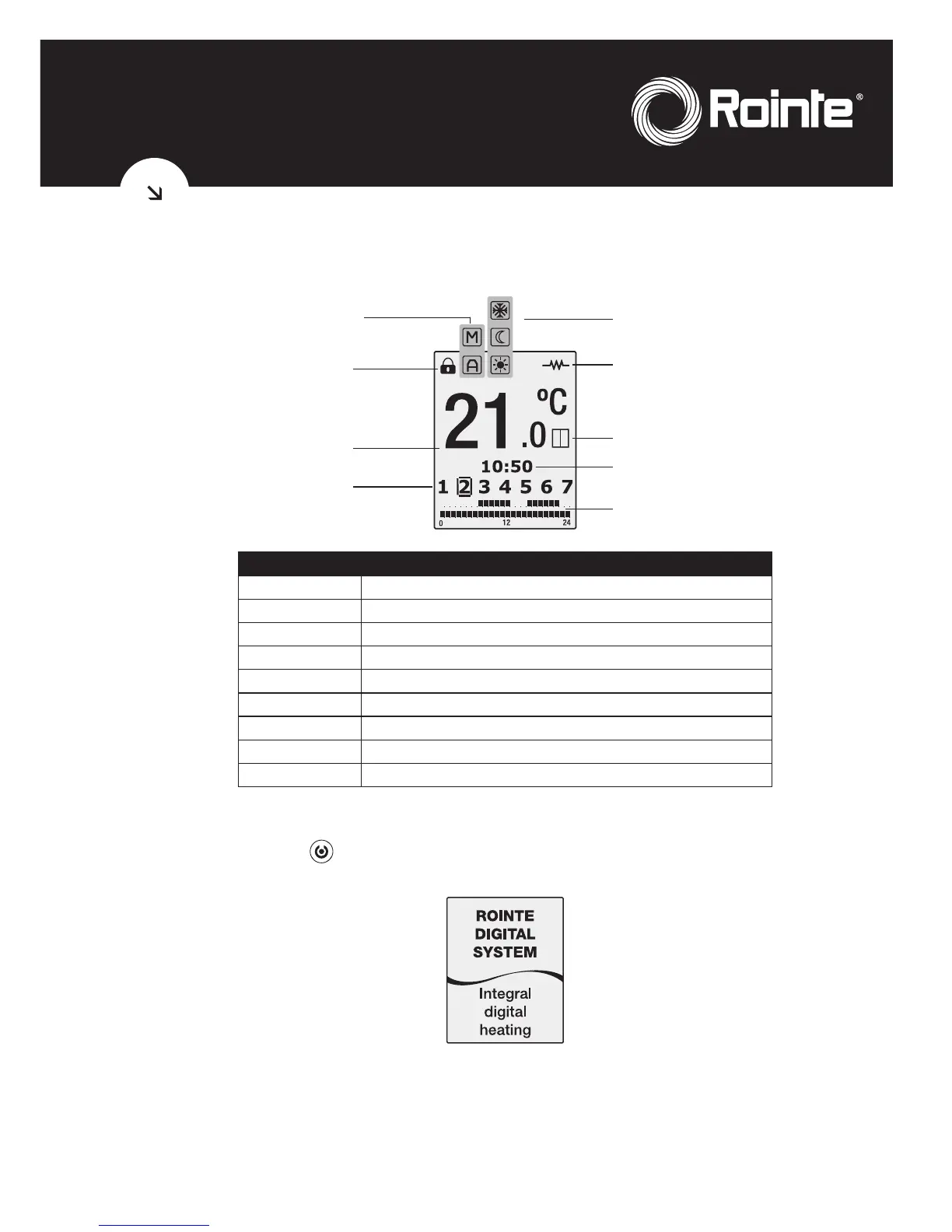
1.1.1. TFT display symbols
SEGMENT INDICATION
1
PROGRAMMING
2
DAYS OF THE WEEK
3
TIME OF DAY
4
TEMPERATURE SELECTED
5
LOCKING THE CONTROL PANEL
6
MANUAL/AUTOMATIC FUNCTION
7
COMFORT/ECONOMY/ANTI-FROST MODE
8
RADIATOR ON
9
OPEN WINDOW FUNCTION
1.2. Switching On & Off (stand-by)
By pressing the key
, we can switch the radiator on or off. The following image will appear
on the screen when switched on:
The screen will automatically go into sleep mode if no button is pushed for 10 seconds. By
pushing the button again the radiator will go into standby mode with the word “Standby”
appearing followed by the Rointe logo.
1
2
3
4
5
6
7
8
9



 To Next Page