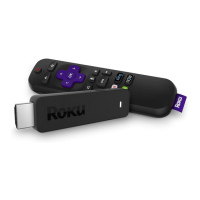
TIP: Make sure there are no obstructions between the remote and the IR
sensor on the front of the Roku player.
A
[BACK] Return to previous screen
[HOME] Return to Roku home screen
[OK] Select an option from a menu
[UP] or [DOWN] Move up or down; [LEFT] or [RIGHT] Move left or right
[REV SCAN] Rewind, scroll left one page at a time
[PLAY/PAUSE] Start or pause playback
[FWD SCAN] Fast forward, scroll right one page at a time
[OPTIONS] View more options
B
D
C
F
E
G
H



 To Next Page