WHAT TO DO STEP 1
Ready for the step-by-step? We’ve only got four…
CONNECT YOUR PLAYER
Connect your Roku player to your TV in one of two ways:
HIGH DEFINITION: If you have an HDTV and want the best picture quality, use an
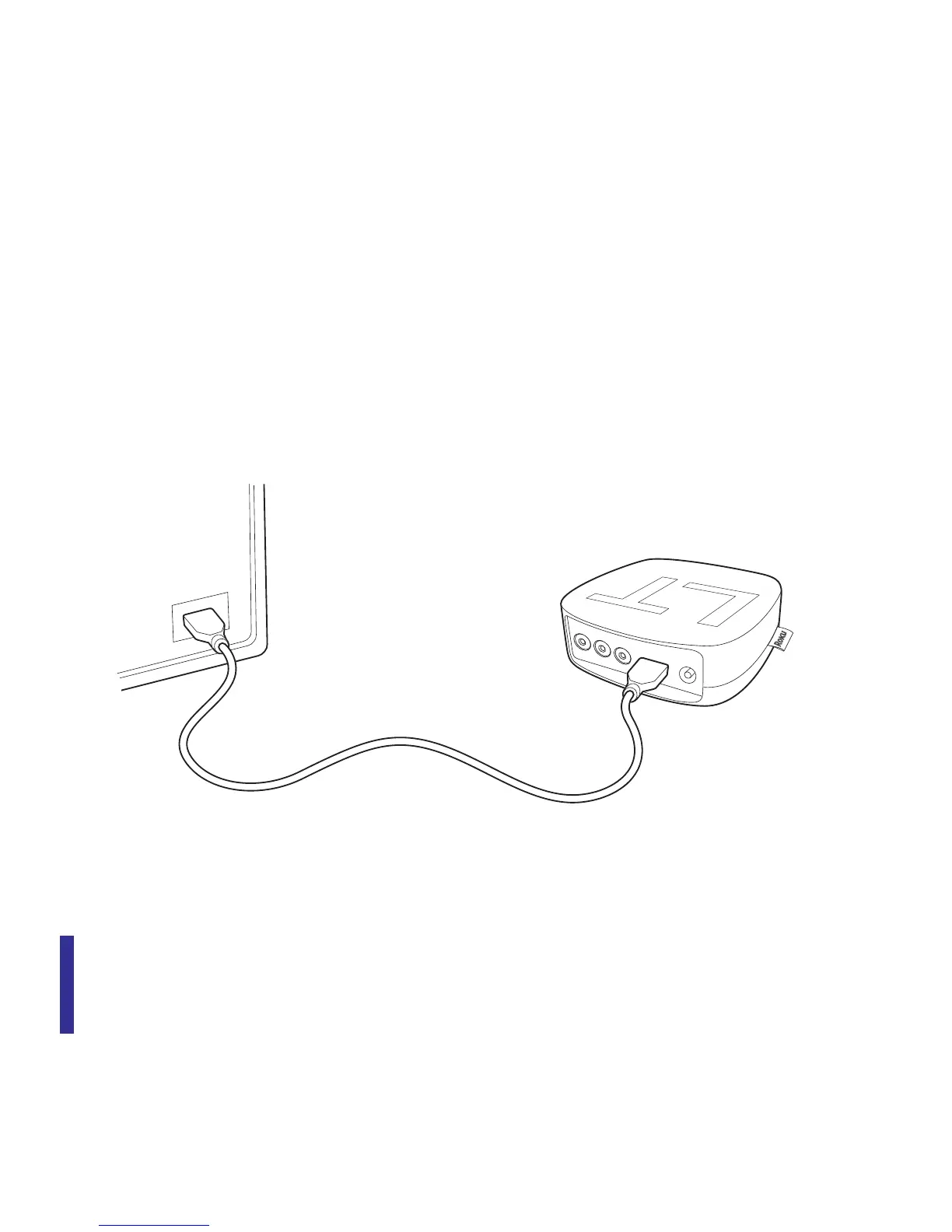
HDMI cable (not included) to make the connection depicted in the diagram below:
• Connect one end to the HDMI port on the back of your Roku player.
• Connect the other end to an open HDMI port on your TV.
DID YOU KNOW? Because HDMI outputs digital video and audio, you don’t
need a separate audio cable. HDMI also supports 5.1 surround sound (where
available). GOT A RECEIVER? You can also use HDMI to route video and audio
directly through your receiver if it supports HDMI video pass-through.



 To Next Page