Panel Descriptions
11
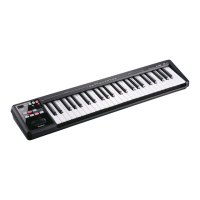
[TRANSPOSE] button, OCTAVE/TRANSPOSE indicator, [+][–] buttons
In PLAY mode (p. 22), you can press the [TRANSPOSE] button to switch the function of the OCTAVE/TRANSPOSE
indicator and the [+] [–] buttons.
When the [TRANSPOSE] button is turned on, the transposition setting is enabled. When the [TRANSPOSE] button
is turned o, the transposition setting is disabled.
Button Function OCTAVE/TRANSPOSE indicator
[+][–] buttons Change the octave setting (p. 28) Indicates the octave setting
[TRANSPOSE] +
[+][–] buttons
Change the transpose setting(p. 28) Indicates the transpose setting
The OCTAVE/TRANSPOSE indicator and the setting it shows
-6
Unlit Lit
-5 -4 -3 -2 -1 0 1 2 3 4 5


 To Next Page