124
Creating Original Arrangements
Inserting a Step
Perform the procedure below to insert a new step into the
location of the present step.
fig.03-305
* The parameter value of inserted step will be the same as of the
targeted step.
1. Make sure performance of the song is stopped, then
press [ARRANGE/PATTERN/OFF] repeatedly until the
indicator is lit.
2. Press [EDIT].
The Arrangement Edit screen appears.
3. Press [CURSOR] to move the cursor to “STEP,” and
press [ENTER].
The Recording Standby screen appears.
4. Use [CURSOR] and the TIME/VALUE dial to set the
location (step) where the data is to be inserted.
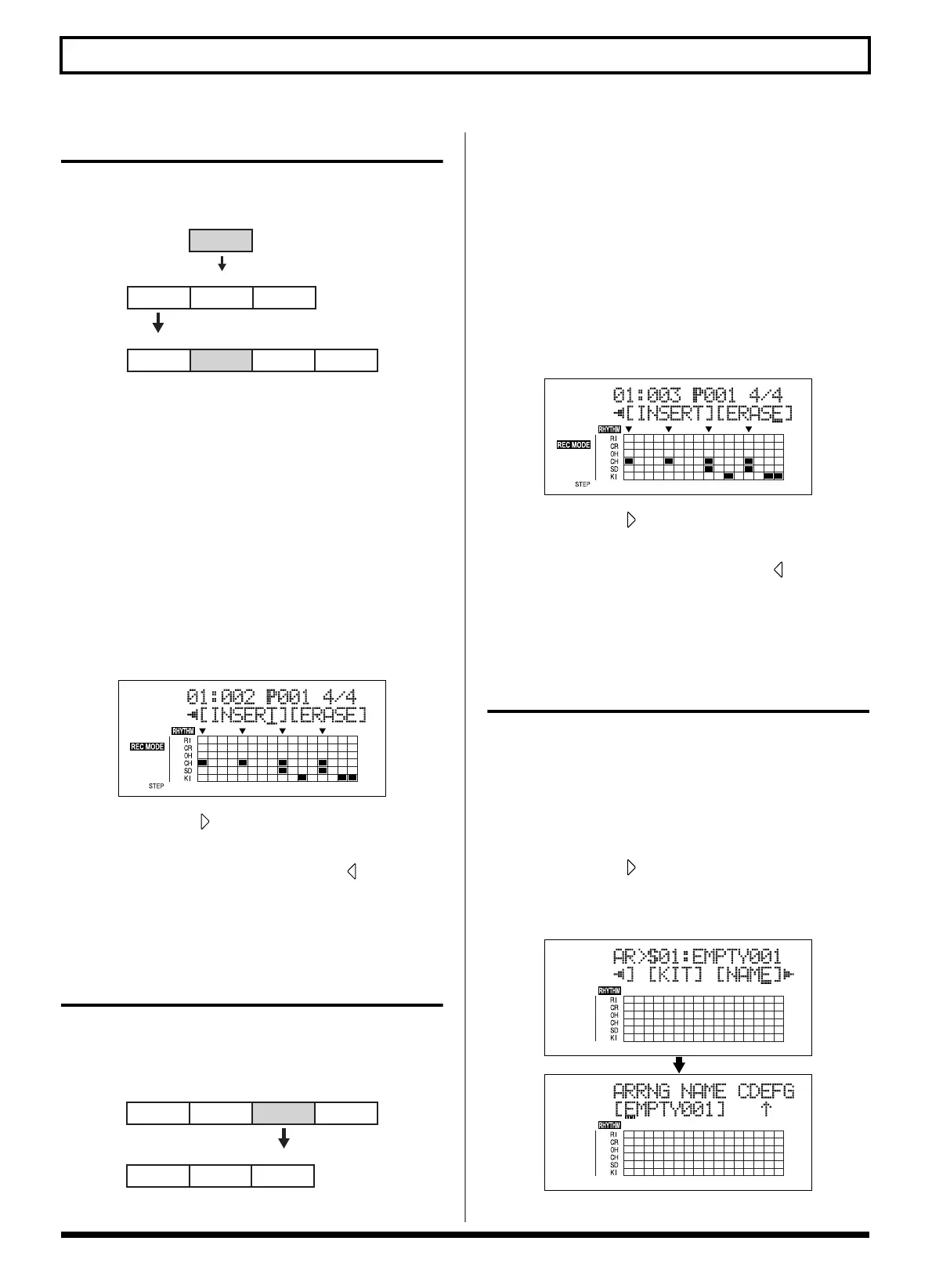
fig.03-306d
5. Press CURSOR [ ] repeatedly to move the cursor to
“INSERT” and press [ENTER].
To cancel the operation, press CURSOR [ ] to return to
the Arrangement Edit screen.
When you press [ENTER], the display indicate “Insert!”
then return to the Recording Standby screen.
Erasing a Step
This erases the content of the currently selected step. The
content of the following steps are brought forward to fill the
erased step.
fig.03-307
* No further data can be deleted when only Step 1 remains.
1. Make sure performance of the song is stopped, then
press [ARRANGE/PATTERN/OFF] repeatedly until the
indicator is lit.
2. Press [EDIT].
The Arrangement Edit screen appears.
3. Press [CURSOR] to move the cursor to “STEP,” and
press [ENTER].
The Recording Standby screen appears.
4. Use [CURSOR] and the TIME/VALUE dial to set the
step to be erased.
fig.03-308d
5. Press CURSOR [ ] repeatedly to move the cursor to
“ERASE” and press [ENTER].
To cancel the operation, press CURSOR [ ] repeatedly
to return to the Arrangement Edit screen.
When you press [ENTER], the display indicate “Erase!”
then return to the Recording Standby screen.
Naming Arrangements
You can edit the name of the currently selected arrangement.
* You can use up to eight characters in naming arrangements.
1. Press [ARRANGE/PATTERN/OFF] repeatedly until the
indicator is lit.
2. Press [EDIT].
3. Press CURSOR [ ] repeatedly to move the cursor to
“NAME,” and press [ENTER].
The Change Arrangement Name screen appears.
fig.03-310d
* You cannot change Preset arrangement names.
Intro Verse Fill
Verse
Verse
Insert
Step 1 Step 2 Step 3
Intro
Verse Fill
Step 1
Step 2 Step 3 Step 4
Intro Verse Fill
Verse
Erase
Step 1 Step 2
Verse
Step 4Step 3
Intro
Verse
Step 1
Step 2 Step 3



 To Next Page