85
Chapter 4 Practice Functions
Chapter 4
Setting Markers for Repeated Practice
(Marker)
By setting markers at points in a song that you want to practice repeatedly, you can
then easily go to and repeat play back of the selected measures.
■
Placing a Marker within a Song
You can place two separate markers (Marker A and Marker B) in one song. These
markers are placed at the beginning of a measure to make the beginning and end of
a section of music. Placing markers is a handy way to start playback at the same
place as many times as you like. You can add markers or move to a marker even
while playback is in progress.
Access the Marker Screen
First, select the song in which you’ll set the markers (p. 65).
1.
Press the [Count/Marker] button.
2.
Touch <Marker>.
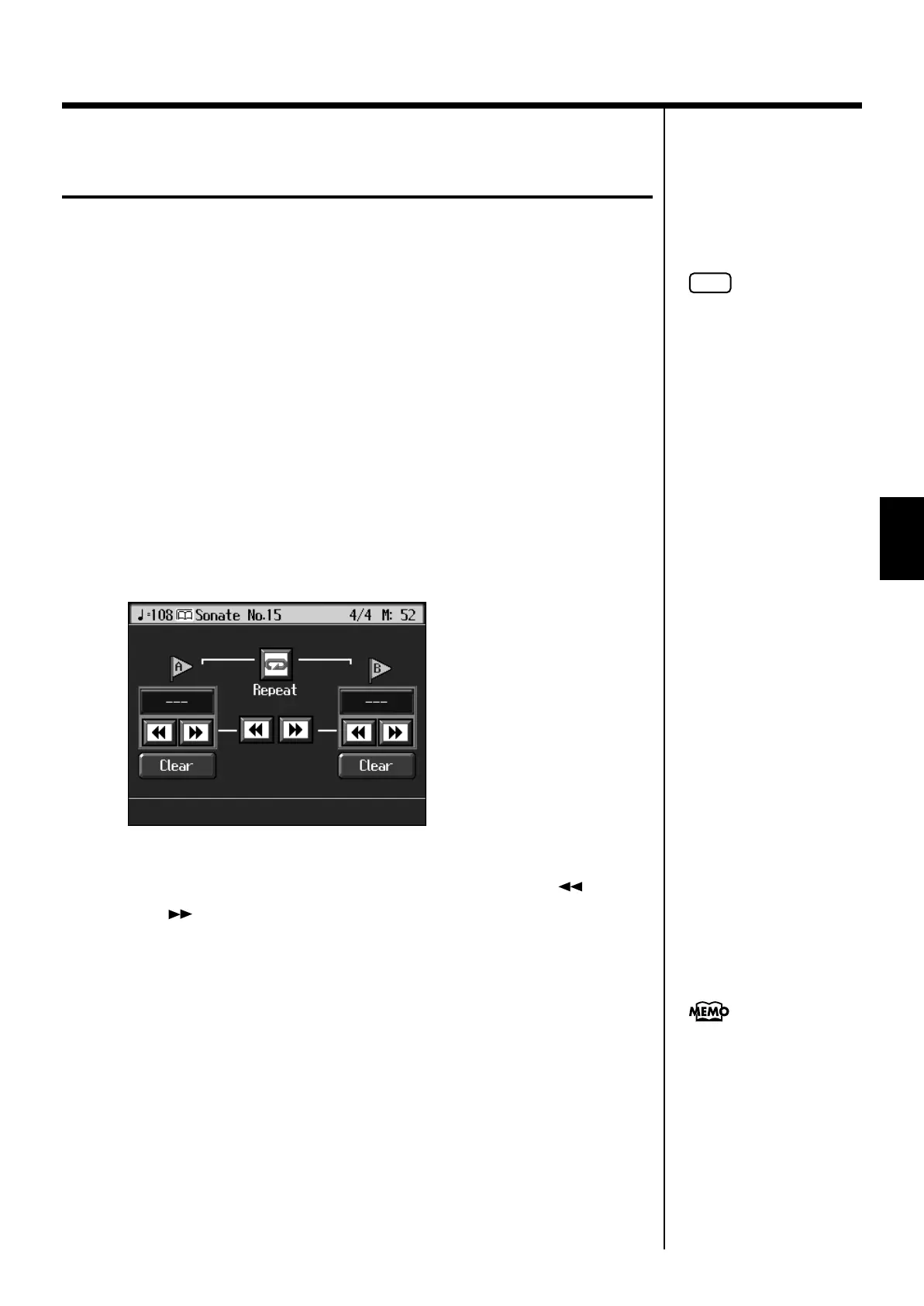
The Marker screen appears.
fig.d-marker.eps_60
Placing Markers
3.
Go to the measure where you want to set a marker using the [ (Bwd)]
and [ (Fwd)] buttons.
4.
Touch <- - -> for Marker A.
Marker A is placed at the beginning of the measure you selected.
“- - -” on the screen will change to the number of the measure where you placed the
marker.
5.
In the same way, touch the Marker B <- - -> to set Marker B.
It is not possible to assign marker B to the same location or a measure before marker A.
NOTE
You cannot place markers in
audio files.
Markers can also be assigned
in units of beats rather than
measures. Refer to “Placing a
Marker in the Middle of a
Measure” (p. 141).
KR107_e.book 85 ページ 2005年8月3日 水曜日 午前9時36分



 To Next Page