97
Chapter 5 Recording and Saving the Performance
Chapter 5
Erasing Recorded Performances
You can use the following method to delete a recorded performance.
1.
Hold down the [Song] button and press the [ (Rec)] button.
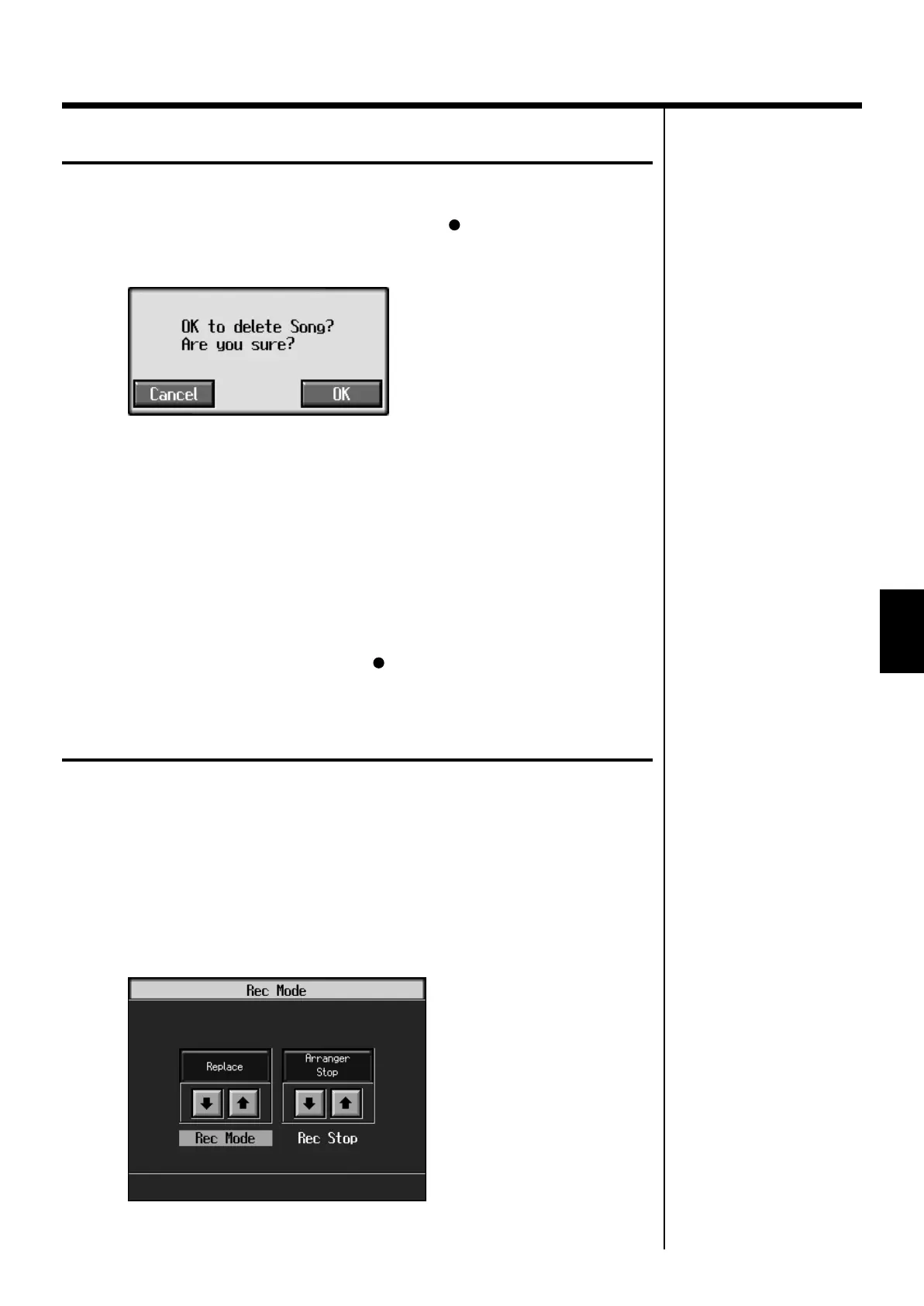
A screen like the one shown below appears.
fig.m-songdel.eps_60
2.
Touch <OK>.
This deletes the recorded song.
When you touch <Cancel>, the song selection screen or basic screen appears and the
recorded song is not erased.
■
Erasing the Performance on Specific Tracks
You can select and erase performances on specific tracks.
1.
Hold down the Track button for the track containing the performance
you want to erase, then press the [ (Rec)] button.
The Track button’s light goes dark, and the recorded music is erased.
Changing How Recording Stops
When recording an Automatic Accompaniment performance, you can change the
accompaniment and the way recording mode stops.
1.
Press the [Menu] button and watch the indicator light up.
The Menu screen appears.
2.
Touch <Rec Mode>.
A screen like the one shown below appears.
fig.d-recmode.eps_60
KR107_e.book 97 ページ 2005年8月3日 水曜日 午前9時36分



 To Next Page