57
VA-76 – Using live vocals
1.
See “Metronome Output” for how to select the dis-
play page with the metronome options.
2.
Select an option in the Count-In section:
OFF— The count-in function is off.
1Bar, 2Bar— Whenever you start Arranger playback,
the metronome counts in 1 or 2 bars before the
selected Music Style pattern starts playing.
Note: The Count-In function can be used independently of
the metronome. There is thus no need to activate the metro-
nome in order to hear the count-in.
3.
Press the [EXIT] field to return to the Master page.
4.5 Using live vocals
The VA-76 also provides a special part you can use
when you want to sing to the music you play on the
VA-76. You can also use this part for other audio sig-
nals, but please bear in mind that the Audio In part is
mono.
The audio signal received by the Audio In part is
transmitted to the OUTPUT 1 and PHONES sockets.
1.
Set the [VOLUME] knob to the “MIN” position.
2.
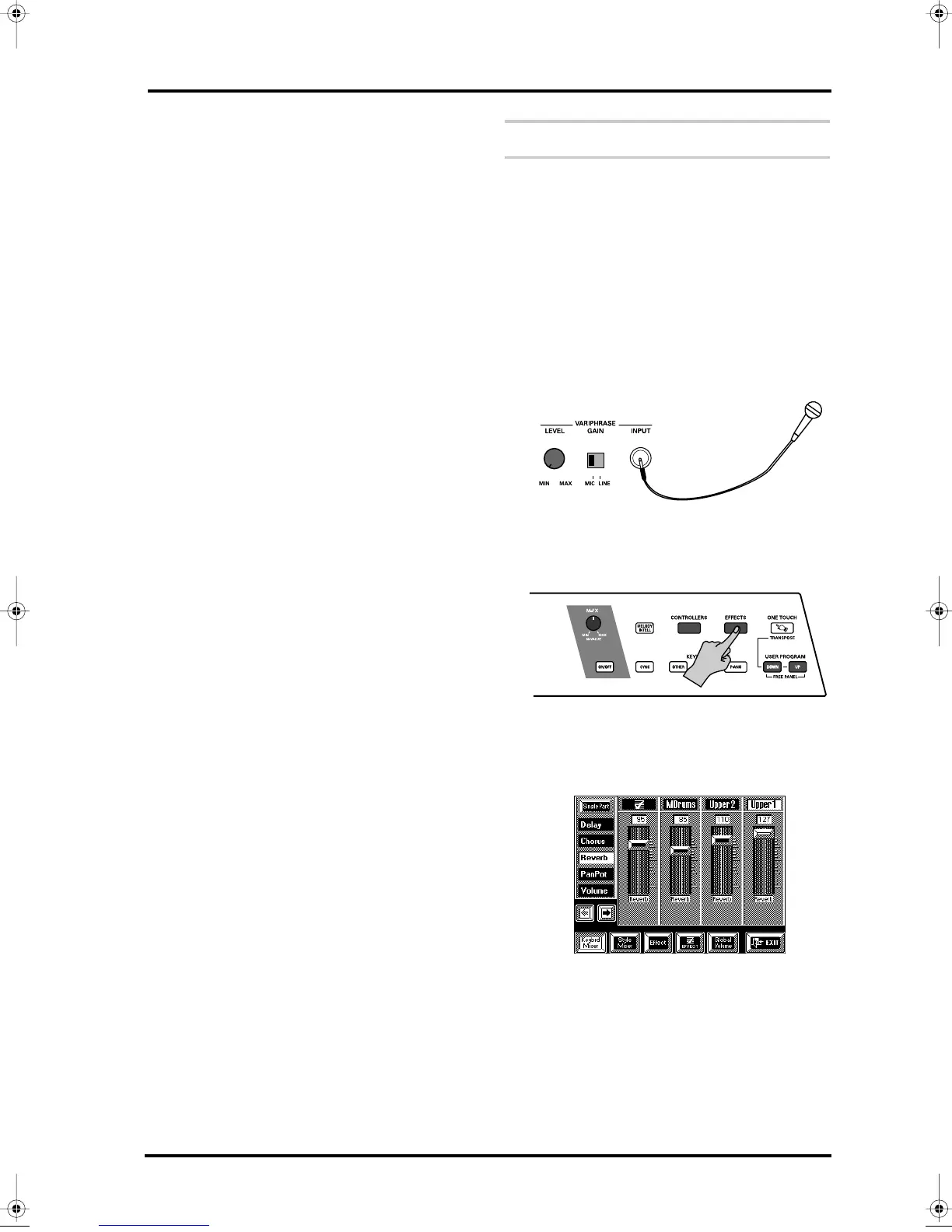
Connect a microphone to the VariPhrase INPUT
socket.
Please use a dynamic microphone. Two models are
available from Roland: the DR-10 and the DR-20.
3.
Set the [LEVEL] knob to the “MIN” position and
the [GAIN] switch to “MIC”.
4.
Press the [EFFECTS] button.
5.
On the display page that appears now, press the
[Keybrd Mixer] field.
The display now contains a page similar to the follow-
ing:
It doesn’t really matter which effet is currently
selected. Just make sure the [Keybrd Mixer] field is
displayed in white.
VA-76.book Page 57 Friday, January 12, 2001 12:35 PM


 To Next Page