EasyManua.ls Logo

Roland V-Combo VR-760 - User Manual

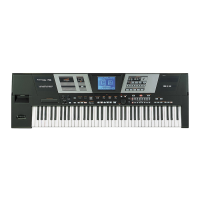
Roland V-Combo VR-760
120 pages
Print Icon
To Next Page IconTo Next Page
Loading...
Thank you, and congratulations on your choice of the Roland Performance Keyboard VR-760.
201b
202
Copyright © 2003 ROLAND CORPORATION
All rights reserved. No part of this publication may be reproduced in any form without the
written permission of ROLAND CORPORATION.
Before using this unit, carefully read the sections entitled: “IMPORTANT SAFETY
INSTRUCTIONS” (Owner’s manual p. 2), “USING THE UNIT SAFELY” (Owner’s manual p.
3), and “IMPORTANT NOTES” (Owner’s manual p. 5).
These sections provide important information concerning the proper operation of the unit.
Additionally, in order to feel assured that you have gained a good grasp of every feature
provided by your new unit, Owner’s manual should be read in its entirety. The manual should
be saved and kept on hand as a convenient reference.
03128590 ’03-6-5N
Owner’s Manual
To resize thickness, move all items on the front cover
and center registration marks to left or right
This owner’s manual is printed on recycled paper.

Table of Contents

Questions and Answers

  • A
    Alan JuarezAug 19, 2025
    What to do if Roland V-Combo VR-760 sound is distorted?
    • K
      Kimberly ReedAug 20, 2025
      If the sound from your Roland Electronic Keyboard is distorted, it might be due to certain equalizer, effect, or part volume settings. Try adjusting the following: * Part volumes ([ORGAN VOLUME], [PIANO VOLUME], [SYNTH VOLUME]) * [PIANO MIC/AMP] (if using amp simulation) * [MASTER EQ] * [SYNTH MFX] effect level.
  • R
    Ronald MaciasAug 21, 2025
    Why is the pitch off on my Roland Electronic Keyboard?
    • A
      Andrea CollinsAug 21, 2025
      If the pitch is off on your Roland Electronic Keyboard, consider these potential causes: * The tuning may be off; adjust the Master Tune and Key Transpose. * The organ, piano, and synth Octave Shift and Fine Tune settings might not be set to the same values; adjust these settings accordingly. * If the wheel brake or glide function is assigned to the control pedal without a foot switch or control pedal connected to the [CONTROL PEDAL] jack, connect a foot switch/control pedal or assign a different function to the control pedal.
  • J
    Joshua OwensAug 23, 2025
    How to fix no synth part sound on Roland V-Combo VR-760 Electronic Keyboard?
    • L
      Lisa SmithAug 25, 2025
      If you're not getting any sound from the synth part on your Roland Electronic Keyboard, try the following: * Make sure the [SYNTH VOLUME] knob is turned up to raise the volume. * Press one of the [SYNTH TONE] buttons to select a synth tone. * If using the expression pedal, ensure it is pressed forward while monitoring the volume level.
  • G
    Gene DavidsonAug 26, 2025
    What to do if there is no piano sound on Roland V-Combo VR-760 Electronic Keyboard?
    • M
      Michael AndersonAug 26, 2025
      If you're not hearing any sound from the piano part on your Roland Electronic Keyboard, check these: * Ensure that the [PIANO VOLUME] knob is turned up to increase the volume of the piano part. * Press one of the [PIANO TONE] buttons to select a piano tone.
  • J
    John MckinneyAug 27, 2025
    How to troubleshoot Roland V-Combo VR-760 Electronic Keyboard when no organ sound?
    • N
      nrobertsAug 27, 2025
      If you're experiencing no organ sound on your Roland Electronic Keyboard, here are a few things to check: * Ensure that at least one of the harmonic bars is pulled out. * If the wheel brake is audible, press the foot switch to release it. * Verify that the [ORGAN VOLUME] knob is turned up to raise the volume of the organ part.
  • D
    derek53Aug 29, 2025
    How to stop Roland Electronic Keyboard sounds from playing again after release?
    • K
      Kristen WiseAug 29, 2025
      You can turn off the Quick Firing function on your Roland Electronic Keyboard. When using MIDI to play sounds from an external sound generator, we recommend using the external part.
  • A
    averydawnSep 1, 2025
    Why isn't the piano wah effect working on my Roland Electronic Keyboard?
    • B
      blakecummingsSep 1, 2025
      If the piano wah effect isn't functioning on your Roland Electronic Keyboard and PIANO PEDAL WAH is selected for the control pedal, connect a foot switch or control pedal to the [CONTROL PEDAL] jack. Alternatively, assign a function other than pedal wah to the control pedal.
  • J
    jonathan74Sep 2, 2025
    Why is overdrive not working on the organ of my Roland V-Combo VR-760 Electronic Keyboard?
    • L
      lawrencebryanSep 2, 2025
      If overdrive is not being applied to the organ on your Roland Electronic Keyboard, make sure the expression pedal isn't tilted all the way back. Press the pedal forward while carefully monitoring the volume level.
  • C
    crawfordmarissaSep 4, 2025
    How to enable hold pedal for organ on Roland Electronic Keyboard?
    • S
      Steven SanchezSep 5, 2025
      If the hold pedal isn't working on the organ part of your Roland Electronic Keyboard, it might be because the Organ Damper SW is set to OFF. Set Organ Damper SW to ON to apply the hold pedal to the organ part.
  • S
    Stephanie HurleySep 6, 2025
    Why is Active Expression TIMBRE not working on my Roland V-Combo VR-760?
    • R
      Ryan KelleySep 7, 2025
      If the Active Expression TIMBRE function isn't working on your Roland Electronic Keyboard, it's likely because an SRX expansion tone is selected. TIMBRE is not applied to SRX expansion tones.

Summary

USING THE UNIT SAFELY

IMPORTANT NOTES

Power Supply

Precautions and guidelines for connecting and using the power supply.

Placement

Guidelines for positioning the unit to ensure proper operation and prevent damage.

BEFORE USING CARDS

Using DATA Cards

Information on handling and using CompactFlash memory cards.

MAIN FEATURES

Handles Organ, Piano, and Synthesizer Parts

Overview of the VR-760's integrated sound capabilities.

Organ Section Equipped with Virtual Tonewheel Sound Generator

Details on the VR-760's emulated tonewheel sound generator technology.

Equipped with Dedicated Piano Sound Generator

Information about the VR-760's dedicated piano sound modeling.

Synth Sections Includes High Quality Backing Tones

Description of the synth section's diverse sound library.

PANEL DESCRIPTIONS

Front Panel

Identification and explanation of controls on the front panel.

Rear Panel

Identification and explanation of ports and connectors on the rear panel.

BEFORE YOU BEGIN PLAYING

Connecting the Power Cord

Step-by-step guide for connecting the power supply.

Turning the Power On and Off

Procedure for safely powering the VR-760 on and off.

Restoring the Factory Settings (Factory Reset)

Steps to reset the unit to its original factory default settings.

OVERVIEW OF THE VR-760

Basic organization of the VR-760

Explanation of the VR-760's internal structure and sections.

Composition of the VR-760’s Parts

Breakdown of the VR-760's functional parts (Organ, Piano, Synth, Rhythm).

Basic Operation of the VR-760

Guide to the fundamental operation and screen navigation of the VR-760.

PERFORMING WITH THE KEYBOARD

Performing the Organ, Piano, or Synth Individually (ONE TOUCH)

How to use the ONE TOUCH buttons to isolate and play individual parts.

Performing with a Variety of Tones (REGISTRATION)

Guide to selecting and using different preset sound combinations (registrations).

Basic Operation of the Organ Part

Fundamental operations and settings for the organ sound section.

Basic Operation of the Piano Part

Fundamental operations and settings for the piano sound section.

Basic Operation of the Synth Part

Fundamental operations and settings for the synthesizer sound section.

USING THE ADVANCED FUNCTIONS

Using the D BEAM Controller to Produce Common Effects

How to use the D Beam controller for various sound effects.

Saving Settings to Registrations

How to save custom sound setups as registrations.

Saving to the Memory Card

How to save all VR-760 settings to a memory card.

Controlling an External Video Device (V-LINK)

How to control external video devices using the V-LINK function.

DETAILED SETTINGS FOR EACH FUNCTION (EDIT)

About the Edit Mode Menu

Overview of the different menus available within the Edit mode.

SYSTEM BASIC

Global system settings affecting the VR-760 overall.

SYSTEM MIDI

MIDI settings that apply globally to the VR-760.

REGISTRATION ORGAN

Specific settings for the organ part within registrations.

UTILITY

Utility functions including wave expansion board checks and bulk dump.

CONNECTING EXTERNAL MIDI DEVICES

Recording VR-760 Performances to an External MIDI Sequencer

How to record VR-760 performances onto an external sequencer.

Playing the VR-760’s Internal Sound Generator from an External MIDI Device

How to use an external device to control the VR-760's sounds.

INSTALLING THE WAVE EXPANSION BOARD

Cautions When Installing an Wave Expansion Board

Important precautions regarding static electricity and handling during installation.

Installing SRX Series Boards

Step-by-step guide for installing SRX series expansion boards.

APPENDICES

Troubleshooting

Common problems and their solutions for the VR-760.

Messages and Error Messages

Lists messages and error codes displayed by the VR-760 and their meanings.

Effects;Parameter List

Detailed list of multi-effects and their adjustable parameters.

Tone List

A comprehensive list of all available piano and synth tones.

MIDI IMPLEMENTATION

Channel Voice Messages

Explanation of MIDI channel voice messages for notes, velocity, etc.

Control Change

Explanation of MIDI control change messages.

System Exclusive Messages

Details on System Exclusive MIDI messages.

SPECIFICATIONS

INFORMATION

Roland V-Combo VR-760 Specifications

General IconGeneral
BrandRoland
ModelV-Combo VR-760
CategoryElectronic Keyboard
LanguageEnglish

Related product manuals