EasyManua.ls Logo

Rollei Actioncam 310 - Getting Started

Rollei Actioncam 310
10 pages
Print Icon
To Next Page IconTo Next Page
To Previous Page IconTo Previous Page
Loading...
-
Avoid
placing
heavy
objects
on
the
Rollei
Actioncam
310.
-
Do
not
dispose
of
this
unit
in
domestic
waste.
GETTING
STARTED
To
power
ON:
Press
the
Power/Mode
Button.
To
power
OFF:
Press
and
hold
the
Power/Mode
Button.
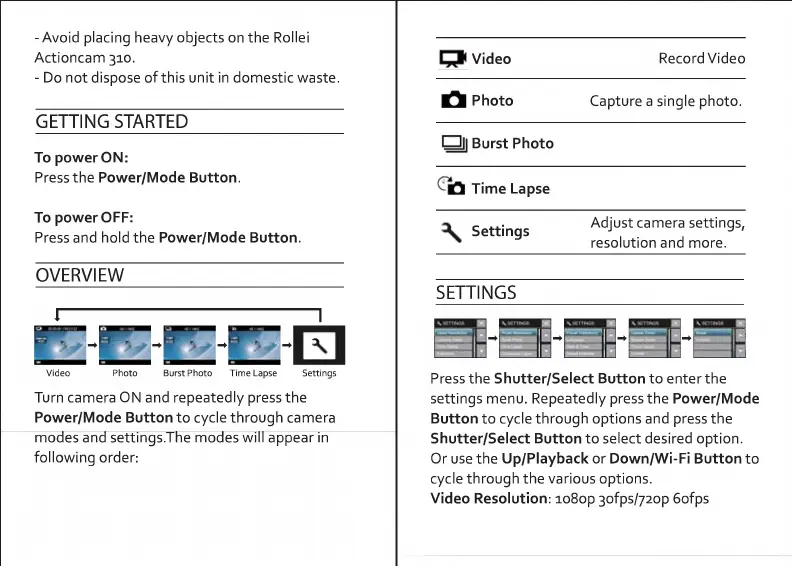
OVERVIEW
1-1
Video
Photo
Burst
Photo
Time
Lapse
Settings
Turn
camera
ON
and
repeatedly
press
the
Power/Mode
Button
to
cycle
through
camera
modes
and
settings.The
modes
will
appear
in
following
order:
C^i
Video
Record
Video
Photo
Capture
a
single
photo.
l
l
Burst
Photo
^
Time
Lapse
^
Settings
Adjust
camera
settings,
resolution
and
more.
SETTINGS
lT-
m
Press
the
Shutter/Select
Button
to
enter
the
settings
menu.
Repeatedly
press
the
Power/Mode
Button
to
cycle
through
options
and
press
the
Shutter/Select
Button
to
select
desired
option.
Or
use
the
Up/Playback
or
Down/Wi-Fi
Button
to
cycle
through
the
various
options.
Video
Resolution:
io8op
3ofps/72op
6ofps

Related product manuals