Product Components
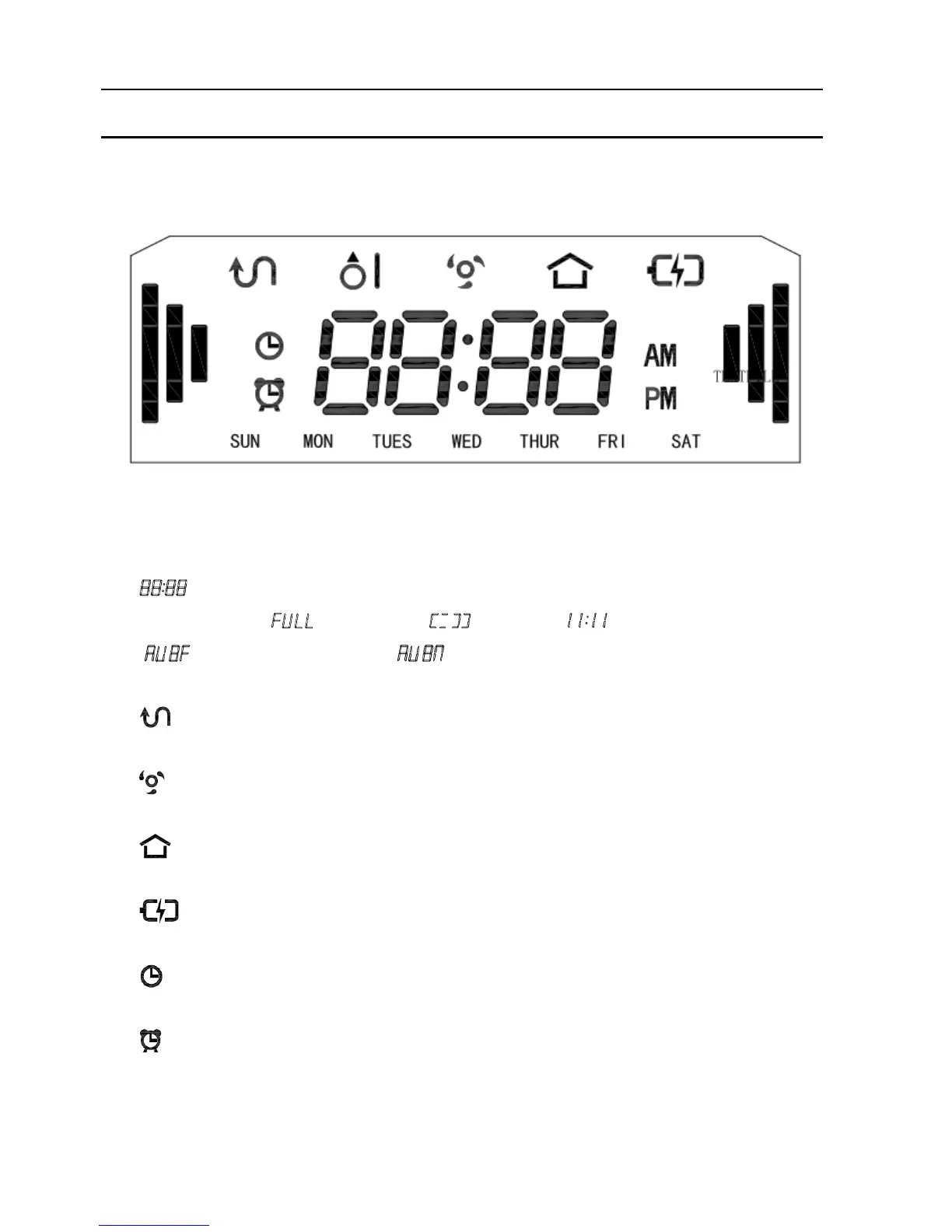
Display Panel
LED Panel
1. LED panel shows the time setting, charging status, and error codes by using numbers,
letters or graphs. : fully charged, : low power, : charging,
: Suction passage blocked, : no dust bin.
2. Normal working indicator
3. Spot cleaning indicator
4. Auto-charge indicator
5. Power indicator
6. Time setting indicator
7. Schedule setting indicator


 To Next Page