12 RolliBot 2-in-1 Electric Mop
Section 6 : Using the Electric Mop
6.1 – Dry Mop
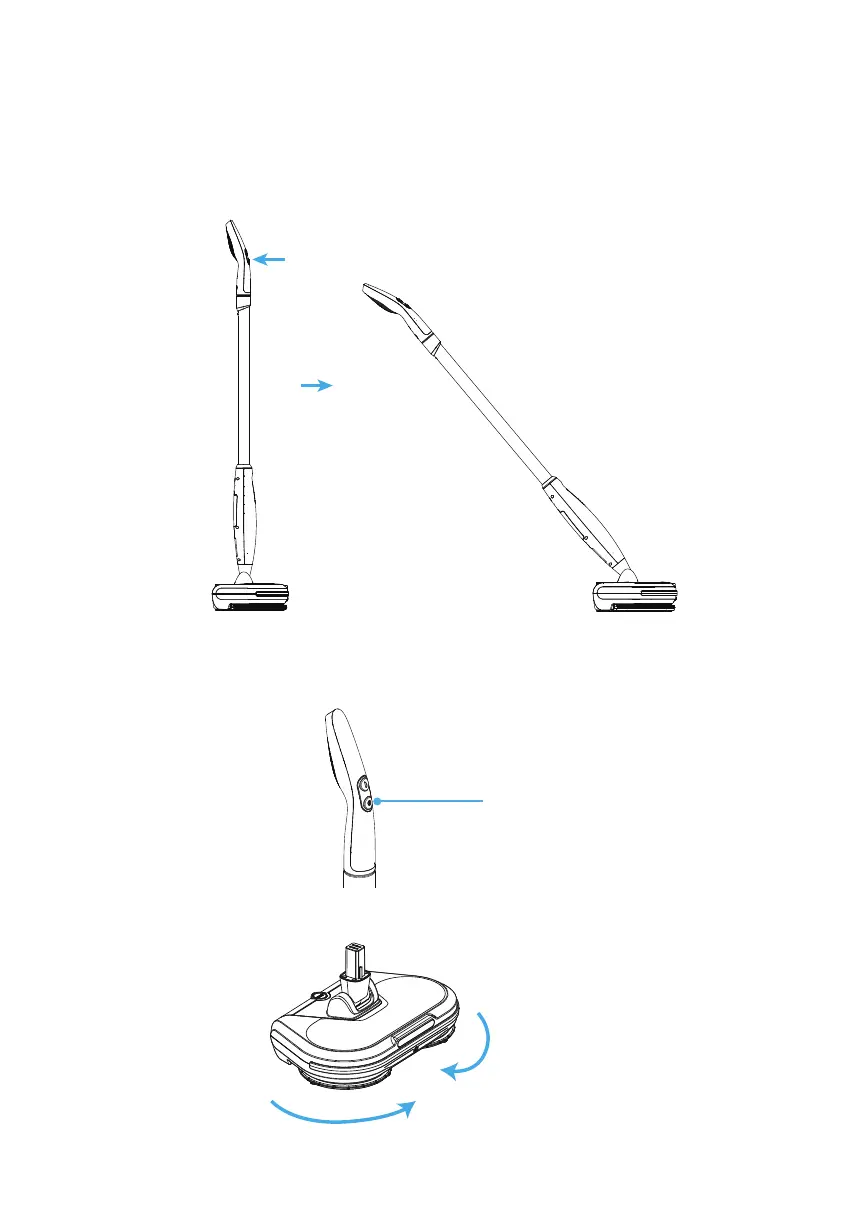
1. Put your foot on the main body and pull the handle downward slightly by hand. You
will hear a "click." The mop is now ready to work.
2. Press the power button once to turn on the mop. It will start in low-speed mode. Press
the power button again to cycle to a faster speed mode. To stop, press the power
button a third time.
Power Button/
Speed Switch


 To Next Page