—23—
Adjust the tilt of the projector by adjusting the adjustable feet
When projecting a computer image, switch the computer output to
external display.
Output switching method varies according to computer types.
example
+
Adjust the focus, size and position of the projected image.
By using the adjustable feet to change the tilt of the projector, you can adjust the position of
the projected image and change the angle.
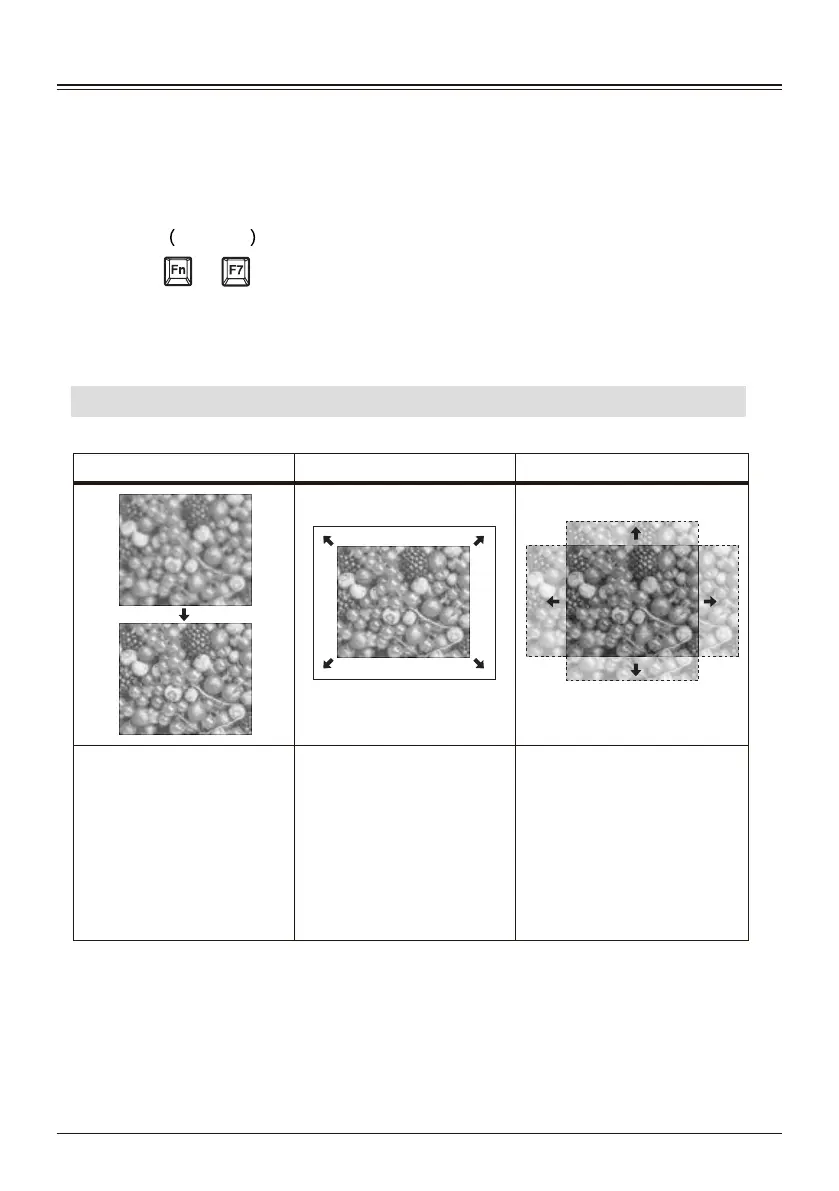
Adjust the focus, size and position of the projected image.
Focus Size (Zoom) Position (Lens shift)
6
7
Press the ZOOM/FOCUS key
on the remote control or the
keypad to enter the interface
for adjusting the focus and
zoom functions, and press
the up and down directions to
control FOCUS to adjust the
focus.
Press the ZOOM/FOCUS
button on the remote control
or the keypad to enter the
interface for adjusting the
focus and zoom functions,
and press the left and right
buttons to control ZOOM,
adjust the size, and zoom the
screen.
Press the LENS SHIFT key
on the remote control or the
keypad to enter the lens shift
function interface.



 To Next Page