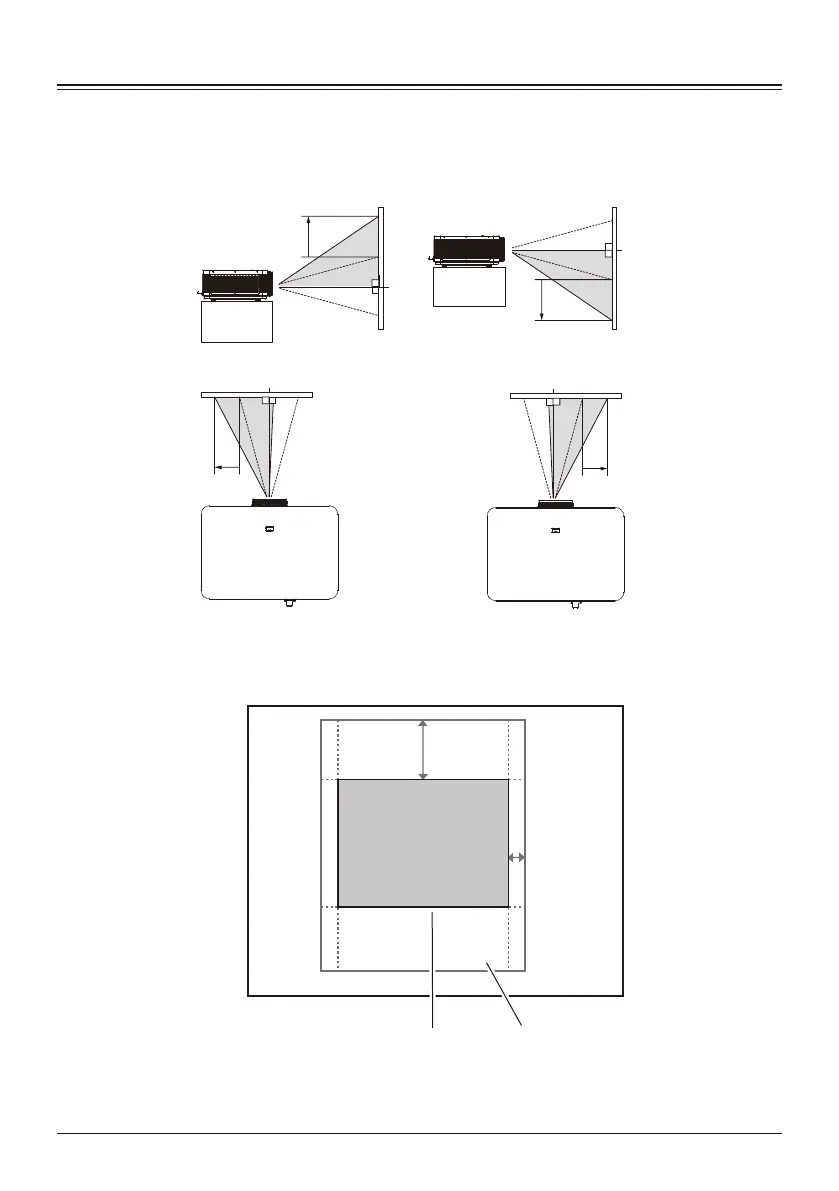
Through the manual lens shift function, the projection lens can be moved up and down,
left and right.
This function allows the user to easily adjust the position of the projected image.
Lens moved to the middle position
Adjustment range
Lens shift adjustment range
Lens moved to
the far left
The projection position
can be moved to the left
at most to the position of
10% width of the
projected image.
The projection position
can be moved up at
most to a distance equal
to 40% of the image
range up and down.
Lens moved to
the top
Lens moved to
the far right
The projection position
can be moved to the
right at most to the
position of 10% width of
the projected image.
The projection position
can be moved down at
most to a distance equal
to 40% of the image
range up and down.
Lens moved to
the bottom
40%
10%
—24—



 To Next Page