ROPE INNOVATION CO., LTD. CONFIDENTIAL NO.
:
ROPE-15121802
Copyright © 2016 ROPE INNOVATION CO., LTD. All rights reserved. Website: www.ropetrack.com
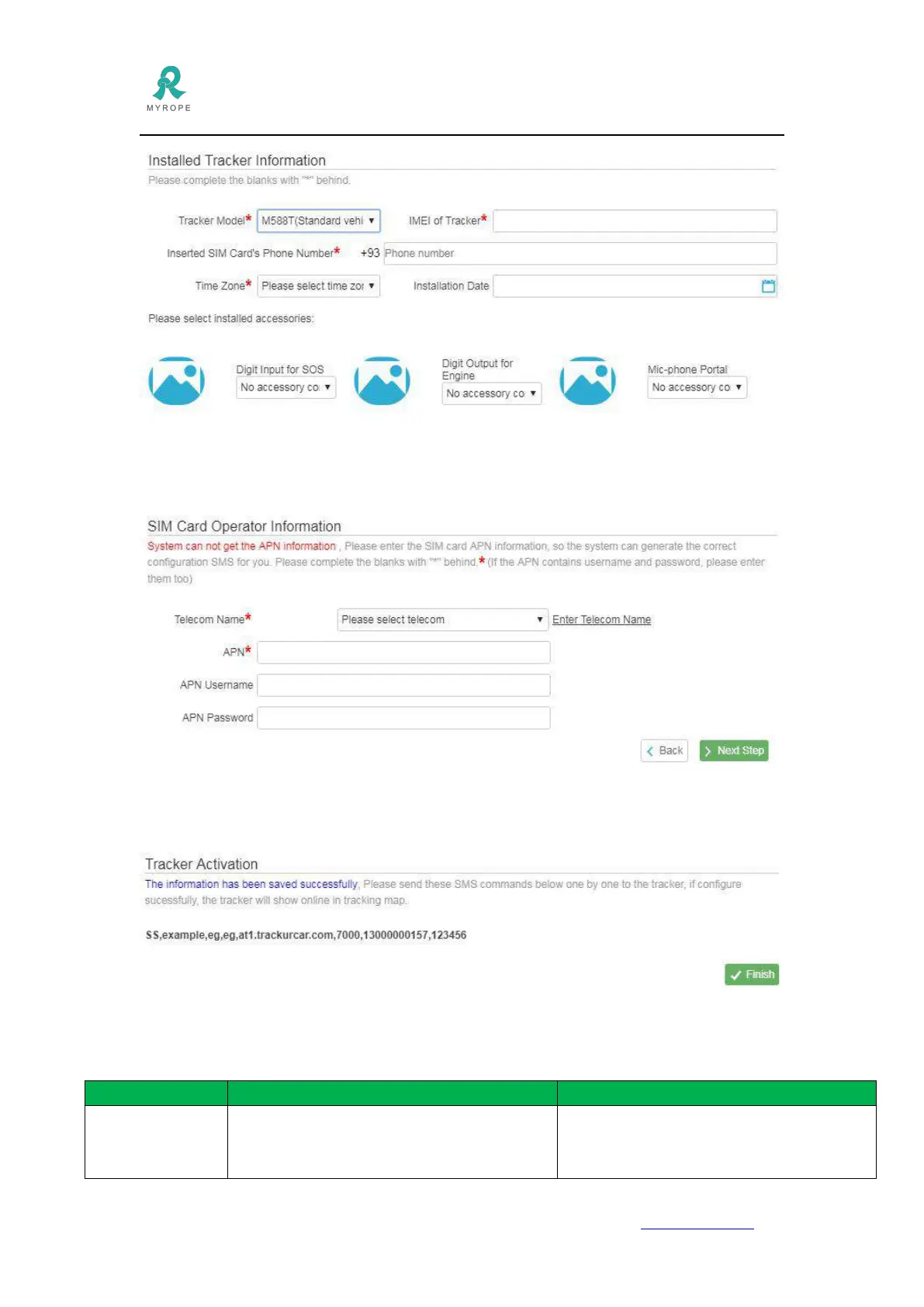
4.6 Click Next Step to fill in sim card APN information. Please select the telecom name, if the
telecom is not listed there, please click Enter Telecom Name to fill in the sim card telecom name.
4.7 Click Next Step, OVERSEE gives the configuration SMS to you. Please copy it and send it to
the gps device, after you receive reply from the gps device, it should be online.
4.8 Click Finish--Tracking Map to see if the gps device is online or not.
5. SMS Configuration
pwd,old_pwd,new_pwd
Eg : pwd,123456,666666
Default password is 123456
Replied SMS:
Config OK=Set successfully



 To Next Page