3
S
TARTUP AND
O
PERATION
748332-D Rosemount Analytical June 1997
3-1
NGA 2000 Non-Dispersive Infrared Analyzer
3.1 OVERVIEW
Prior to initial startup, the user should leak test the module as outlined in Section 2.
For the remainder of this section, Analyzer Module interconnection with a Platform or
some interfacing component will be assumed. Display and Keypad information shall
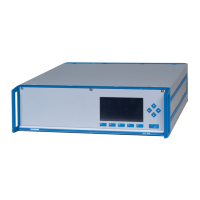
refer to that which the user can expect to see and do with regard to the Front Panel of
the Platform.
(For a complete description of Platform Front Panel controls and indicators, see
Section 1 of the Platform Components instruction manual.)
3.2 DISPLAYS SCREENS
Three kinds of Display Screens are available to the user (see Figures 3-1 through
3-6.):
•
Run Mode
•
Menu
•
Help
3.2.1 R
UN
M
ODE
D
ISPLAY
The Run Mode is the normal mode of operation. In this mode, the Display will show
current gas measurement, the component of interest, the current operations of the
softkeys, a graphic bar representing the displayed concentration as a percent of
fullscale, and up to 4 user-selectable secondary variables and associated bargraphs.
If more than one Analyzer Module is connected to the system, the Run Mode display
will show as many as four gas measurements on a single screen. Alarm messages
may also appear on the display (See Table 3-1).
3.2.2 M
ENU
D
ISPLAYS
The Menu structure enables the user to access data and functions, and put
information onto the network.
The Main Menu (see Figure 3-2) is subdivided into three levels of control based


 To Next Page