S
TARTUP AND
O
PERATION
3-4
June 1997 Rosemount Analytical 748332-DNGA 2000 Non-Dispersive Infrared Analyzer
F
IGURE
3-4. E
XPERT
C
ONTROLS AND
S
ETUP
M
ENU
F
IGURE
3-5. T
ECHNICAL
L
EVEL
C
ONFIGURATION
M
ENU
F
IGURE
3-6. T
YPICAL
H
ELP
S
CREEN
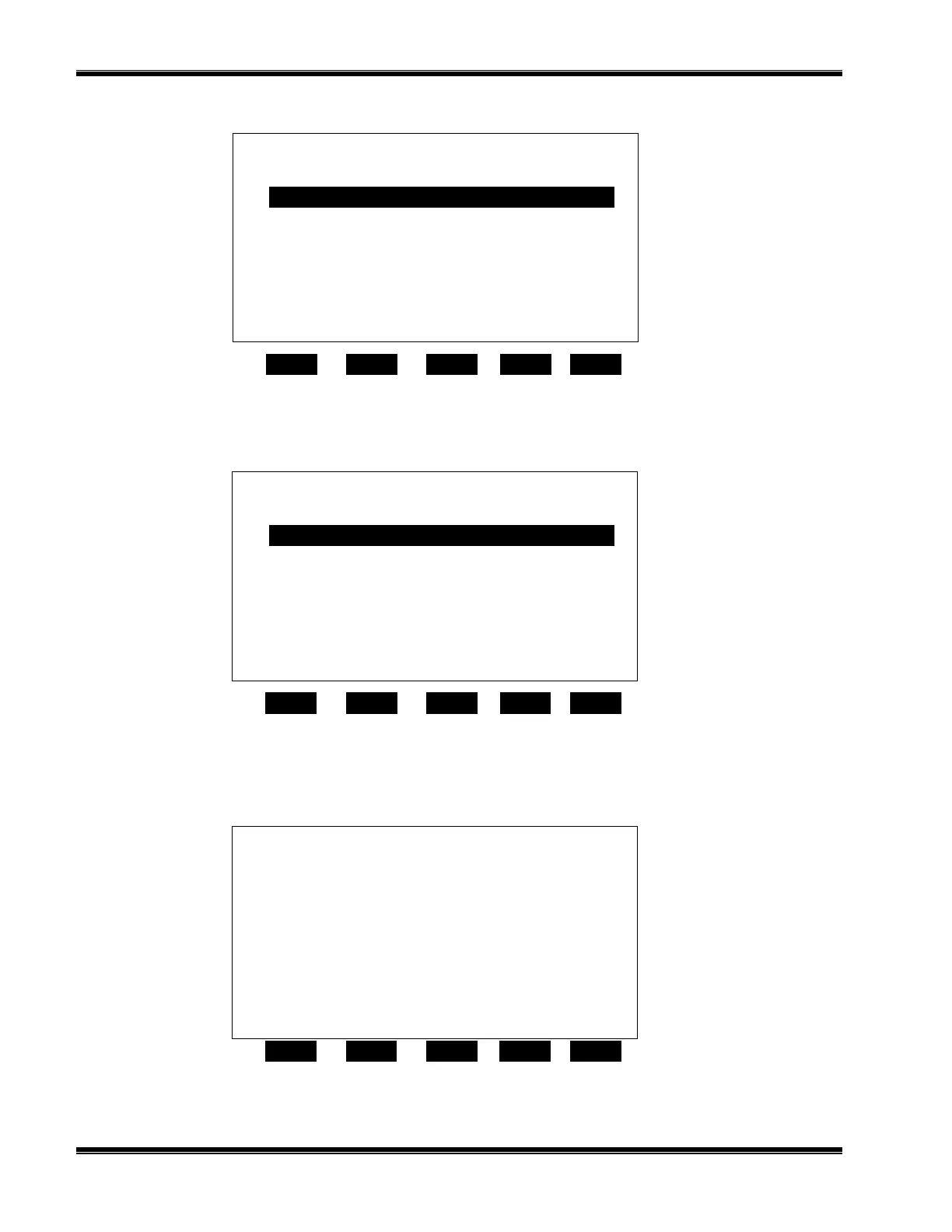
23.2 % CO Analyzer XXXXXXXX
Technical confi
uration menu
Home Info
F1
F2 F3 F4 F5
System set up ...
Service menus...
Diagnostic menus...
Other module diagnostic menus...
listing of all modules...
Status: normal
23.2 % CO Analyzer XXXXXXXX
Main Menu Hel
Home Escape Map
F1 F2 F3 F4 F5
The Main Menu for the analyzer system.
Note that this menu refers to the particular
analyzer selected from the run screen, when
used in a system. The softkey marked “HOME”
will always return you to this screen.
Help menu system...
Help on help...
Keyboard controls...
Editing controls...
23.2 % CO Analyzer XXXXXXXX
Ex
ert controls and setu
Auxiliary module controls ...
Home Escape Info
F1
F2 F3 F4 F5
Expert analyzer controls ...
System set up ...
Analyzer module set up ...
Auxiliary module set up ...


 To Next Page