Wireless N Dual Band Adapter N600PCE User Manual
27
Profile Name: Enter a name for the profile edited.
SSID: The name of your wireless network.
a. Infrastructure – A wireless Router and/or Access Point is required.
b. Ad-hoc – Peer-to-Peer network, no base station required.
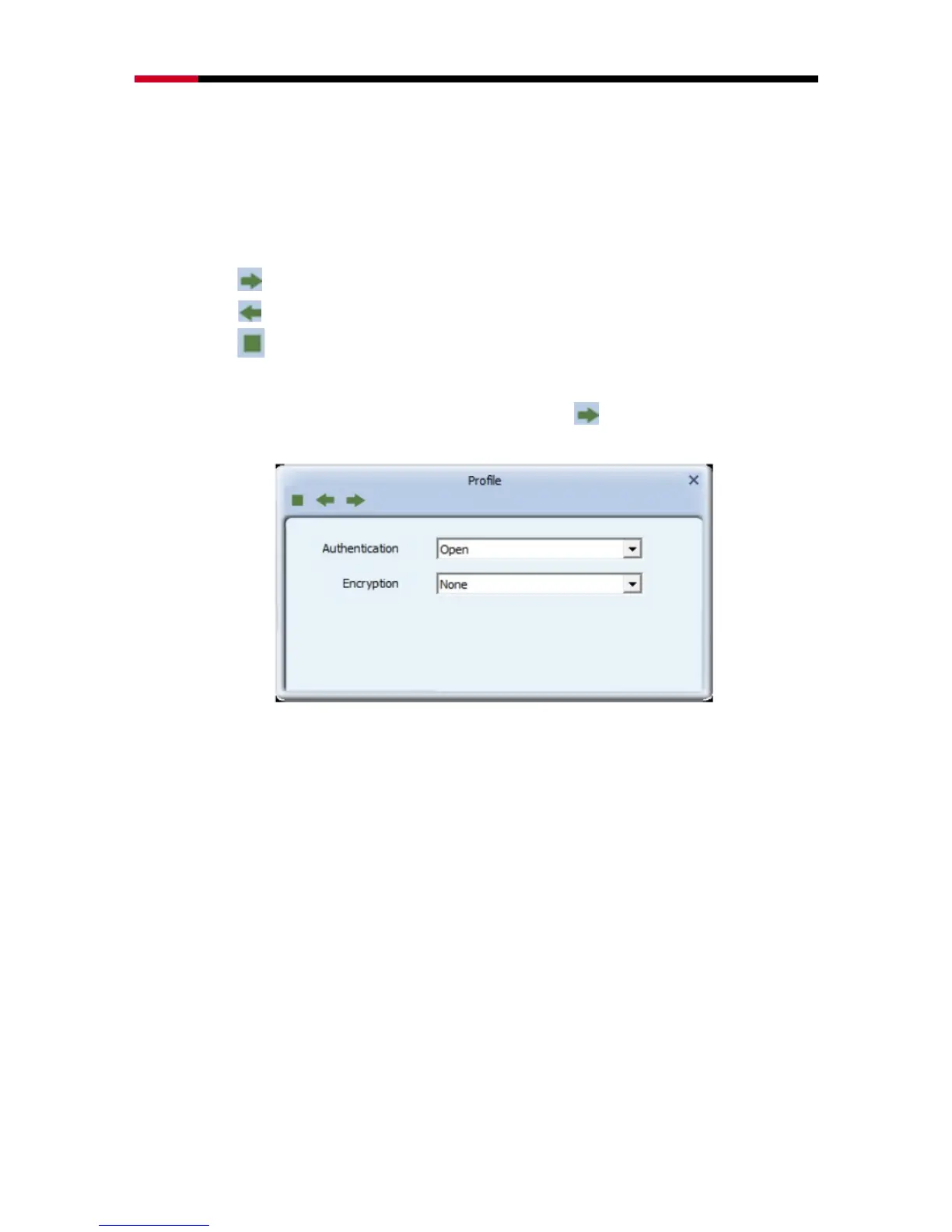
Next: Click this button to continue.
Back: Click this button to go back to previous step.
Cancel: Click this button to close the window.
After entering your desired Profile Name and SSID, Click Next to configure encryption
settings.
Authentication: Open, Shared, WPA, WPA-PSK, WPA2, WPA2-PSK,
802.1x, CCKM.
Encryption: None, WEP, TKIP, AES
4.1.3.2 Add WPS Profile
Add WPS Profile supports the configuration setup using PIN/numeric code (PIN) configuration
method or Push-Button Configuration (PBC) configuration method. WPS (Wi-Fi Protected Setup)
simplify the security setup and management of Wi-Fi networks.
Push-Button Configuration(PBC): Default setting, push buttons to complete
auto-check and connections between N600PCE and other wireless device


 To Next Page