Wireless N Dual Band Adapter N600PCE User Manual
28
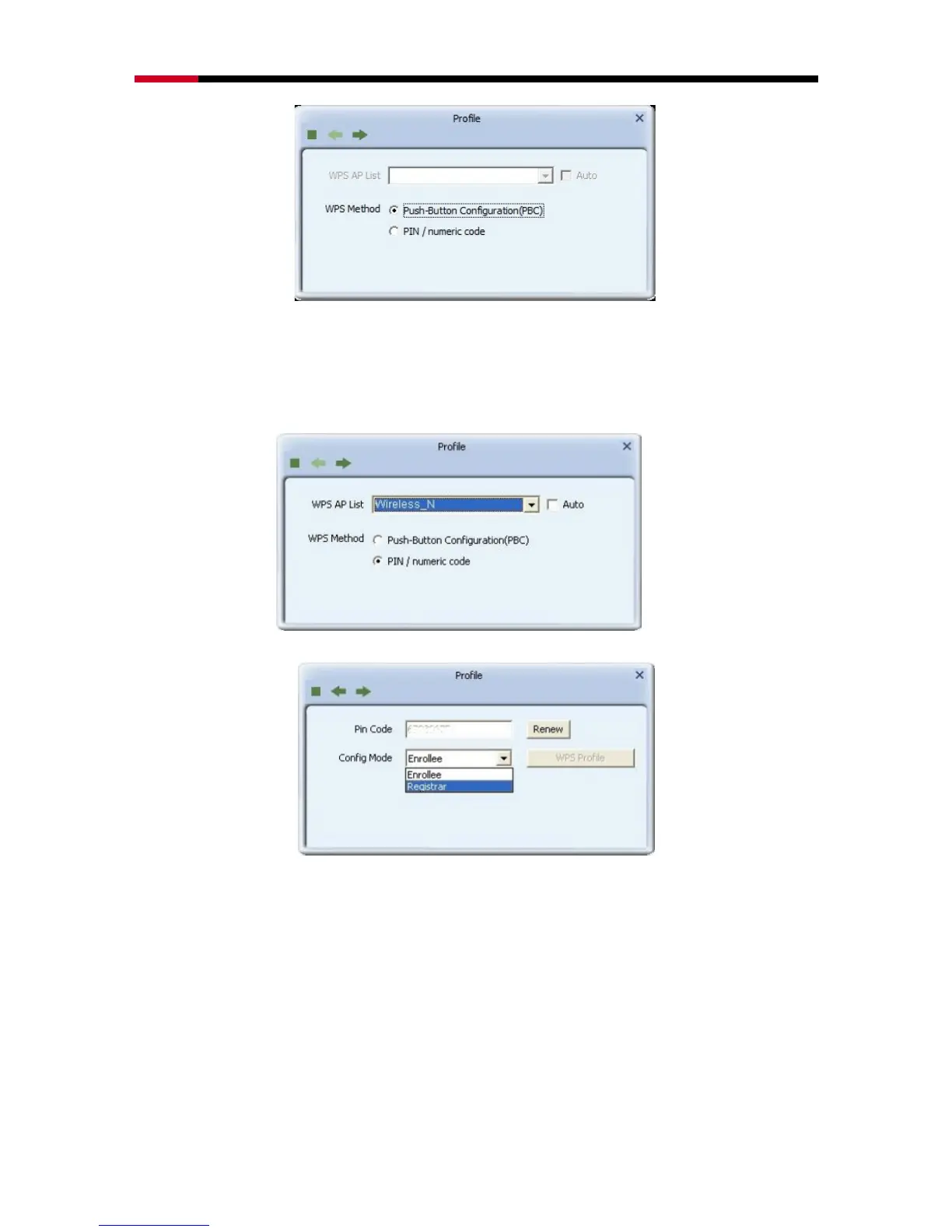
PIN/numeric code: Enter 8 digit numbers Pin code to automatically connect
N600PCE with wireless devices around.
1. Select WPS AP from drop-down menu or check Auto checkbox to find WPS
AP automatically.
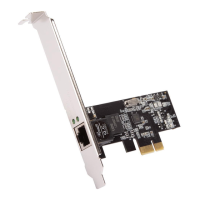
2. Select Config mode for connecting the WPS wireless network.
Enrollee: As a client device. Click Renew button to update pin code.
Registrar: As a host AP. Enter 8 digit numbers Pin code and click WPS Profile
button for detail configuration.
3. Click WPS Profile button to configure below settings


 To Next Page