10
INSTALLATION METHOD
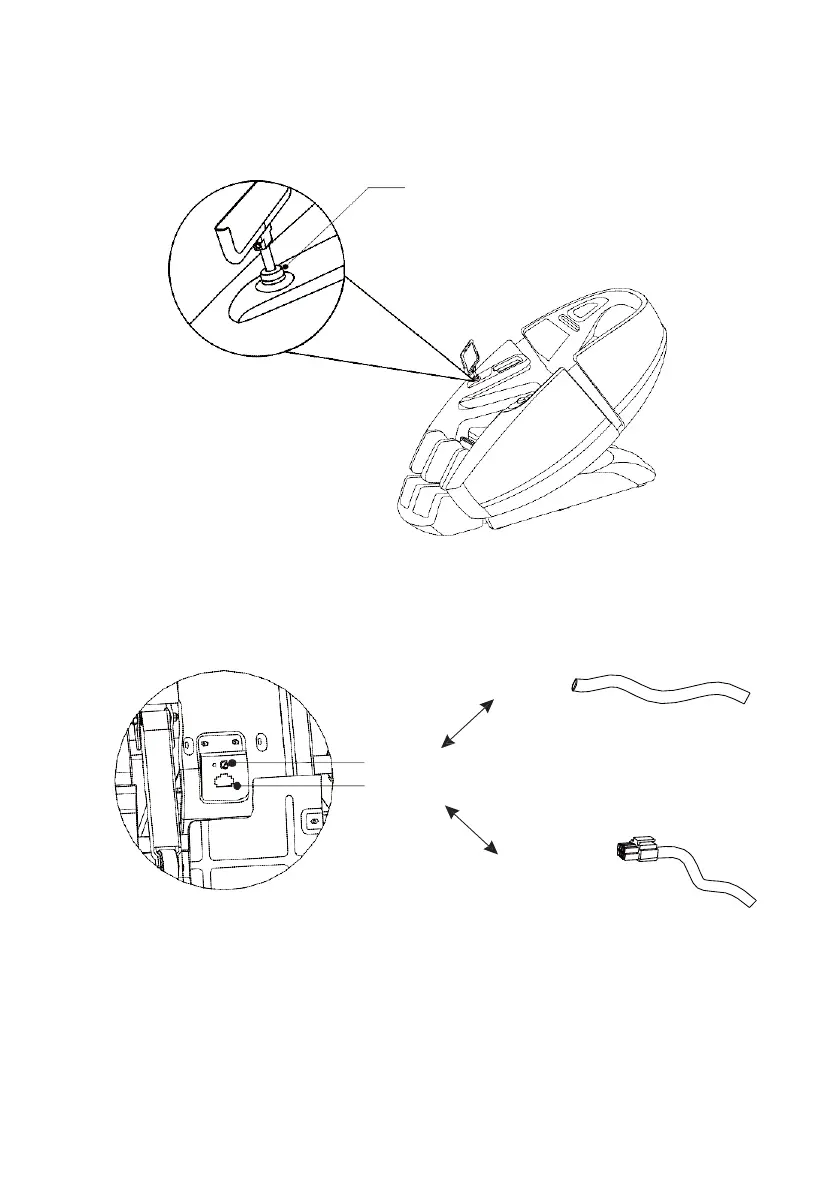
Insert the lower end of the Touch Screen Controller Holder into the socket and turn the nut
clockwise to secure the holder into place.
Step 3: Install Touch Screen Controller Holder
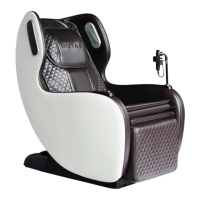
Raise the Leg rest unit & thread the Air Hose into the air nozzle, then fit the Air Valve Plug into the
Air Valve Port which is located at the face side of the seat base making sure they are well secured.
Step 4: Install the Footrest Unit
Nut
Air Hose
Air Nozzle
Air Valve Port
Air Valve Plug


 To Next Page