5
OPERATING INSTRUCTIONS
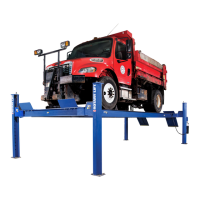
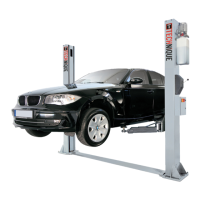
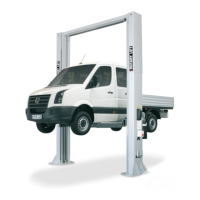
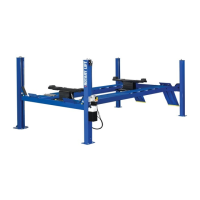
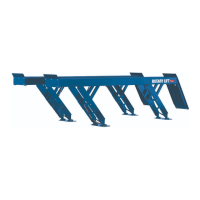
Surface Mounted Frame Engaging Lifts
To avoid personal injury and/or property damage, permit only trained personnel to
operate lift. After reviewing these instructions, get familiar with lift controls by running
the lift through a few cycles before loading vehicle on lift.
IMPORTANT
Always lift the vehicle using all lifting devices. NEVER
raise just one end, one corner, or one side of vehicle.
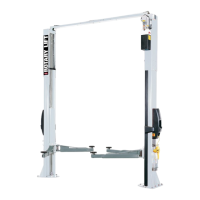
Assure overhead bar will contact highest point on the vehicle.
1. Before Loading:
• Inspect Lift - See "Operator Maintenance" on page
8. Never operate if lift malfunctions or has broken
or damaged parts.
• Lift must be fully lowered and service bay clear of
all personnel before the vehicle is positioned onto
lift.
• Position rear ramp and front forks so that they match
vehicle wheel base and are centered on columns.
• Assure area around lift is free of tools, debris,
grease, and oil.
• Assure Forks and Ramp are free from grease and oil.
• Do Not allow unauthorized persons in shop area
while lift is in use.
• Do Not use any part of the lift as a crane or as a
support for another lifting mechanism. (i.e.: block
& tackle, etc.)
• Retract forks to give widest drive through.
• For M Series Lifts, turn key switch to "ON"
Position.
2. Loading:
• Do Not allow unauthorized or untrained persons to
position vehicle or operate lift.
• Do Not overload lift. See capacity label on lift.
• Position vehicle with the rear wheels centered on the
rear ramp. (Driving over forks is permitted with
wide vehicles).
• Move forks so the front wheels are fully cradled.
• Use small wheel adapter on forks when necessary,
see Fig. 2.
• For 3-wheel vehicles, center single wheel on rear
ramp.
3. To Raise Lift:
• Do Not permit anyone on lift or inside vehicle when it
is being raised (or lowered).
• Maintain visual contact with pickup points and
vehicle throughout the motion of the lift while
remaining clear of lift.
• For M Series Lifts, push RAISE switch on power
unit, Fig. 1. For E & i Series lifts, push
button on touchpad of master or slave control panel,
Fig. 1a.
Note: Allow 2 seconds between motor starts. Failure to
comply may cause motor burnout.
• Raise vehicle until tires clear the floor.
• Stop and check for stable contact with vehicle.
• Continue to raise to desired height only if vehicle is
stable on lift.
• Lower lift onto safety latches after desired height is
reached. (Lift is to be raised high enough for locking
latches to engage.) For M Series lifts, turn lowering
switch to DOWN position, Fig. 1. For E and i Series
lifts, push
on touchpad of either master
or slave control panel.
• Repeat complete spotting, loading, and raising
procedures if vehicle is unstable.
WARNING


 To Next Page
 Loading...