EasyManua.ls Logo

Rotary MCH14 Series - User Manual

Rotary MCH14 Series
24 pages
Print Icon
To Next Page IconTo Next Page
Loading...
I
N
S
T
A
L
L
A
T
I
O
N
-
S
A
F
E
T
Y
-
O
P
E
R
A
T
I
O
N
-
M
A
I
N
T
E
N
A
N
C
E
I
N
S
T
A
L
L
A
T
I
O
N
-
S
A
F
E
T
Y
-
O
P
E
R
A
T
I
O
N
-
M
A
I
N
T
E
N
A
N
C
E
MCHF14/MCHM14 Series
MCHF19/MCHM19 Series
MCHF20/MCHM20 Rail Series
Column Lift Systems
24V DC Powered
MCHF14/ MCHM14 14,000 lbs. per column
MCHF19/ MCHM19 18,800 lbs. per column
MCHF20/ MCHM20 20,000 lbs. per column
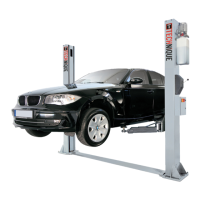
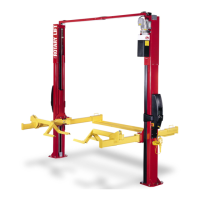
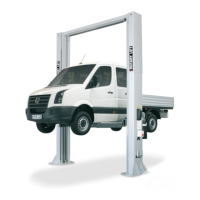
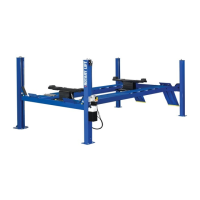
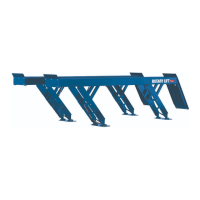
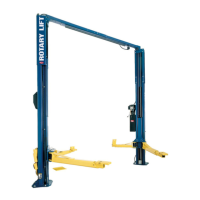
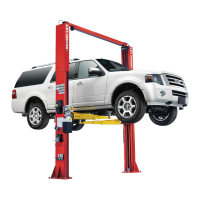
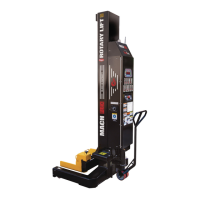
MCH19MCH20MCH14
IMPORTANT
Reference ANSI/ALI ALIS,
Safety Requirements for
Installation and Service of Automotive Lifts
before installing lift.
© August 2019 by Vehicle Service Group. All rights reserved. CO10965.2 LP20680 IN20789
Rev. D 8.6.19

Questions and Answers

Rotary MCH14 Series Specifications

General IconGeneral
BrandRotary
ModelMCH14 Series
CategoryLifting Systems
LanguageEnglish

Summary

Set-Up Instructions

Unloading and Initial Handling

Rotary's Mobile Lift System units are shipped in the vertical position.

Fluid Filling Procedure

Unit is shipped without power unit fluid. Installation of fluid MUST be completed prior to lift operation.

Battery Installation and Specifications

Install batteries as recommended (e.g., 12V DC Sealed Deep Cycle) and check specifications.

Ground Clearance Adjustment

Adjust unloaded column ground clearance using M20 and M10 bolts.

Critical Setup Warnings

Warning: Do not use on asphalt. Ensure concrete strength and thickness. Check floor slope.

Antenna and Charger Setup

Install the antenna and set up the charging dock for the lift system.

Battery Charger Indicator Lights

Understand the meaning of charger lights (blinking/solid) for charging status.

Bleeding Mobile Columns

Release air from the hydraulic system by loosening the bleed screw until fluid runs clear.

Torque Value Compliance

Adhere to specified torque values (177-230 In/Lbs) for the bleeder screw.

Final Assembly Check

Verify proper operation: locks, equal lifting, no leaks, and functional controls after assembly.

Safety Instructions

Daily Inspection and Area Maintenance

Inspect lift daily, keep area clean of debris and oil, and never operate a malfunctioning lift.

Operator Training and Prohibitions

Ensure trained operators only. Prohibit unauthorized personnel and operations like lifting people.

Load Capacity and Safe Vehicle Handling

Never overload lift. Load vehicles carefully, ensuring forks contact tires securely.

Control Usage and Safety Features

Do not override self-closing controls. Always ensure columns are on locking latches.

General Operational Safety Precautions

Stay clear during lowering, avoid rocking, remove obstructions before lowering.

Equipment Safety and Maintenance

Do not perform maintenance with power on. Do not use damaged equipment.

Operational Limits and Precautions

Observe sound levels, avoid driving over pendant, use multiple columns, check lift channels.

System Warning Label Interpretation

Understand and heed various CAUTION and WARNING labels for safe operation.

Owner;Employer Responsibilities

Operator Qualification and Training

Ensure operators are qualified and trained on lift use per manufacturer and ANSI/ALI standards.

Periodic Inspection and Maintenance Procedures

Establish and follow procedures for regular lift inspection and maintenance.

Documentation Display and Record Keeping

Display operating instructions and maintain records. Provide lockout/tagout provisions.

Modification Prohibition

No modifications to the lift are permitted without prior written manufacturer consent.

Quick Start Up Guide

Initial Setup Sequence

Follow steps for powering up the remote, setting system ID, column count, and columns.

Emergency Stop and Control Buttons

Understand Emergency Stop function and basic remote control buttons (Power, Lights).

Digital Display and Indicator Lights

Learn to read the digital display (System ID, Column Count) and column indicator lights.

Joystick Operation and Lowering to Locks

Use joystick for raising/lowering. Engage locks using the 'Lower To Lock' function.

Column Pairing and Group Management

Use column buttons to pair columns. Lock/Unlock the entire group as needed.

Lift Initialization Instructions

Service Area and Vehicle Spotting

Prepare service area, position vehicle on level concrete, ensure adequate strength and thickness.

Remote Controller Setup and System ID

Power controller, set system ID, and select the number of columns for the lift.

Column Placement and Linking Process

Position columns under tires, adjust forks, activate power switch; linking indicated by beacons.

System Configuration Confirmation

Complete setup for all columns; system automatically locks upon successful configuration.

Lift Operation

Pre-Lift Vehicle Checks and Safety

Verify vehicle weight, fork contact, clearance, parking brake, and tire inflation before lifting.

Raising Lift and Fork Contact Verification

Raise lift until tires clear floor, check fork contact, and continue to desired height.

Lowering to Locks and Post-Operation

Lower onto locks, avoid rocking, remove items, reset brake, and clear vehicle path.

Lowering Procedure and Column Behavior

Use joystick to lower, observing column movement and vehicle level. Note normal speed variations.

Column Mounted Motion Button Functions

Understand Standard Flex (single mode) and Flex Max (all columns) functions for column buttons.

Operating Instruction Details;Options

Press Protect and Resume Functions

Controller enters inactive state after 10s; use Resume to reactivate. Columns signal reactivation.

Single, Pair, and All Column Modes

Operate columns individually (Solo), in pairs, or all together using remote or column buttons.

Column LED Status Indicator Meanings

Interpret column LEDs: Green (linked), Yellow (inactive), Blinking Yellow (pairing), Red (error/limit).

System Configuration Updates

Modify system configuration by restarting setup or using resume quick start for column swaps.

Flex Max Functionality and Height Limits

Enabling Flex Max Operation

Activate Flex Max for grouped control via remote or buttons. Requires specific software and hardware.

Height Offset Limit Configuration

Set a height difference limit between forks. Software revision 8+ required. Limit is disabled by default.

Emergency Stop Process

Activating the Emergency Stop Switch

Immediately press the Emergency Stop button on the column or wireless remote.

Handling Non-Responsive Systems

If E-Stop fails, locate and use the Main DC Disconnect Switch to terminate power.

Emergency (no power) Lowering

Pre-Lowering Safety and Vehicle Checks

Ensure vehicle stability, clear area, and equal column lowering before manual descent.

Manual Lowering Procedure

Open cover, pull lock, push Manual Lowering Valve Button to descend carriage incrementally.

Discharged Battery Charging for Operation

Plug in for ~15 minutes to gain enough charge for one lifting cycle from fully discharged batteries.

Handling Operational Issues

Do not use if malfunctioning; seek repairs from qualified service personnel.

Battery Charging

Charger Usage and Battery Type Recommendations

Chargers can be plugged in continuously. AGM or deep cycle batteries are recommended.

Battery Status and Charger Indicators

Use front panel indicators (Yellow/Red) and charger lights to monitor battery charge and status.

Charging Time and Performance Factors

Charge time varies. Battery performance depends on type, maintenance, and age.

Safety Information and Compliance

Battery Charger Safety Precautions

Follow charger manual for safe use. Avoid electric shock, fire, and explosive gas hazards.

Explosive Gas Hazard Warning

Lead-acid batteries produce explosive gases and sulfuric acid. Follow all safety instructions.

Extension Cord and RF Exposure Guidelines

Use correct extension cords. Maintain separation for RF exposure compliance.

FCC Compliance and Interference Notice

Equipment complies with FCC Class B limits. Potential radio interference may occur.

Maintenance Instructions

General Lift Maintenance Best Practices

Avoid overloading, water spray on controls, and keep latches free, bolts tight, and area clean.

Daily Inspection Checklist Items

Inspect latches, check for oil leaks, review cables, and check forks/carriage for damage.

Monthly Maintenance Tasks and Checks

Check cords, test Emergency Stop, perform monthly lubrication.

Hydraulic Fluid Change Procedure

Lower lift, drain hydraulic fluid, refill with specified oil (~12 quarts) to the FULL line.

Maximum Operating Pressure Limits

Note maximum operating pressures for MCH20/MCH19 (2877 psi) and MCH14 (2350 psi).

Software Menus and Configuration

Accessing and Navigating Service Menus

Use Rotary Tool to access menus via wireless connection. Scroll using up/down/enter keys.

Menu Item Functions and Descriptions

Menus allow setting Height, Calibration, Beepers, Display Units, and Height Offset.

Height Limit and Calibration Settings

Set max height (HS), clear height (HC), clear stroke limit (PC), and set stroke/display calibration (PS).

Troubleshooting - Error Codes

CPU, Configuration, and Pairing Errors

EO: CPU error, E1: Improper configuration, E2: Improper column pairing. Follow troubleshooting steps.

Communication, Leveling, and EStop Issues

E3: Communication Error, E4: Out of Level, E5: Emergency Stop. Check system connections and EStop status.

Potentiometer and Short Circuit Errors

E6: Potentiometer Error, E7: Short circuit detected. Follow manual lowering and contact service.

Software, Keypad, and Display Errors

E8: Software mismatch, E9: Stuck Key, E10: Display Communication Error. Check software and connections.

E7 Diagnostic Troubleshooting Steps

Detailed procedures for E71-E74 errors, involving contactors, relays, and overcurrents.

Troubleshooting - Additional Errors

Battery, Sensor, and Radio Communication Errors

E11: Low Battery, E13: Weight Sensor, E14: Wireless Radio Error. Check related components and connections.

Power Instability and Communication Loss

E15: Intermittent Power Fault, CL: Communication Loss. Inspect fuses and communication links.

Height Limit Reached and Display Issues

EHL/HL: Height Limit Reached, HO: Height Offset Limit. Display Unresponsive: Check wiring.

Lift Drift and Signal Strength Problems

Lift Drifts Down: Check for overload/debris. RSSI: Poor signal indicates transceiver/antenna issue.

Lift Failure to Raise

Lift will not raise off latches due to motor, pump, or cylinder failure. Contact Customer Service.

Lift Lockout;Tagout Procedure

Procedure Purpose and Employee Responsibility

Defines requirements for energy lockout during repair/service. All employees must comply.

Lockout Preparation and Sequence of Actions

Identify isolation device, notify staff, unload lift, shut down, apply lock/tag, and test.

Restoring Equipment and Safety Rules

Clear area, remove lock/tag to restore power. Use procedure for repairs or when waiting for service.

Related product manuals