EasyManua.ls Logo

Rotel RB991 - Electrical Requirements; Front Panel

Rotel RB991
8 pages
Print Icon
To Next Page IconTo Next Page
To Previous Page IconTo Previous Page
Loading...
or
obieci's
Jo
fall
Into
[ha
amplifier,
as
these
wifi
damage
the
clncuitiy.
Avcud
installing
the
ampfifiar
in
a
location
where
sjtcessrva
humidlly,
vibradon
or
moisture
will
be
a
prohiem.
We
recommend
Insialling
the
RB
951
In
furniture
designed
to
house
hi
fl
components.
Audio
component
furniture
will
reduce
or
suppress
vibration,
Alt
audio
ccmpenenis
wifi
provide
Improved
sound
when
Iree
trom
vibration.
Ask
your
ROTELhi
fl
AUTHORIZED
DEALER
for
advice
about
comporrenl
lumiture
and
proper
InstallaJicn
of
audio
components.
Plaasa
he
careful
lo
keep
digital,
video
or
audio
signal
cables
and
the
power
cords
separated
in
your
installaflon.
This
wrii
minimise
the
chance
of
interference
from
Ihe
power
cords
or
digital
cables
geiUng
Into
the
analog
or
video
signaJ
cables.
We
recommerxJ
high
quality
shielded
cables
In
sounrf
systems
to
minimize
any
potential
Interference.
ELECTRICAL
REQUIREMENTS
This
amplifier
fs
designed
to
operate
on
AC
voltage
and
the
correct
vottage
Is
displayed
on
the
back
panel.
Do
not
attempt
Ic
operate
the
amplifier
on
Incorrect
voltage
as
this
will
damage
Jfie
circuitry
aiKJ
void
your
wanranty.
If
you
are
in
doubt
aboul
the
correct
vottage
for
this
amplifier
we
suggest
reading
the
label
on
the
hack
panel
or
consult
your
ROTELhi
fl
AUTHORIZED
DEALER
for
oonfirmatlon
of
the
oorrect
voltage.
Connect
the
POWER
CORD
to
your
wall
socket
for
AC
power.
When
you
wish
to
disconnect
the
power
cord
from
the
well,
grasp
the
plug
firmly
In
your
band
to
pull
It
ou!
of
the
wall
socket.
Do
not
unplug
Ihe
power
cord
by
puIJIng
the
cord
only.
This
may
damage
the
power
cord
and
create
a
hazardous
condition.
Wa
strongly
recommend
that
the
amplifier
be
connected
to
(he
main's
wall
socket
or
an
AC
power
line
filter,
not
an
ejdension
cord.
If
you
wish
fo
clean
the
cahinel,
we
suggest
a
clean,
soft
DRY
doth.
Never
use
cleaning
compounds
or
solvents
to
clean
the
cahinel
as
they
may
damage
the
finish
or
remove
the
labels.
These
could
damage
the
circuitry
If
any
residue
fells
Inside
Jhe
amplifier
There
is
NO
user
serviceable
part
Inside
this
amplifier.
Please
do
not
open
Jhe
oabineT
as
this
will
expose
you
to
the
risk
of
potentially
dangerous
voltage
and
the
risk
of
electric
shook
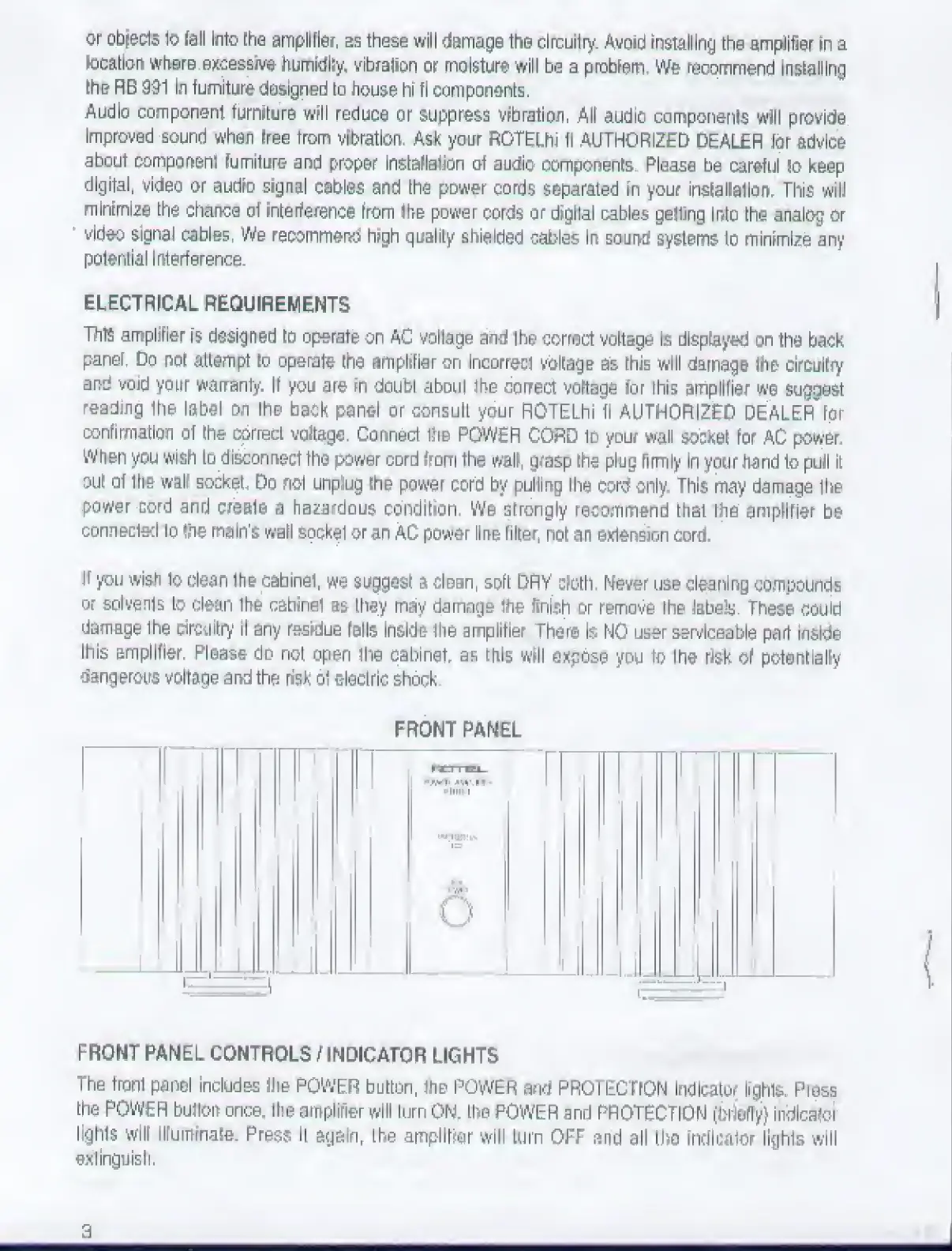
FRONT
PANEL
1
!
1
L
i
IW_r
1
HL-
p-^ll
■■
*MIIM
1«J
lyi'
-
i:t
i‘iVf
C)
1
'
1
^
I
FRONT
PANEL
CONTROLS
/INDIGATOR
LIGHTS
The
front
panel
includes
Ihe
POWER
button,
the
POWER
and
PROTECTION
Indicator
Irghls.
Pi
ess
the
POWER
buJIon
once,
the
amplifier
will
turn
ON.
the
POWER
and
PROTECTION
(brleffy)
indlcalor
lights
wlir
llfummate.
Press
It
again,
the
ampiltfar
will
turn
OFF
and
all
the
indlcalor
lights
will
extinguish.
3

Related product manuals