III
21
system will automatically reduce power to avoid heat damage in this instance.
Timer: Alerts the user to a change in control system status.
E-Stop: Indicates that an emergency stop switch has been activated or disconnected (for use with
optional equipment).
Bluetooth: Indicates that Bluetooth mode has been activated.
Lighting Option (VR2/R-Net)
*The ROVI
®
X3 may be configured with the a lighting option for greater visibility.
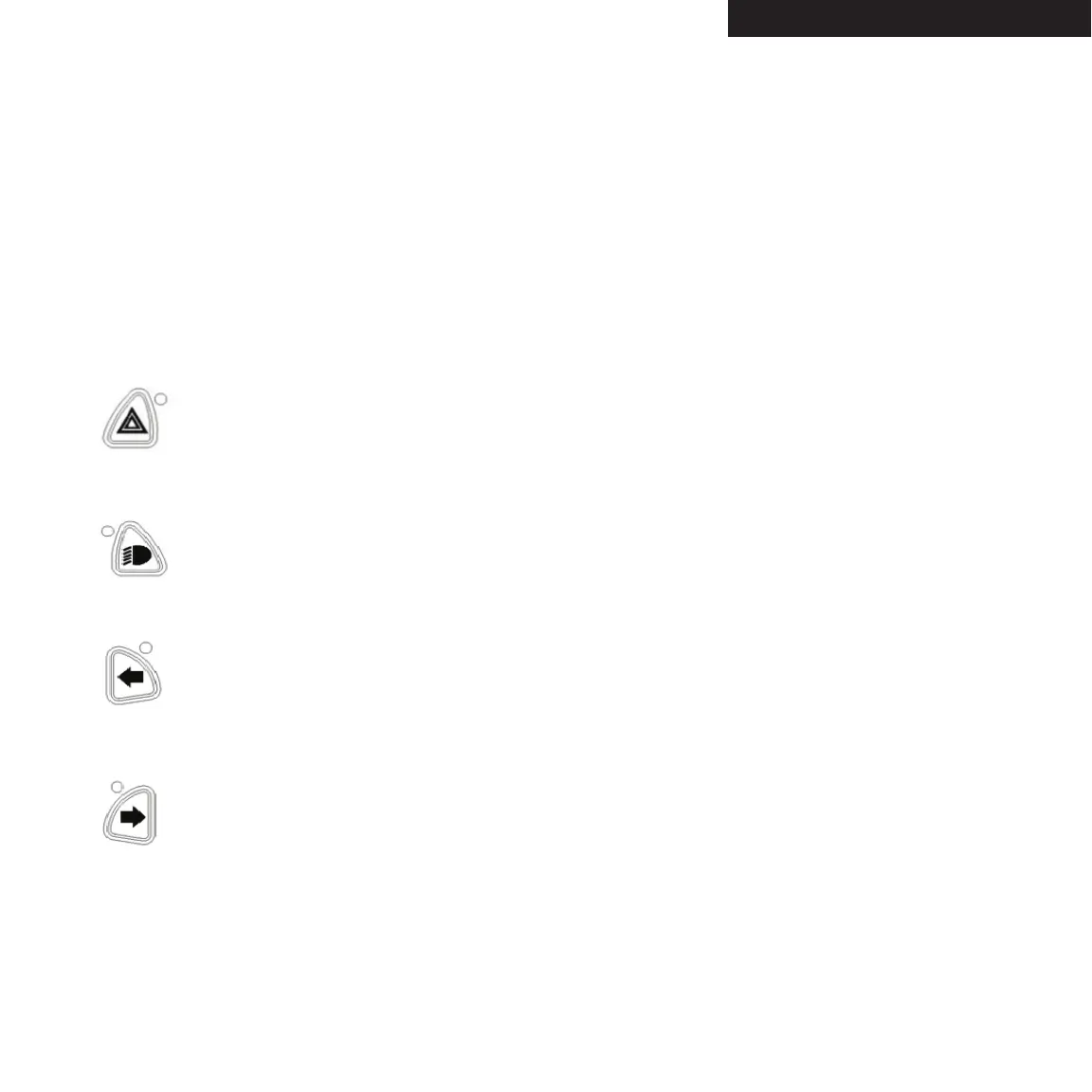
Hazard Lights Button and LED: Press this button once to turn on the power wheel-
chair’s hazard (indicator) lights. The LED next to the button will blink in time with
the indicator lights. Press the button again to turn off the hazard lights. The LED will
go out.
Lights Button and LED: Press this button to turn on the power wheelchair’s lights.
The lights button LED will light up to indicate that the lights are on. Press the button
again to turn off the lights. The lights button LED will go out.
Left Indicator Button and LED: Press this button to turn on the left indicator light.
The LED will blink in time with the indicator light. Press the button again to turn off
the left indicator light. The LED will go out.
Right Indicator Button and LED: Press this button to turn on the right indicator light.
The LED will blink in time with the indicator light. Press the button again to turn off
the right indicator light. The LED will go out.


 To Next Page