Operating The LED Fiber Illuminator
Your new limousine may be equipped with a LED
Fiber Optic Illuminator. The lighting functions of this
illuminator are user programmable by adjusting the
DIP Switch settings found on the illuminator. The
illuminator itself is located near the main control board
on the divider panel behind the driver’s seat at the
bottom of the divider.
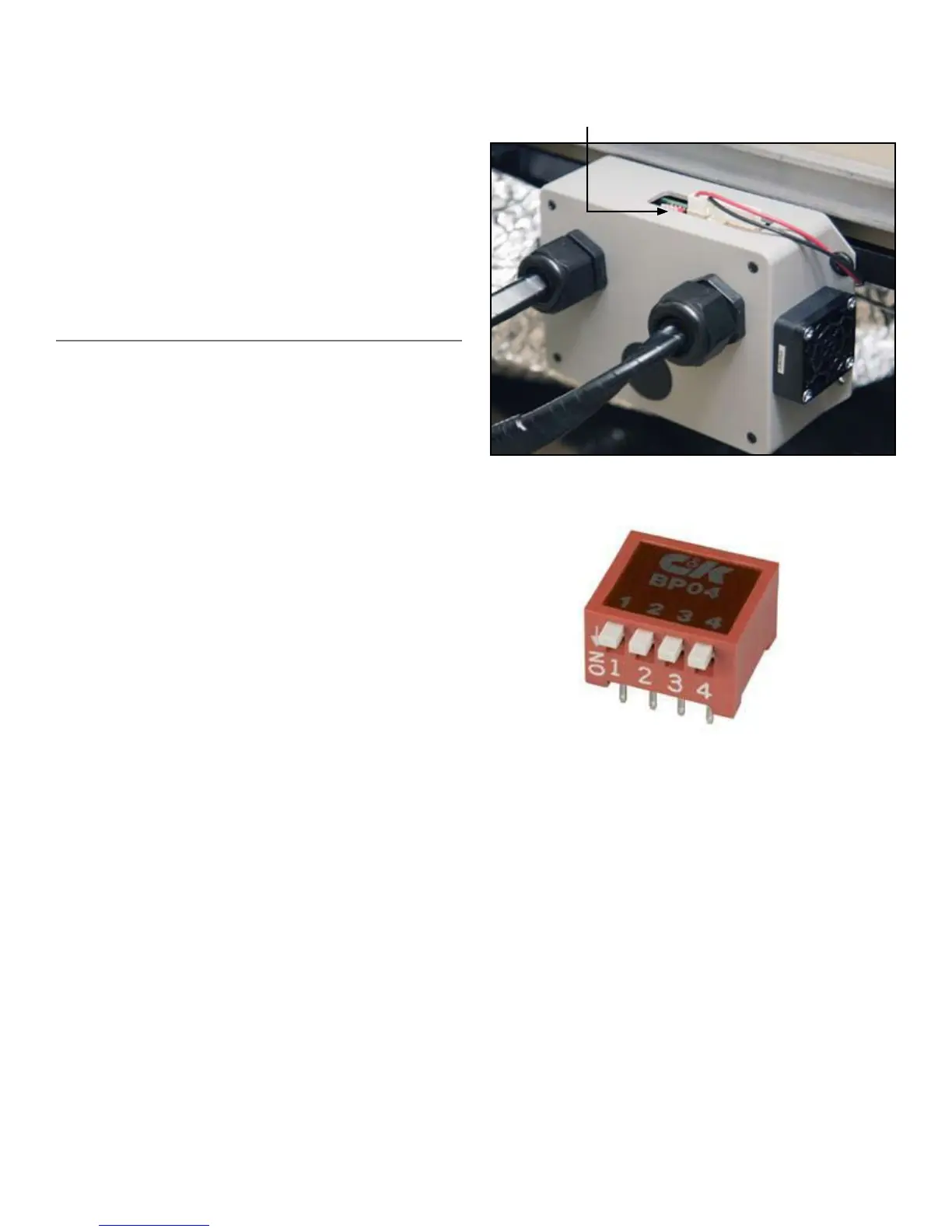
LED fiber optic illuminator is located behind the drivers seat.
Switch One
All ports the same color, color change speed control
Up: Medium-Speed Motor Emulation (Medium-
Speed Color Changing)
Down: Slow-Speed Motor Emulation (Slow-Speed
Color Changing)
Switch Two
All Ports Alternating Colors, Color Change Speed
Control
Up: Medium-Speed Motor Emulation (Medium-
Speed Color Changing)
Down: low-Speed Motor Emulation (Slow-Speed
Color Changing)
Switch Three
Color Wheel Motor Control Wire Function
Up: Motor Wire Controls Show Selection (Switch
Changes Color Patterns)
Down: Motor Wire Controls ‘Color Stop’ (Switch
Stops Changing Colors)
Switch Four
No Function
NOTE: The DIP Switch as illustrated above has all
switches in the “Up” position. On most Switches,
“Down” is also marked as “On.”
Switch Function Reference Chart
18
dip switch location



 To Next Page