Identifying the Parts
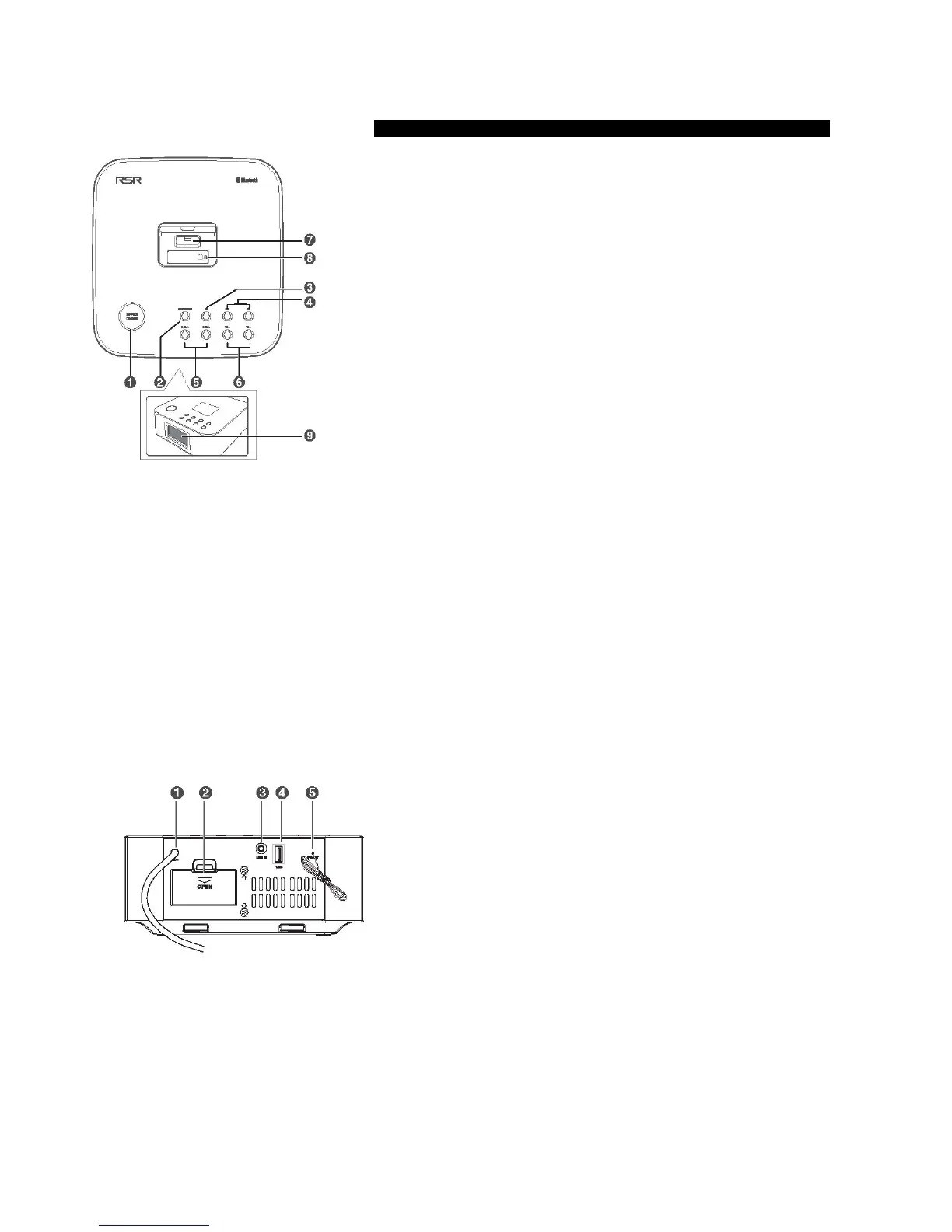
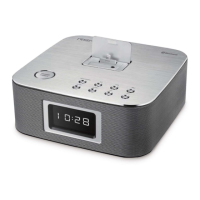
Main Unit
Top View
1 SNOOZE/DIMMER
Repeat the alarm.
Adjust the display brightness.
Press and hold this button in the standby mode to set the clock.
2 ON/OFF/SOURCE
Turn on or turn off the unit.
Select the play function.
3
BF
In Bluetooth / DOCK mode: Start or pause play.
Press and hold this button to activate the pairing function in Bluetooth mode and
disconnect the existing paired Bluetooth device.
4
H
/
G
In Bluetooth / DOCK mode: Skip to previous/next track.
Search radio stations manually.
Press and hold this button to search radio stations automatically.
Adjust the time.
5 ALARM 1 / ALARM 2
Set the alarm [1 or 2] timer.
View alarm [1 or 2] settings.
6 VOL + / VOL -
Increase or decrease the volume level.
7 DOCK for iPod/iPhone/iPad
Load an iPod/iPhone/iPad.
8 Headphone socket
Connect to Headphone.
9 Display Panel
Shows the current status.
Rear View
1 AC~ Connect to power.
2 Battery Compartment
3 LINE IN socket
Connect to an external audio device.
4 USB socket
Use this socket to charge your smartphone and tablet PC.
5 FM wire antenna


 To Next Page