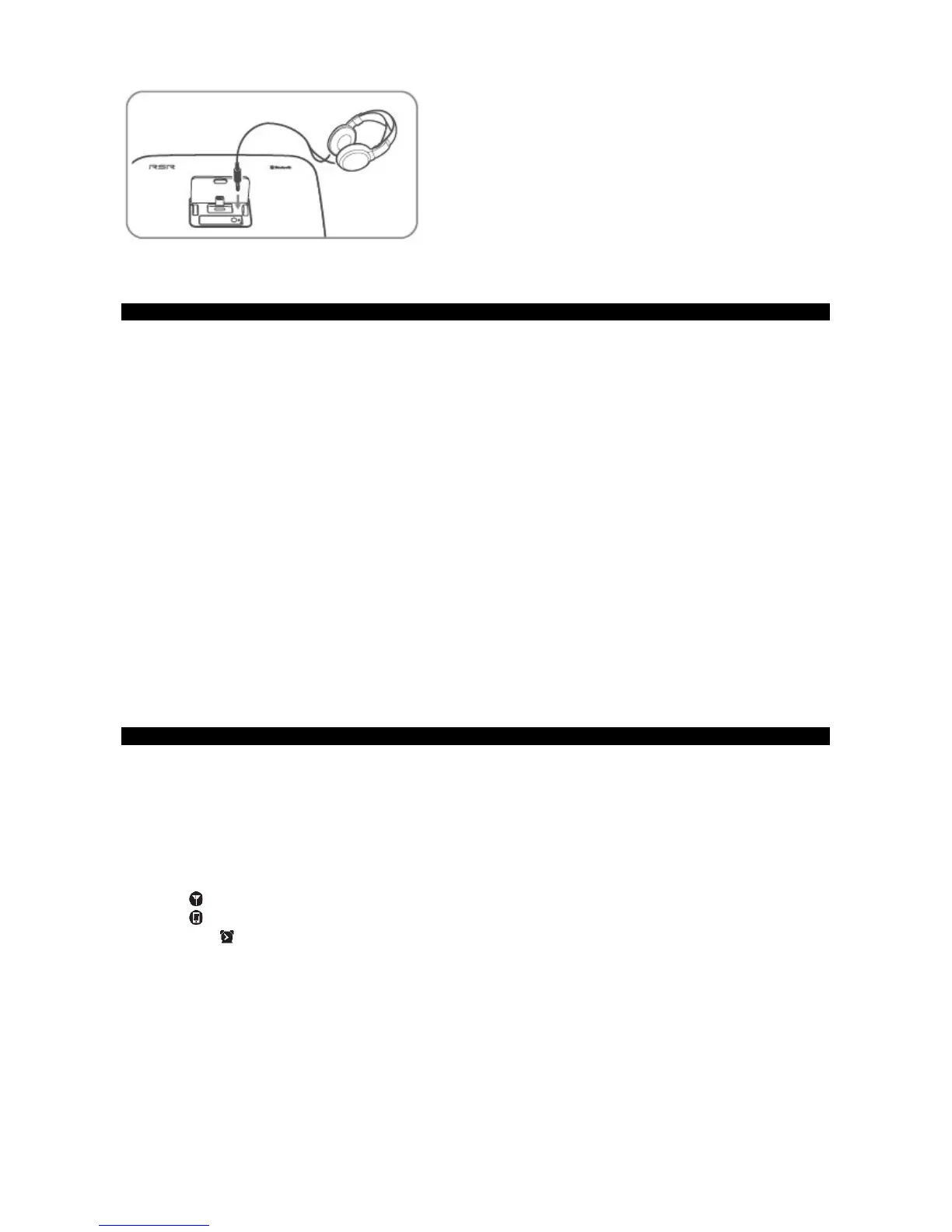
Plug a headphone into the socket.
Set the Clock
The built-in clock shows the time in the display.
1 In STANDBY mode, press and hold the CLOCK button on the remote control or the SNOOZE/DIMMER button on the main unit. This
will cause the hour indicator to blink.
2 Set the hour with
/
button on remote control or the
H
/
G
buttons on main unit.
3 Press the CLOCK button on remote control or SNOOZE/DIMMER button on main unit to confirm.
4 Repeat steps 2-3 to set the minutes, year, month and day.
Tips:
- Each activated state will be cleared if no buttons are not pressed within 15 seconds.
- During time setup, press the
BF
button on remote control or on main unit to select 12 or 24 hour format.
Clock Synchronization
Tip: Sync time with your device via DOCK (iPod/iPhone/iPad).
1. When in STANDBY mode, press and hold the SNOOZE button on the remote control for a few seconds, then the unit will enter the
CLOCK SYNC mode.
2. Press the
/
buttons on remote control or
H
/
G
buttons on the unit to switch the clock synchronization modes:
- DOCK Only synchronize the time with the iPod/iPhone.
- RDS Only synchronize with the RDS radio station.
- OFF Turn off the clock synchronization function, only adjust the clock manually.
3. Then press the
BF
button on remote control or on main unit to confirm.
Set the Alarm Timer
In standby mode, you can use the daily timer setting to turn the unit on automatically at a certain time daily.
• However the clock must be set correctly for the timer function to work.
• Each activated state will be cleared if any buttons are not pressed within 15 seconds.
1 In STANDBY mode, press and hold the ALARM (1 or 2) buttons on the remote control or on the main unit for a few seconds. The
[ AL1 ] or [ AL2 ] will begin to blink. Press the
/
buttons on the remote control or
H
/
G
buttons on the unit to select an alarm sound
source:
FM [ ]
iPod [ ]
buzzer [ ]
- The FM tuner timer will play on the last station you tuned into.
2 Press the ALARM [1 or 2] buttons, the hour digits will begin to blink. Press the
/
buttons on the remote control or
H
/
G
buttons on the
unit repeatedly set the desired hour.
3 Press the ALARM [1 or 2] buttons. The minute digits begin to blink. Press the
/
buttons on the remote control or
H
/
G
buttons on the
unit repeatedly to select the desired minutes.
4 Press the ALARM [1 or 2] buttons again and the days of the week will be displayed. Press the
/
buttons on the remote control or
H
/
G
buttons on the unit repeatedly to select between all week, weekdays only or weekends only.
5 Press the ALARM [1 or 2] buttons again and the alarm volume will begin to flash. Press the
/
buttons on the remote control or
H
/
G
buttons on the unit repeatedly to select the desired volume, we recommend no less than 5 as a minimum. Press the ALARM [1 or 2]
buttons to confirm.


 To Next Page