Copyright ©2022 Ruko All Rights Reserved.
33
F11GIM User Manual
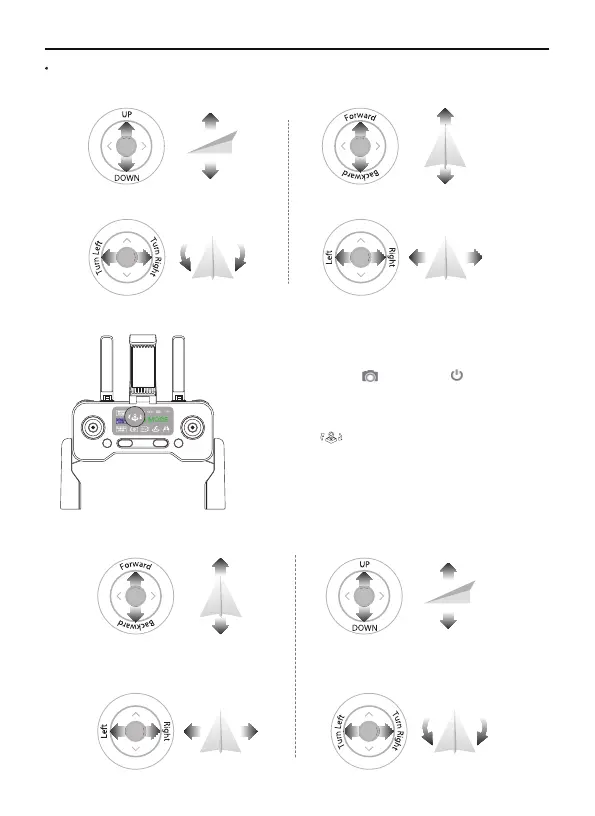
Switch Remote Controller Stick Mode-Mode 2:
②
Joystick Control Aircraft
Remote Controller Stick Mode-Mode 1 (Default Mode):
①
Right stick
Throttle Joystick
Left Joystick
Direction Joystick
(In Mode 1, indicator will be blue; In Mode 2, it will
be trun off)
Power off the remote control.
Keep pressing the , clicking the once.
Note: Once restart, the controller will back to default
mode - Mode 1.



 To Next Page