Copyright ©2022 Ruko All Rights Reserved.
40
F11GIM User Manual
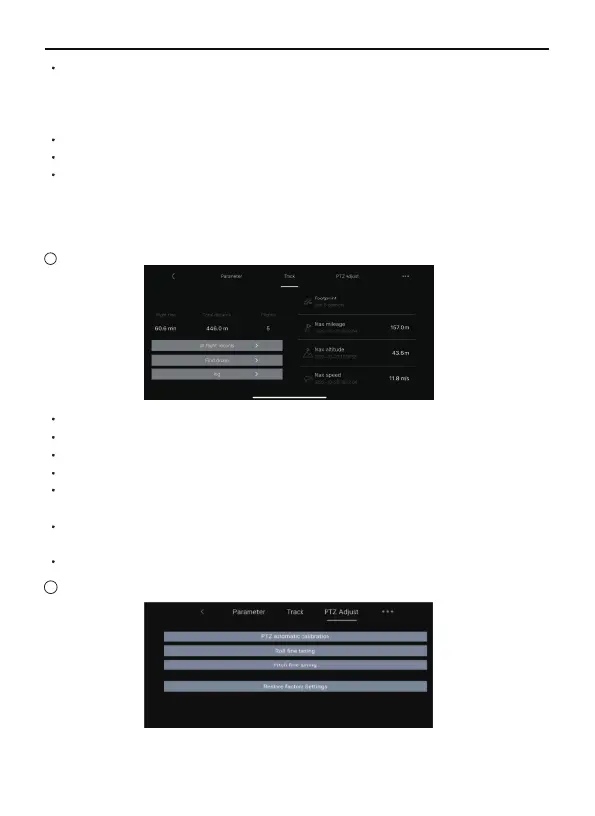
Footprint: The total number of aircraft flying areas.
Max mileage: The longest mileage for a single flight.
Max altitude: The highest single flight altitude.
Max speed: The fastest single flight speed.
All flight records: The date, location, distance, duration and maximum
altitude of each flight.
Find drone: When the drone has connected with app, and drone GPS
signal is strong, the drone's location can be recorded in the app.
Flight log: Choose the date to share the flight log.
Access to "PTZ adjust",click "Restore factory settings",the gimbal
will back to factory setting.
19
18
Beginner: In this mode, the aircraft’s farthest flight distance and
altitude is 98ft, and the return altitude is 65ft, so that the aircraft can
fly more safely within sight. Slide to closing the beginner mode as the
above picture and then enter the custom mode.
Flight distance: Set the longest distance to fly.
Flight altitude: Set the maximum flight altitude.
Return altitude: Set the flight altitude for the aircraft to return in a
straight line using the RTH function. When setting the flight altitude,
you should consider higher than the obstacles on the return route to
avoid collision with the aircraft.
Track
PTZ Adjust



 To Next Page