Copyright ©2022 Ruko All Rights Reserved.
3
F11GIM User Manual
4. Pre-Flight Checklist
Ensure that the aircraft battery, remote control, and mobile device
are fully charged.
Ensure that the arms of the Aircraft are fully extended. Make sure
that the battery compartment cover is fastened firmly and the
intelligent flight battery is installed firmly.
Ensure that the propeller is free from damage, aging, deformation,
no foreign matter entanglement, and firm installation.
Ensure that the camera cover was moved before turning on the aircraft.
Please make sure that nothing obstructs the motors.
Please make sure the camera lens and sensor are clean and without
stains.
Please make sure that GPS is turned on to avoid that it would be lost.
Please fly outdoor in an open place.
Turn on the Aircraft, then turn on the Transmitter, please pair it with
the Aircraft.
Connect Aircraft WiFi with your phone, make sure that you have
connected the WiFi name “RUKO-GIM-******" exactly after App
access right and Internet permission with your phone, please make
reference to operation video on App first before flying.
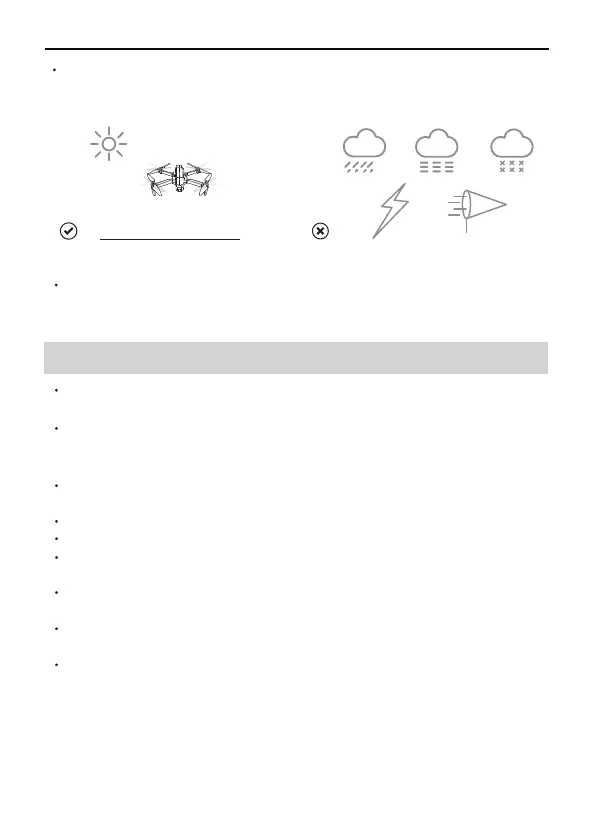
Fly in an environment of 0°C to 40°C and good weather (not rain,
fog, snow, thunder and lightning, strong wind, or extreme weather).
It is forbidden to fly indoors. Only fly in authorized areas. To learn
more about aircraft requirements, please visit the Federal Aviation
Administration's aircraft page, https://www.faa.gov/



 To Next Page