2
3
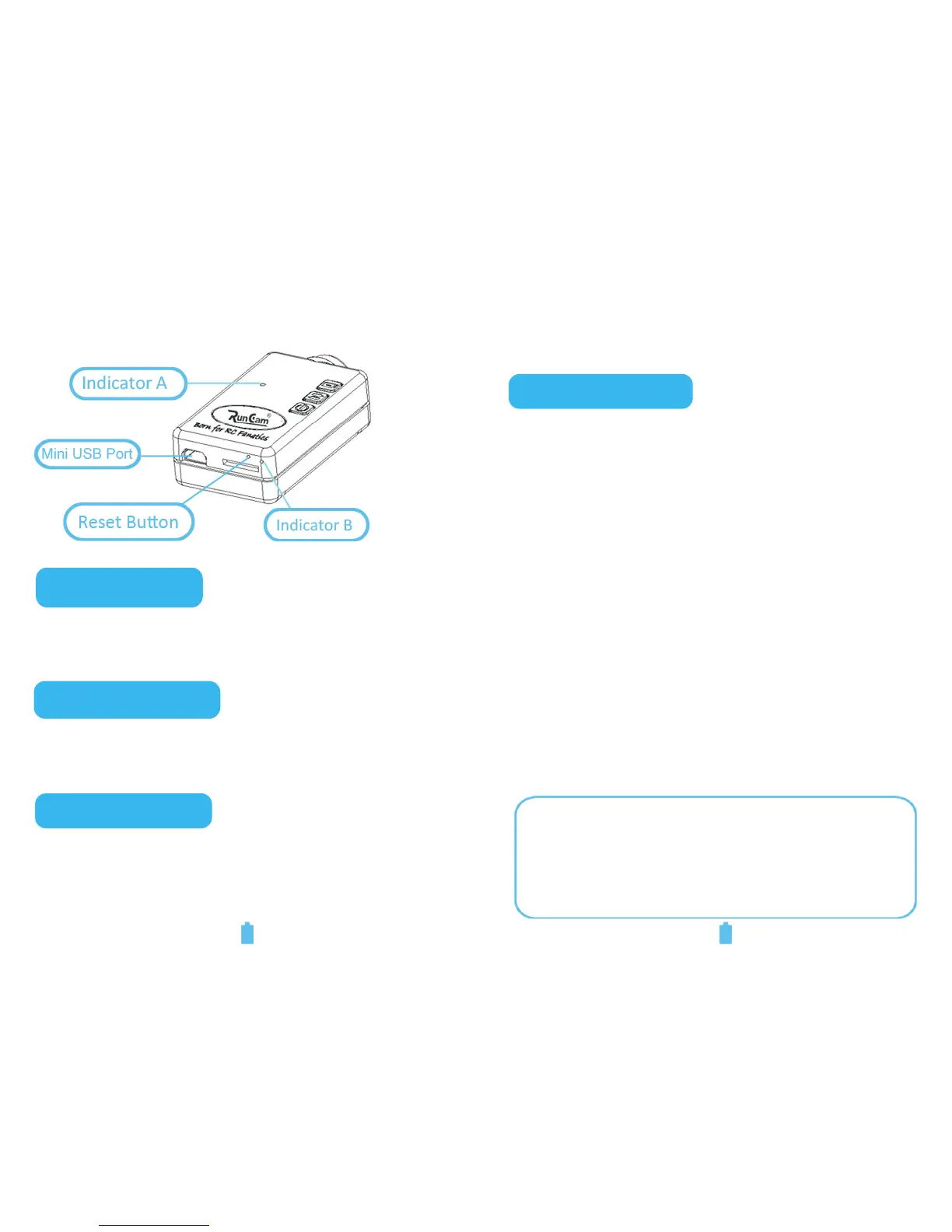
● Indicates the mode and working status of the
camera.
Indicator A:
Indicator B:
● Auxiliary indicates the working status of the
camera.
●
●
●
For Power Charging
For Data Transmission
For Video Output
Mini USB Port:
2. Instructions
Battery Charging:
●
●
●
There is standard Mini 5-Pin USB cable
included in the product packaging. Please
connect one end to the camera and the other
end to 5 V DC power supply (For instance, a
charger, USB port of a PC, or another portable
power source).
The camera will turn on automatically once it
is powered on. When the camera detects that it
is being charged, it will turn off automatically
for more efficient charging.
When charging, Indicator A will display green.
When fully charged, the Indicator A will be off.
The average charge takes up to Three hours to
complete.
Note: If you want it to record video during the
charging, please make sure the current
output of the power supply is above 1000mA.


 To Next Page