
 Need help?
Do you have a question about the RWC JG Underfloor and is the answer not in the manual?
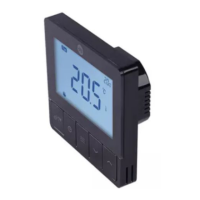
Explains the function of each physical button on the thermostat interface.
Explains icons for WiFi, modes, and operational statuses displayed on the thermostat.
Details how time, date, and temperature values are presented on the thermostat screen.
How to turn the thermostat on/off and utilize the boost heating feature.
How to activate or deactivate the key lock feature to prevent unintended changes.
Enables setting a specific temperature for periods of absence to save energy.
Describes automatic functions for detecting open windows and preventing pump seizing.
Maintains a minimum temperature to prevent freezing.
Explains smart heating adjustments and boiler efficiency improvements.
Steps for setting the year, month, day, and time on the thermostat.
Guide for setting the time and date when the thermostat is first powered on.
Explains the available 4-period and 6-period programming options.
Displays the factory default 6-period and 4-period heating schedules.
Instructions on how to reset programming to factory defaults.
Thermostat operates according to pre-set schedules.
Allows direct manual adjustment of temperature.
Holds a temporary temperature until the next scheduled program.
Outlines the sequential steps for installing the thermostat.
Illustrates the wiring connections for 230V power supply.
Shows the wiring for volt-free connections, such as boiler control.
Depicts the wiring setup for controlling multiple zones.
Configuration for temperature correction, max, and min setting limits.
Options to control the thermostat's backlight behavior.
Configuration for temperature differential, program options, and time zones.
Settings to enable/disable intelligent heating and open window detection.
Configuration for frost protection, TPI function, and anti-seize features.
Settings for external sensor type, NTC values, and room/floor modes.
Setting the maximum allowed floor temperature.
Steps to save changes and exit the configuration menu.
Important note regarding consistent configuration for wiring centres.
Instructions on how to download and register for the JG Underfloor mobile application.
Steps for logging into the application after account registration.
How to put the thermostat into pairing mode for app connection.
Selecting the 'Wired thermostat' option to add the device.
Connecting the thermostat to the home Wi-Fi network by entering credentials.
The process of the app scanning for and adding the thermostat device.
Confirmation screen displayed after the thermostat is successfully added to the app.
How to set an energy-saving temperature when away from home.
Using the app to adjust the set temperature.
Sliding control to turn the thermostat on or off via the app.
Navigating to the programming section within the app.
Accessing historical temperature and heating data.
Adjusting advanced settings and parameters via the app.
Choosing specific days for programming schedule setup.
Setting timed temperature adjustments for different periods of the day.
Saving and confirming the programmed schedule.
Accessing and modifying optional parameters like Anti-seize and Frost protection.
Accessing graphical representations of past temperature and heating data.
Steps to remove the thermostat device from the mobile application.
Example voice commands for controlling the thermostat with Amazon Alexa.
Example voice commands for controlling the thermostat with Google Assistant.
Important tips for successful voice command operation.
 General
| Brand | RWC |
|---|---|
| Model | JG Underfloor |
| Category | Thermostat |
| Language | English |

 To Next Page