7
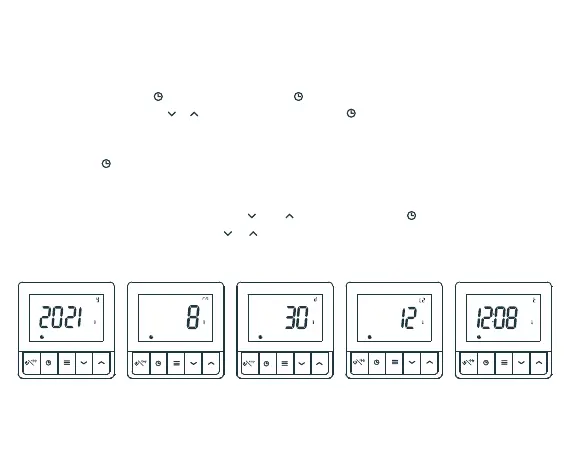
Press and hold ‘ ’ for 4 seconds, press ‘ ’ to select year, month, day, time
scale, time, press ‘ ’ ‘ ’ to adjust setting, press ‘ ’ to confirm.
If there are no actions for 10 seconds, the thermostat will return to temperature
display mode.
Press ‘ ’ to check time, year, month, day.
Setting the date and time on initial start up
Plug in the power supply. Press ‘ ’ or ‘ ’ to set year, press ‘ ’ to set month,
day, time scale, time, press ‘ ’ ‘ ’ to adjust the setting.
Time setting
Year Month Day Time12h/24h optional


 To Next Page