Chapter 2 Names and Functions
I Counter paneL!
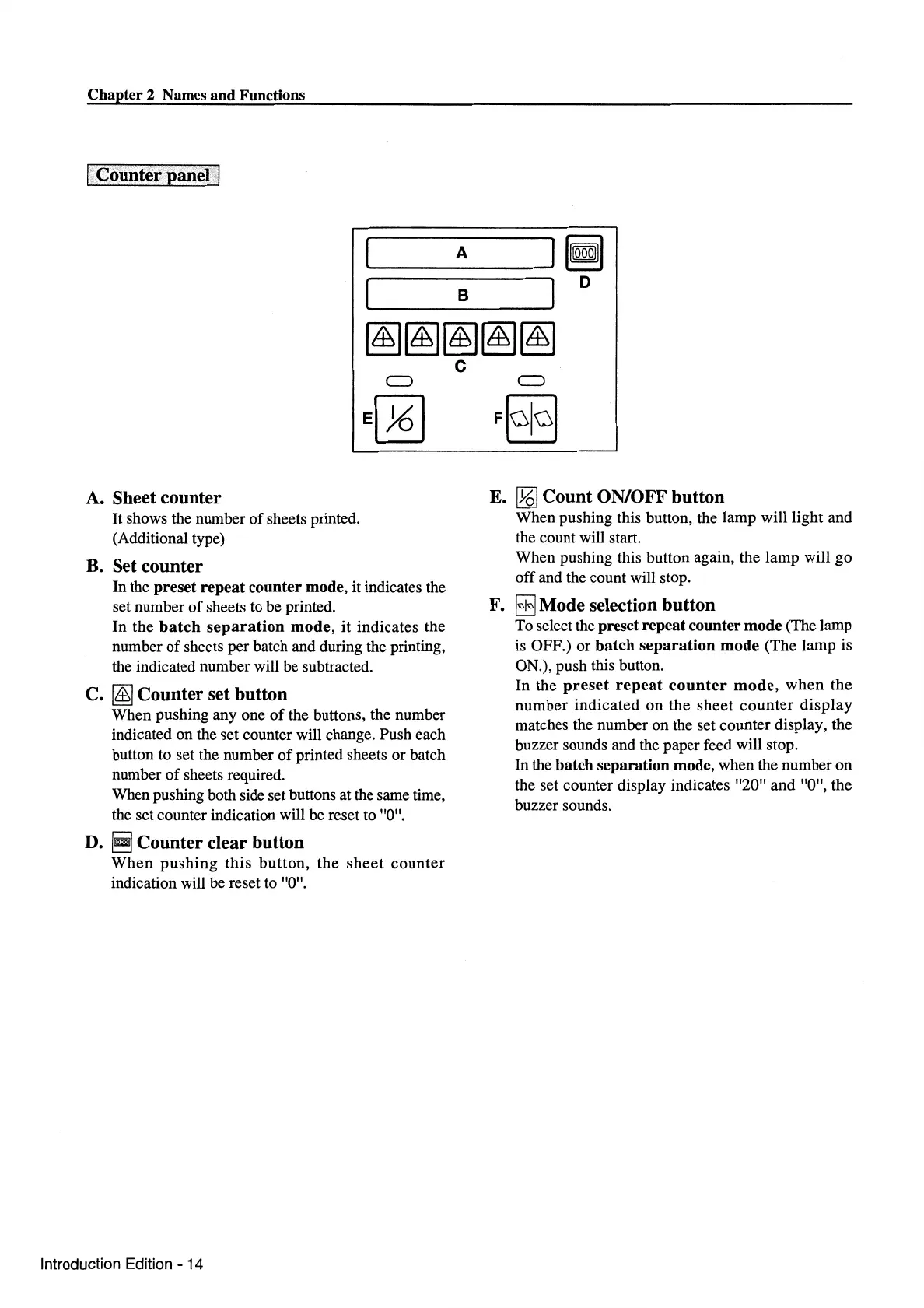
A
~~~~
I B I D
~~~~~
A.
Sheet counter
It
shows the number
of
sheets printed.
(Additional type)
B. Set counter
In the
preset
repeat
counter
mode, it indicates the
set number
of
sheets to be printed.
In the
batch
separation
mode,
it indicates the
number
of
sheets per batch and during the printing,
the indicated number will be subtracted.
C.
~
Counter set button
When pushing any one
of
the buttons, the number
indicated on the set counter will change. Push each
button to set the number
of
printed sheets or batch
number
of
sheets required.
When pushing both side set buttons at the same time,
the set counter indication will be reset to "0".
D.
~
Counter clear button
When
pushing
this
button,
the
sheet
counter
indication will be reset to "0".
Introduction Edition- 14
c
E.
[t6]
Count ON/OFF button
When pushing this button, the lamp will light and
the count will start.
When pushing this button again, the lamp will go
off and the count will stop.
F.
I±J
Mode selection button
To select the preset repeat counter mode (The lamp
is OFF.) or
batch
separation
mode
(The lamp is
ON.), push this button.
In the
preset
repeat
counter
mode,
when
the
number indicated on the
sheet
counter
display
matches the number on the set counter display, the
buzzer sounds and the paper feed will stop.
In
the
batch
separation mode, when the number on
the set counter display indicates "20" and "0", the
buzzer sounds.



 To Next Page