15
MAINTENANCE
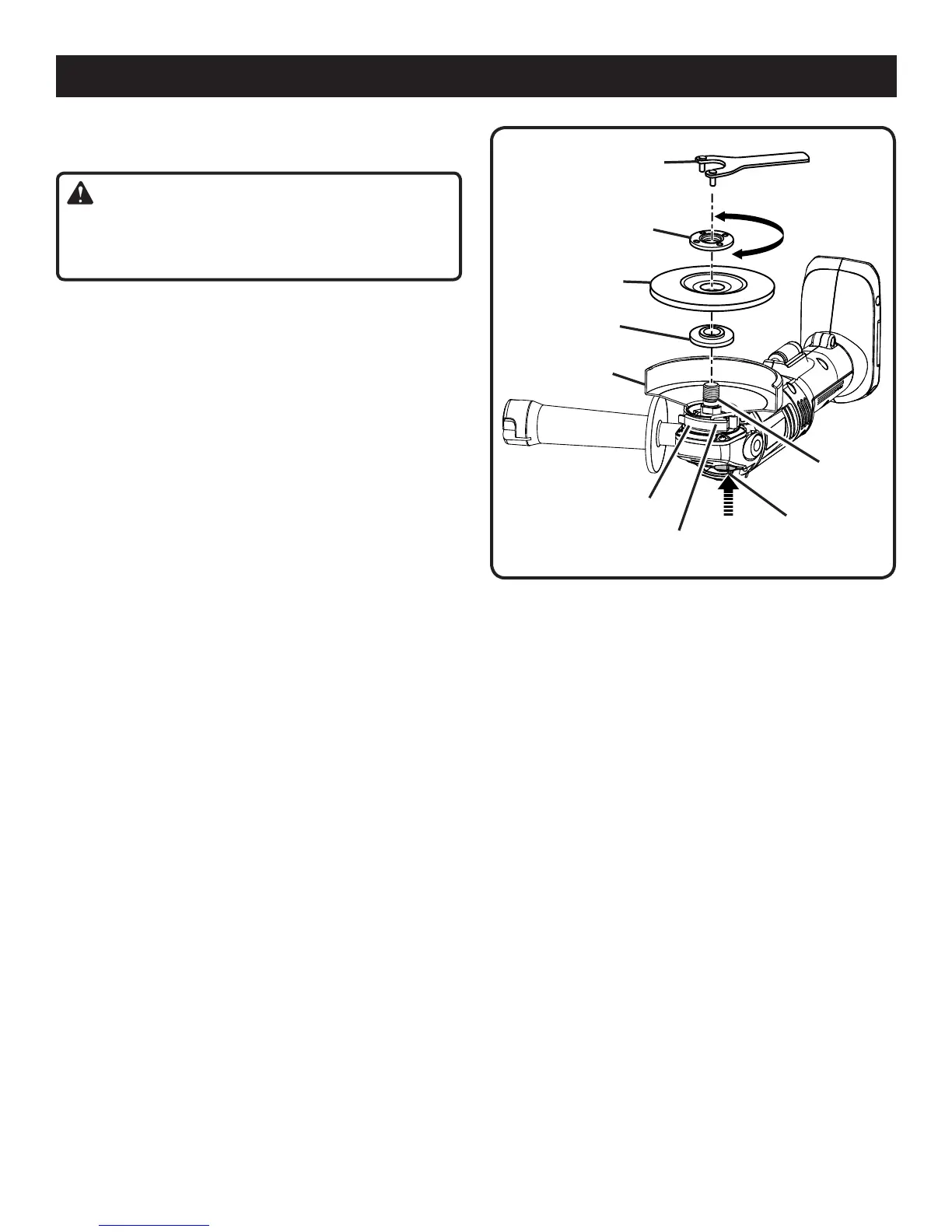
REPLACING THE GUARD
See Figure 12.
WARNING:
Do not change or loosen guard screw. Failure to heed this
warning may cause the guard to become loose during
operation resulting in serious personal injury.
After extended use, the guard may wear and need replacing.
If you drop the grinder and damage the guard it may also be
necessary for you to replace it.
To replace the guard:
Remove the battery pack from the grinder.
Depressspindlelockandrotateclampnutuntilspindle
locks.
Loosen and remove clamp nut from spindle using the
wrench provided.
Remove grinding wheel and disc flange.
Unlocktheguardclaspbypullingtheclaspout,away
from the grinder.
Openclaspfullyandtwistguardtoreleaseitfromthe
locking groove in the tool housing.
Removeguard.
Place the new guard on the shoulder of the bearing
cap.
Rotate guard to the correct position. Refer to Positioning
the Guard earlier in this manual.
NOTE: Be sure the raised ridge on the guard is seated in
the groove on the bearing cap.
Reassemble disc flange, grinding wheel, and clamp nut.
Refer to Installing Grinding Wheel earlier in this manual.
Tighten the clamp nut securely with the wrench provided.
BEARING CAP
CLASP
Fig. 12
DISC FLANGE
CLAMP NUT
GRINDING WHEEL
SPINDLE
TOOLLESS
GUARD
SPINDLE LOCK
WRENCH
TO TIGHTEN
TO LOOSEN



 To Next Page