26
1
2
2
3
1
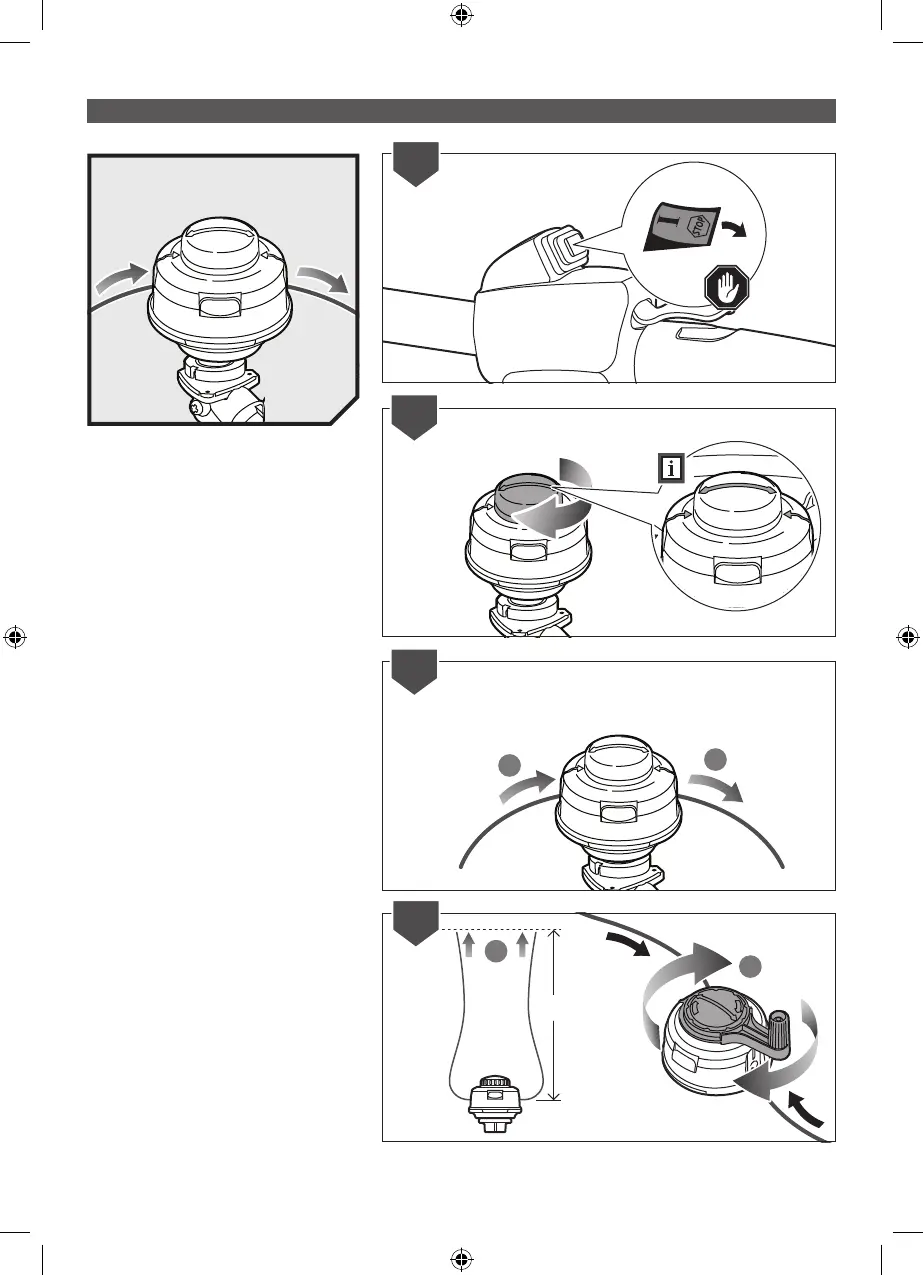
REPLACING THE LINE
1. Turn off the product
2. Rotate the bump knob on the trimmer head
until the line on the centre of the bump knob
aligns with arrows on top of trimmer head.
3. Use a 2.4 mm diameter monolament string.
Cut one piece of string approximately 5.4 m
in length. Insert one end of the line located
on the side of the trimmer head and push
until line comes out through the eyelet on the
other side. Continue to push string through
the string head until the middle section of the
string is inside the string head.
4. Ensure there is equal lengths of line on either
side of the trimmer head (max. 2.7 m per
side). Rotate the locking knob with speed
winder on the trimmer head to wind the line.
1
2
2.7m
4


 To Next Page