31
4
3
1
2
2
3
1
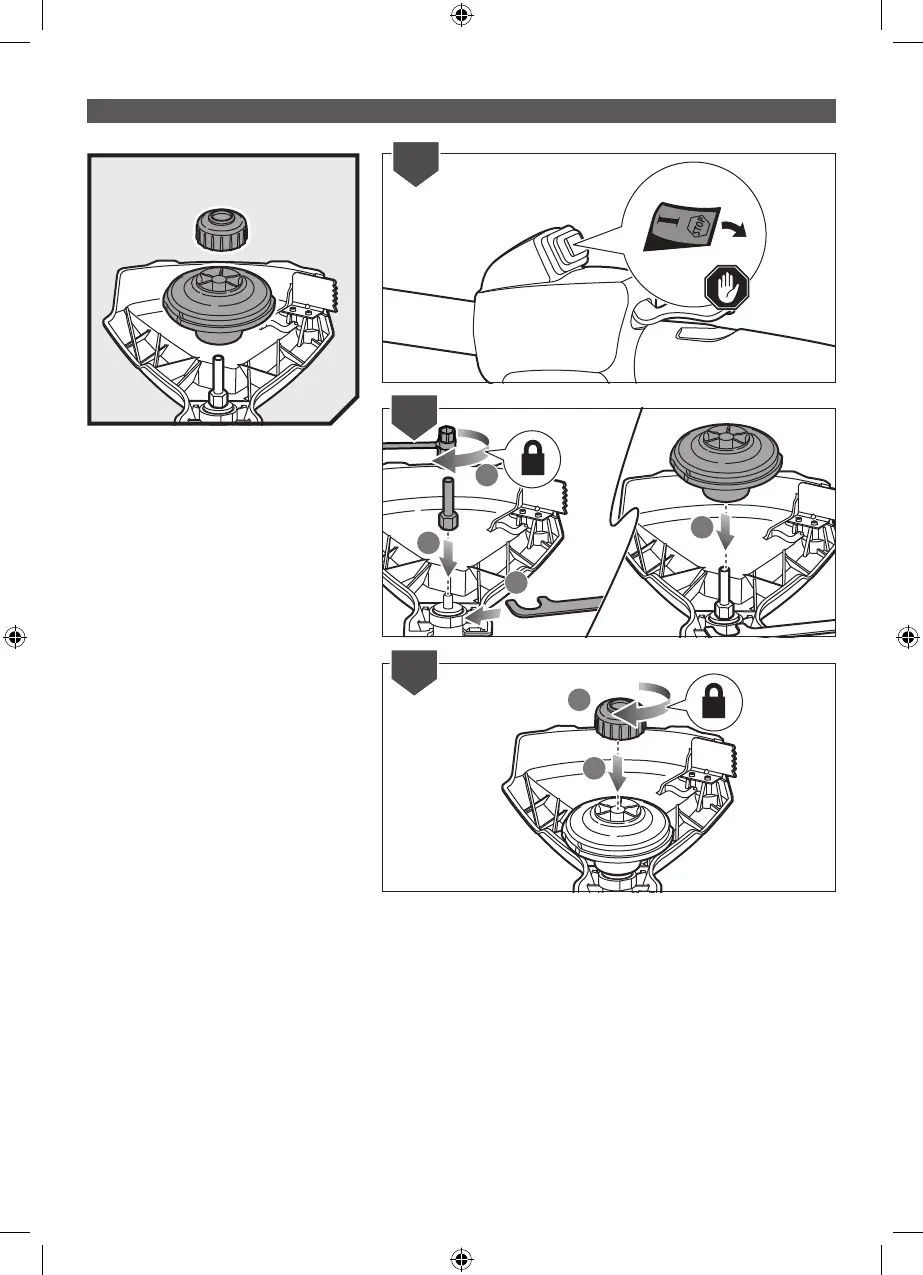
RLT254CDSO: INSTALLING THE PRO
CUT II HEAD
1. Turn off the product
2. Install the drive shaft unto the lower boom.
Turn clockwise using the combination
wrench. Install the PRO CUT II string head
on the drive shaft until fully seated.
3. Turn clockwise to install the spool retainer.



 To Next Page