33
1
2
1
2
3
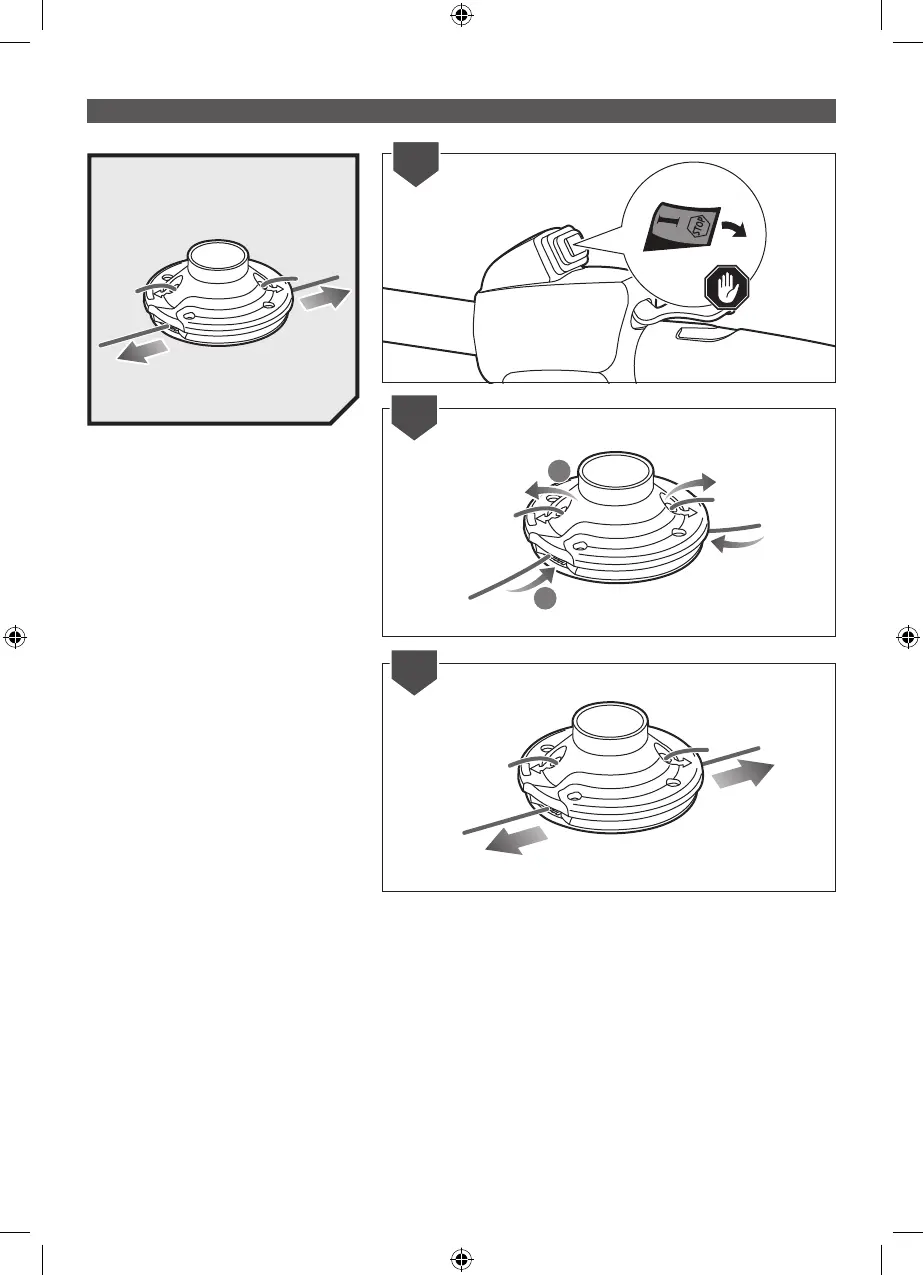
INSTALLING THE LINE IN THE PRO CUT
II HEAD
NOTE: Use a monolament line diameter 2.7
mm.
1. Turn off the product.
2. Gather two of the pre-cut lengths of trimmer
line provided or cut two pieces of trimmer line
(in 28 cm lengths). Insert the line into the load
slots located on the sides of the line head.
Line should be pushed until approximately 2
cm protrudes from the holes on the top of the
line head.
3. Once the line protrudes 2 cm from the holes
on the top of the line head, gently pull back
slightly to ensure the line is gripped properly.



 To Next Page