5
English
GB
FR DE ES IT NL PT DK SE FI NO RU PL CZ HU RO LV LT EE HR SI SK GR TR
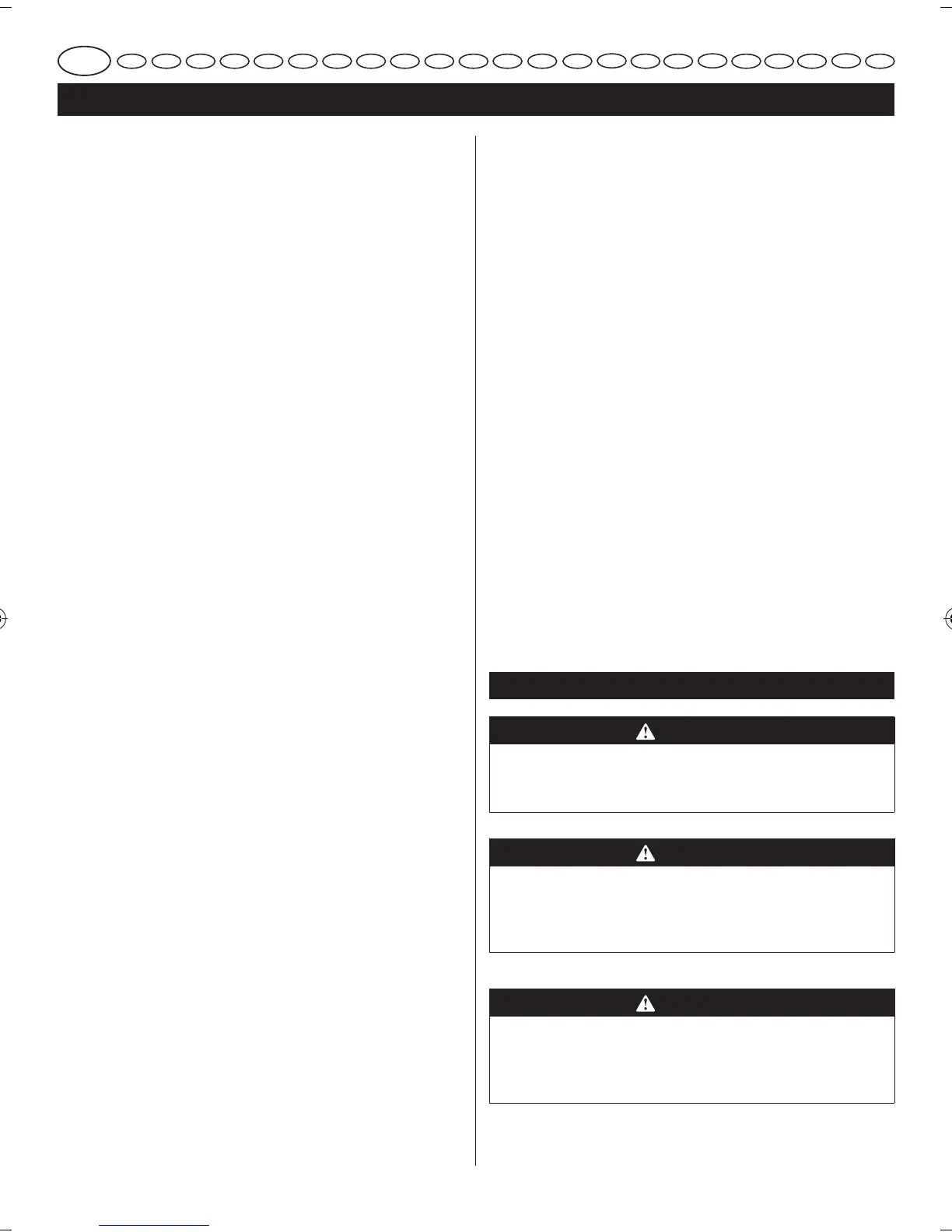
INSTALLING THE OVERFLOW DRAIN
See Figure 10.
1. Remove the bevel table.
2. Locate hole on bottom of water reservoir.
3. Push overow drain into hole rmly.
4. Replace the bevel table.
ASSEMBLING THE LATCHES
1. Turn the tile saw housing upside down.
2. Align the screw holes on the latches with the screw
holes on the bottom of the tile saw housing.
3. Insert the screws and tighten securely.
FILLING THE WATER RESERVOIR
See Figure 11.
1. Remove the bevel table.
2. Fill the water reservoir with clean tap water to ll line.
NOTE: Overflow drain prevents overfilling.
3. Replace the bevel table.
CHANGING THE RESERVOIR WATER
1. Unplug the tile saw.
2. Remove overow drain and empty into a bucket,
do not allow water to splash onto ground or around
machine.
3. Discard waste water in accordance with local
regulations.
OPERATION
WARNING
Do not allow familiarity with the products to make
you careless. Remember that a careless fraction of a
second is sufcient to inict serious injury.
WARNING
Always wear safety goggles or safety glasses with side
shields when operating the products. Failure to do so
could result in objects being thrown into your eyes,
resulting in possible serious injury.
WARNING
Do not use any attachments or accessories not
recommended by the manufacturer of the product. The
use of attachments or accessories not recommended
can result in serious personal injury.
with cutting blade so that it does not interfere with
material being cut.
4. Align blade guard with blade and slide over bracket.
Line up through holes in blade guard with slot in blade
guard bracket.
NOTE: Always adjust blade guard horizontally to table
and slightly above tile thickness. Blade guard should
not be touching tile.
5. Install hex bolt through blade guard and bracket.
6. Thread knob onto bolt and tighten to desired height.
7. Replace the bevel table.
NOTE: The blade cover/guard is assembled in the
factory. Do not disassemble during adjustment and
maintenance.
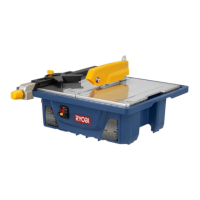
INSTALLING THE RIP GUIDE
See Figure 7.
1. Turn knob on rip guide counterclockwise to loosen.
2. Slide rip guide onto side of table.
3. Use rip guide scale, located on front and rear of table,
to set rip guide to desired width of cut.
4. Turn rip guide knob clockwise to tighten securely.
INSTALLING THE MITRE GUIDE
See Figure 7.
1. Adjust rip guide to desired position and secure.
2. Slide Mitre guide onto rip guide from the front.
3. Adjust to desired angle using angle scale and tighten
securely with knob.
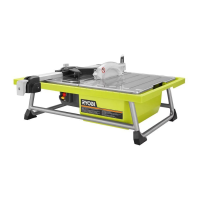
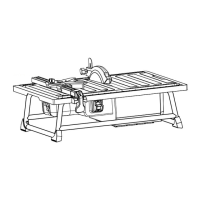
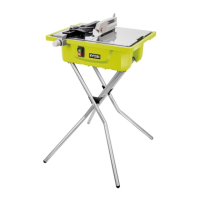
ASSEMBLING THE STAND
See Figure 8–9.
The support brackets and stand legs have corresponding
letters for easy assembly.
Tools needed: Adjustable wrench or 13 mm wrenches and
Philips screwdriver.
1. Insert stand legs, labeled “A”, into end tubes of the
support bracket labeled “A”. Angled ends of stand legs
should face away from each other so they resemble
a “V”. Align holes for hardware. Repeat with second
support bracket and legs labeled “B”.
2. Fit leg assemblies into braces. Leg assembly “B” rests
on inside of braces. Leg assembly “A” rests on the
outer side. Line up holes in the braces and legs. Install
hardware through holes.
3. Using a wrench, tighten hardware.
4. Place stand on level ground and line up grooves under
tile saw with brackets on stand. Position table onto
stand.
5. Be sure the tile saw is on level ground and the stand
is sturdy before use.


 To Next Page