21
Please note that some MDB devices may take more than 7 seconds to
respond. The CTX has a default value set at 7 seconds. By pressing
and holding the VMC Simulator button, it sets this delay inoperative.
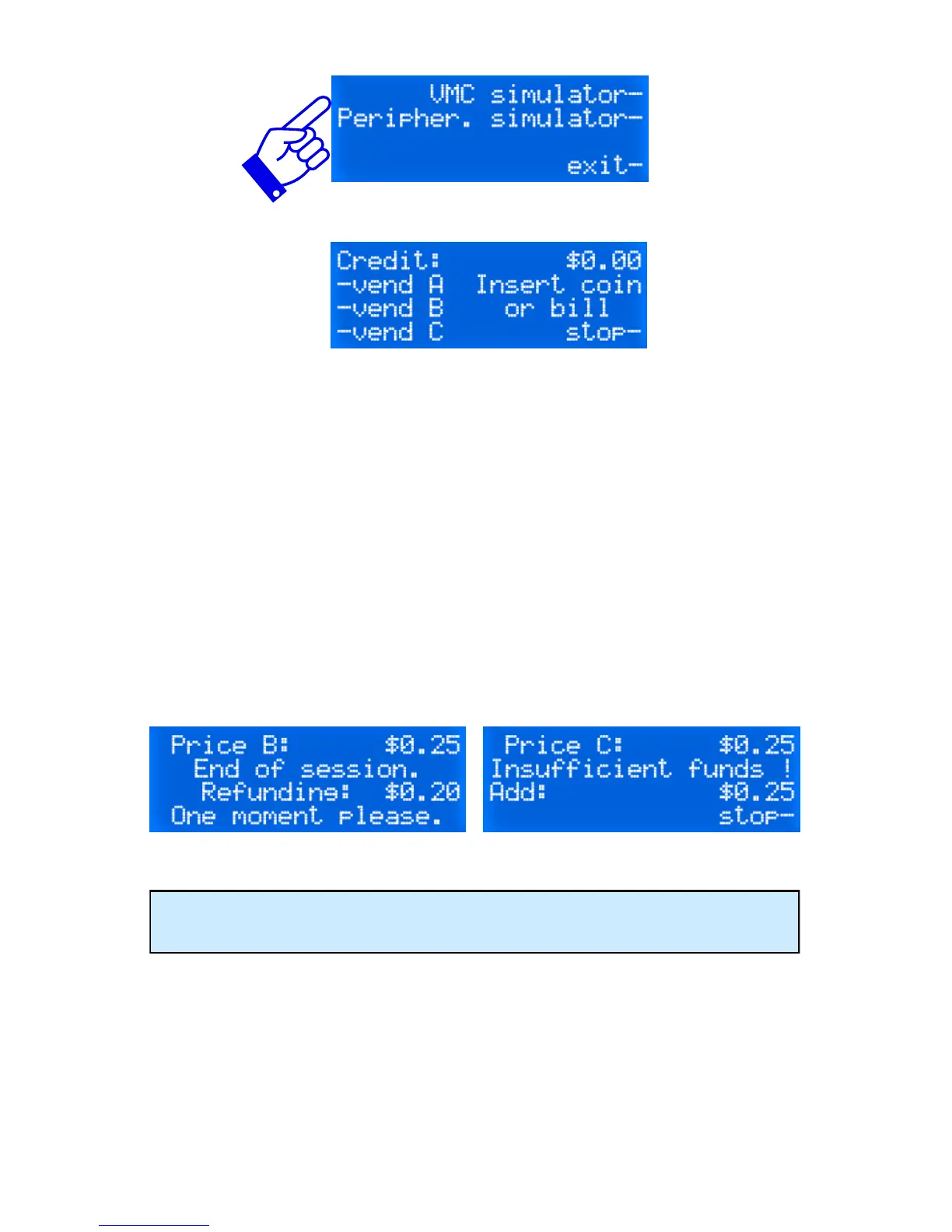
Insert coins or bills or cards. The amount inserted will be visible on the
top right corner of the display. In the case of a card reader, the current
balance on the card will be visible. Press on any of the three selections
and see if the change is dispensed properly. Repeat as many times
necessary using all three selections programmed at different prices.
Below are some print screen of messages you might see on your tester.
When done, press on stop to quit.
Press Stop before unplugging your MDB devices.


 To Next Page