22
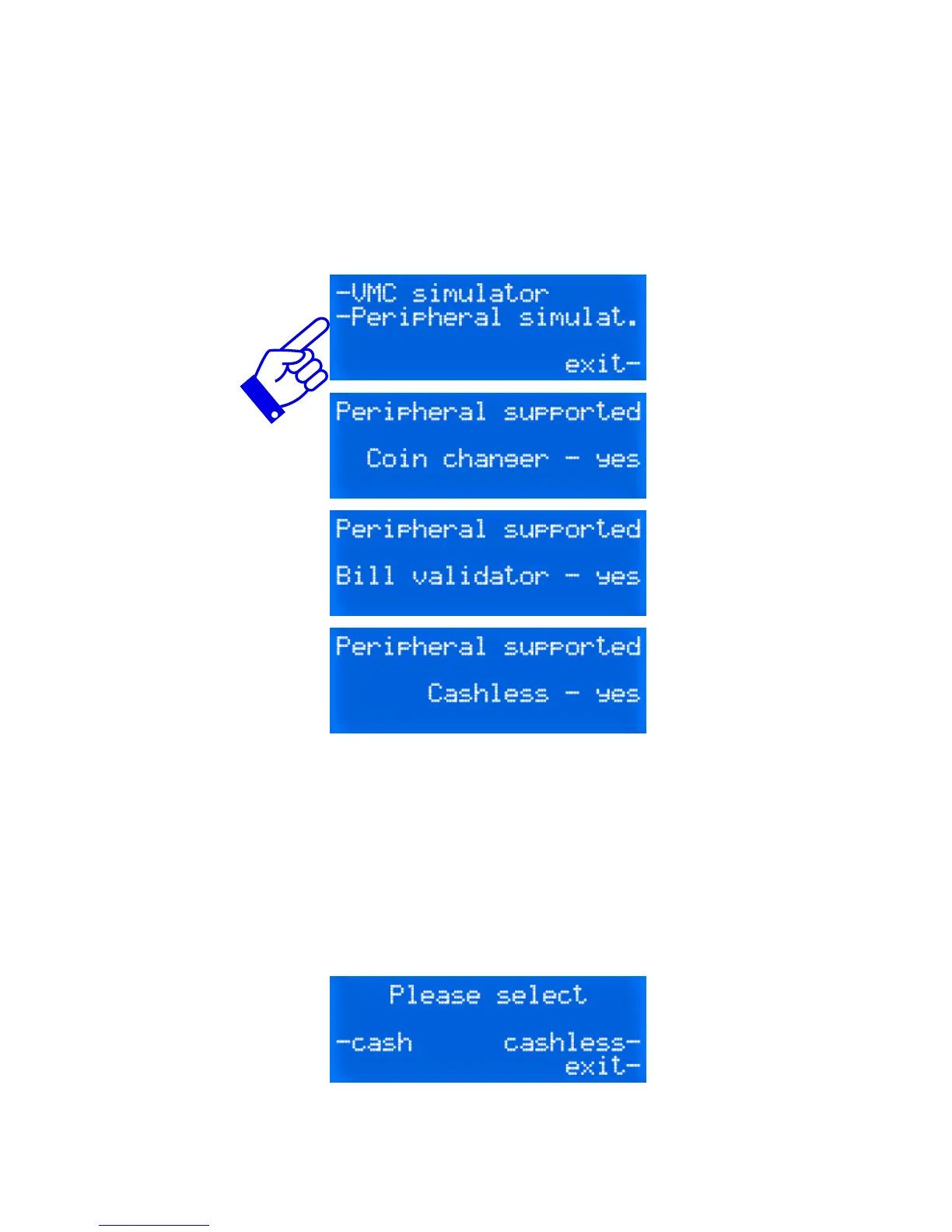
Testing a machine with the Peripheral simulator.
The CTX enables you to test your VMC (Vending Machine Controller)
by transforming your tester into either a coin changer, a bill acceptor or
a card reader. Upon activation of the Peripheral Simulator, the machine
will send the information to the tester as to which MDB devices it can
poll as you can see in the following three screen shots.
If you see such messages, it means your machine can support all three
MDB peripherals. If the card reader or bill validator are not supported,
NO would be visible. Not all MDB vending machines are capable of
handling all peripherals. After that, the display will switch to the standby
mode as visible next page.
Select the device you wish to use. It can be cash (coin or bills) or
cashless, a card reader.


 To Next Page