20
English
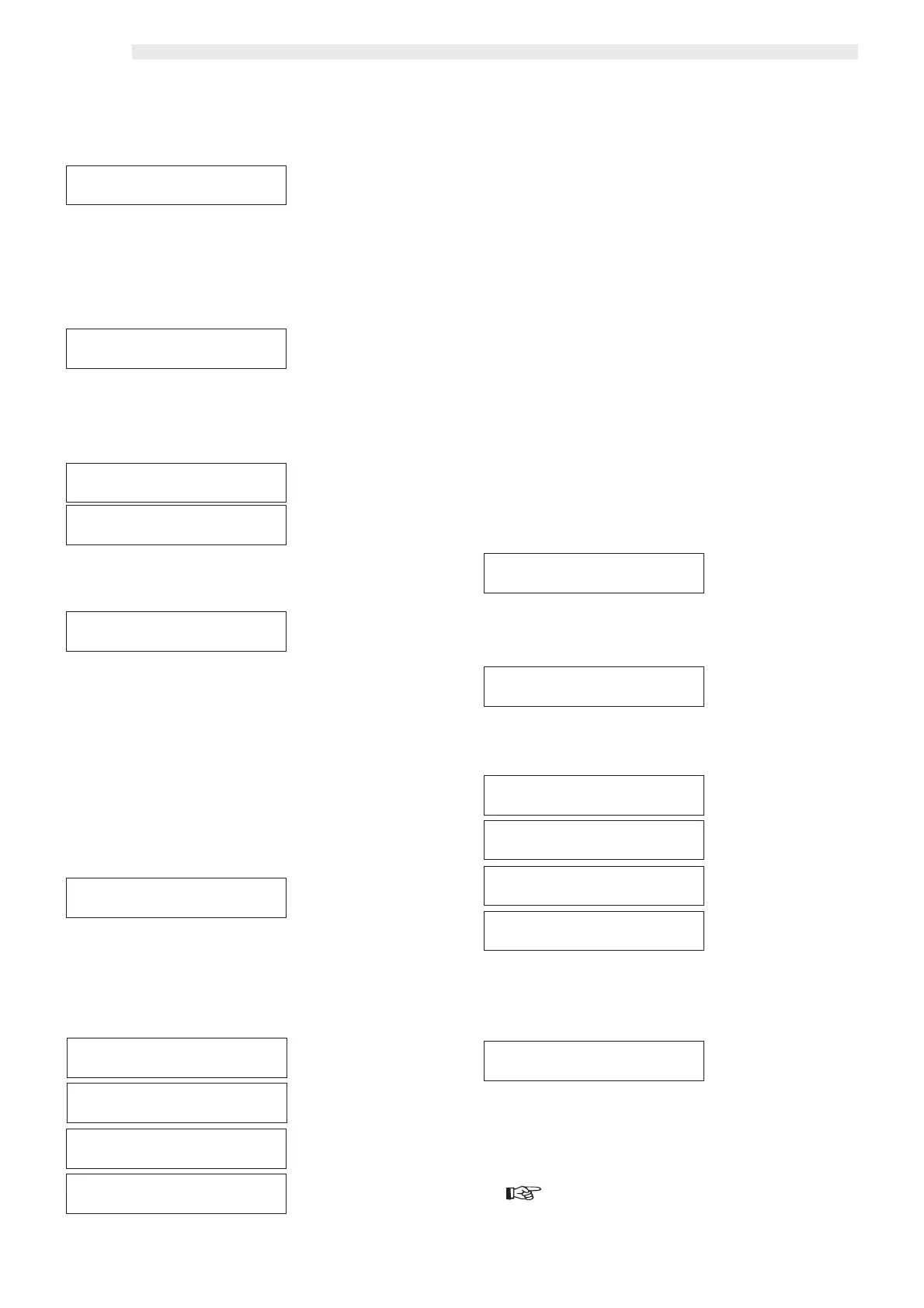
Fifth main item of
the programming menu
It may be displayed as an addition to the four main items by
inserting the clock module device.
Press “ENTER” to access the change of the single functions.
Press “ENTER” to access the item functions.
This function allows the setting of when and how to dispense drinks
for free.
Press “ENTER” to access the display of the methods with which
free dispensing is performed.
This level visualizes in sequence when and how drink dispensing
is free.
Press “ENTER” to access the change to the single items.
The second line of the display shows the currently assigned param-
eter.
- Press “ENTER” to change it.
A flashing cursor appears on the left.
- Use the “UP” and “DOWN” keys to vary the parameter choice
among the three available ones (“ALWAYS”, “NEVER” and
“TIME RANGE”).
- Press ENTER to store the choice to memory.
Confirmation automatically displays the previous level.
Use the “UP” and “DOWN” keys to move to the change of the
next item.
By choosing this option (“TIME RANGE”) two time intervals are
available during which drinks may be dispensed for free. For each
one of them it’s necessary to enter the starting time (ON1 - OFF1)
and the ending time (ON2 - OFF2).
Press “ENTER” to access the setting of the free dispensing periods.
The modifiable parameter is on the second line of the display.
To set the two free dispensing periods, it’s necessary to:
- Press “ENTER”.
- A flashing cursor appears under the letters identifying the week
days, and by pressing the “UP” and “DOWN” keys the char-
acter changes from upper to lower case.
N.B.:
“Upper case character” = enabled day; “lower case char-
acter” = disabled day.
- Press “ENTER” to store to memory.
The cursor automatically moves to the following letter.
- Follow the same procedure to set the remaining letters.
- Press “ENTER” to confirm the new value.
Shutdown time is asked automatically (OFF1).
Repeat the operation sequence for each time interval whose value
is to be modified.
Once the last value has been selected and confirmed with “EN-
TER”, start up and shutdown time are asked for the second band
(ON2-OFF2). In case nothing is to be changed press the D key,
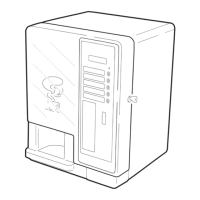
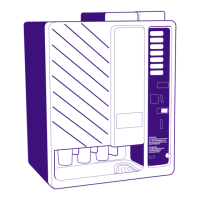
the fourth from the top in the model D.A. 5P (ref. 3, fig. 17).
After having confirmed OFF2, exit form the menu is automatic.
In model D.A. 3P to exit from the function it’s necessary to scroll in
a sequence the settable time bands by means of the “UP” and
“DOWN” keys.
This function allows the setting of the vending machine automatic
start up and shutdown time within a period of one week.
Press “ENTER” to set this option.
To set this option follow the follow the procedure described in
chapter “7.5 Changing and saving parameters”.
If “YES” is selected, two start up and shutdown time bands (ON1
- OFF1, ON2 - OFF2) are required.
To program days and times follow the procedure as per the “FREE
VEND – TIME RANGE” item.
This function allows the setting of a discount on the drink price, to
be applied in the course of the week in two different time bands.
To set this option follow the procedure described in chapter “7.5
Changing and saving parameters”.
Important
the discount is settable with values varying from 10 to the
lowest drink price, with 10-by-ten steps.
FREE VENDFREE VEND
FREE VENDFREE VEND
FREE VEND
FREE VENDFREE VEND
FREE VENDFREE VEND
FREE VEND
ALWAYSALWAYS
ALWAYSALWAYS
ALWAYS
FREE VENDFREE VEND
FREE VENDFREE VEND
FREE VEND
ALWAYSALWAYS
ALWAYSALWAYS
ALWAYS
FREE VENDFREE VEND
FREE VENDFREE VEND
FREE VEND
TIME RANGETIME RANGE
TIME RANGETIME RANGE
TIME RANGE
FREE VENDFREE VEND
FREE VENDFREE VEND
FREE VEND
TIME RANGETIME RANGE
TIME RANGETIME RANGE
TIME RANGE
FREE VEND OFF1FREE VEND OFF1
FREE VEND OFF1FREE VEND OFF1
FREE VEND OFF1
mtwtfssmtwtfss
mtwtfssmtwtfss
mtwtfss
00:00 00:00
00:00 00:00
00:00
FREE VEND ON1FREE VEND ON1
FREE VEND ON1FREE VEND ON1
FREE VEND ON1
mtwtfssmtwtfss
mtwtfssmtwtfss
mtwtfss
00:00 00:00
00:00 00:00
00:00
FREE VEND OFF2FREE VEND OFF2
FREE VEND OFF2FREE VEND OFF2
FREE VEND OFF2
mtwtfssmtwtfss
mtwtfssmtwtfss
mtwtfss
00:00 00:00
00:00 00:00
00:00
FREE VEND ON2FREE VEND ON2
FREE VEND ON2FREE VEND ON2
FREE VEND ON2
mtwtfssmtwtfss
mtwtfssmtwtfss
mtwtfss
00:00 00:00
00:00 00:00
00:00
TIME MANAGEMENTTIME MANAGEMENT
TIME MANAGEMENTTIME MANAGEMENT
TIME MANAGEMENT
ON/OFF TIMEON/OFF TIME
ON/OFF TIMEON/OFF TIME
ON/OFF TIME
->Y<- N->Y<- N
->Y<- N->Y<- N
->Y<- N
ON/OFF TIMEON/OFF TIME
ON/OFF TIMEON/OFF TIME
ON/OFF TIME
YESYES
YESYES
YES
TIME OFF1TIME OFF1
TIME OFF1TIME OFF1
TIME OFF1
mtwtfssmtwtfss
mtwtfssmtwtfss
mtwtfss
00:00 00:00
00:00 00:00
00:00
TIME ON1TIME ON1
TIME ON1TIME ON1
TIME ON1
mtwtfssmtwtfss
mtwtfssmtwtfss
mtwtfss
00:00 00:00
00:00 00:00
00:00
TIME OFF2TIME OFF2
TIME OFF2TIME OFF2
TIME OFF2
mtwtfssmtwtfss
mtwtfssmtwtfss
mtwtfss
00:00 00:00
00:00 00:00
00:00
TIME ON2TIME ON2
TIME ON2TIME ON2
TIME ON2
mtwtfssmtwtfss
mtwtfssmtwtfss
mtwtfss
00:00 00:00
00:00 00:00
00:00
DISCOUNTDISCOUNT
DISCOUNTDISCOUNT
DISCOUNT
00000000
00000000
0000







 To Next Page