48
ENGLISH
PROGRAMMING
You can adjust the machine functions to your personal preference by
accessing the program menu.
The following parameters can be adjusted
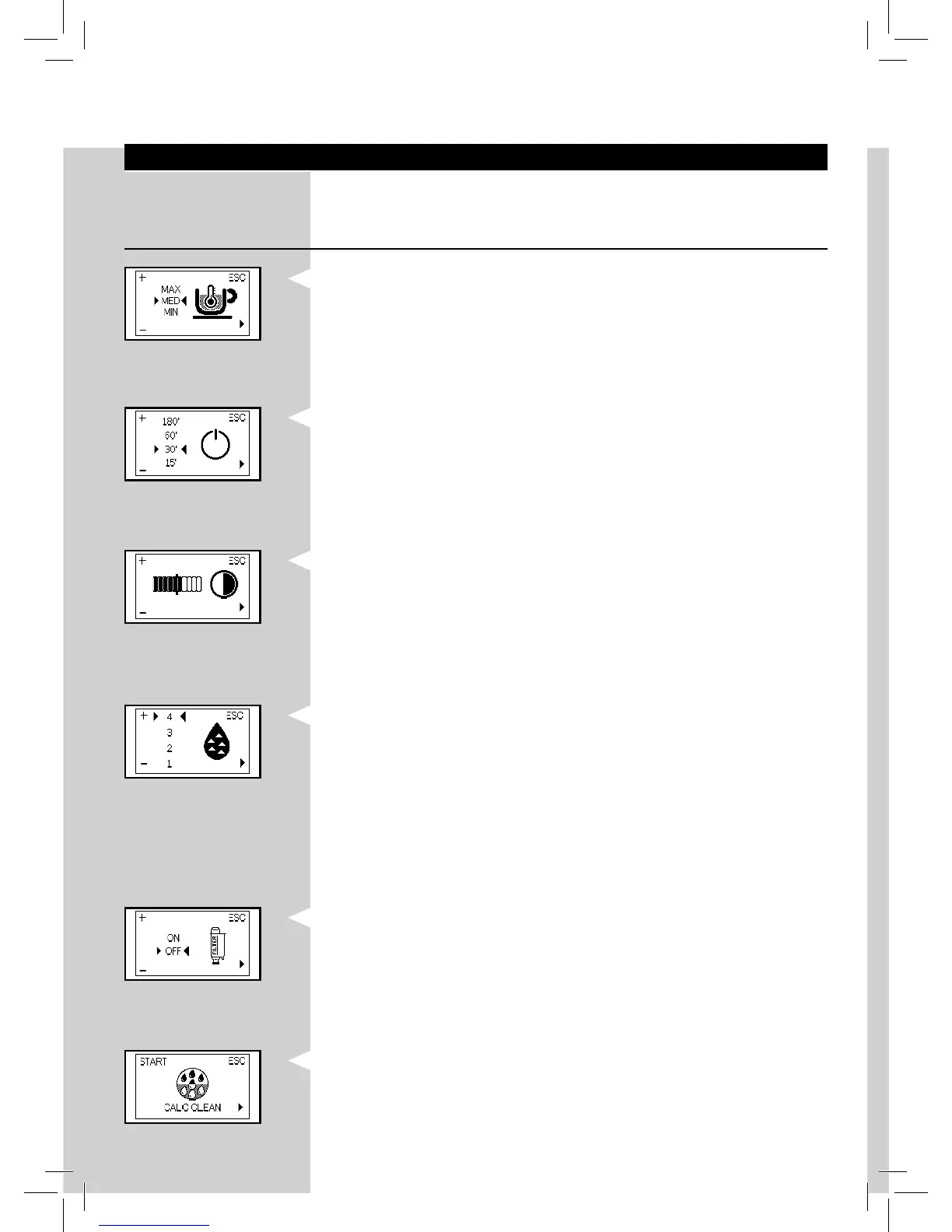
Co ee temperature
This function allows you to adjust the co ee brewing temperature.
YellowYellowYellowYellowYellowYellow
Timer (stand-by)
This function allows you to adjust the time until the machine will go into
standby mode after the last brewing.
Contrast
This function allows you to adjust the contrast of the display to better view
the messages.
Water hardness
This function allows you to adjust the water hardness setting according to
the area where you live.
1 = very soft water
2 = soft water
3 = hard water
4 = very hard water
For more details please see the “ Measuring and programming water
hardness “chapter.
“INTENZA+” water lter
This function allows you to manage the “INTENZA+” water lter.
For more details, see the chapter related to lter handling.
Descaling cycle
This function allows you to run the descaling cycle.






 To Next Page