50
ENGLISH
Yellow
4
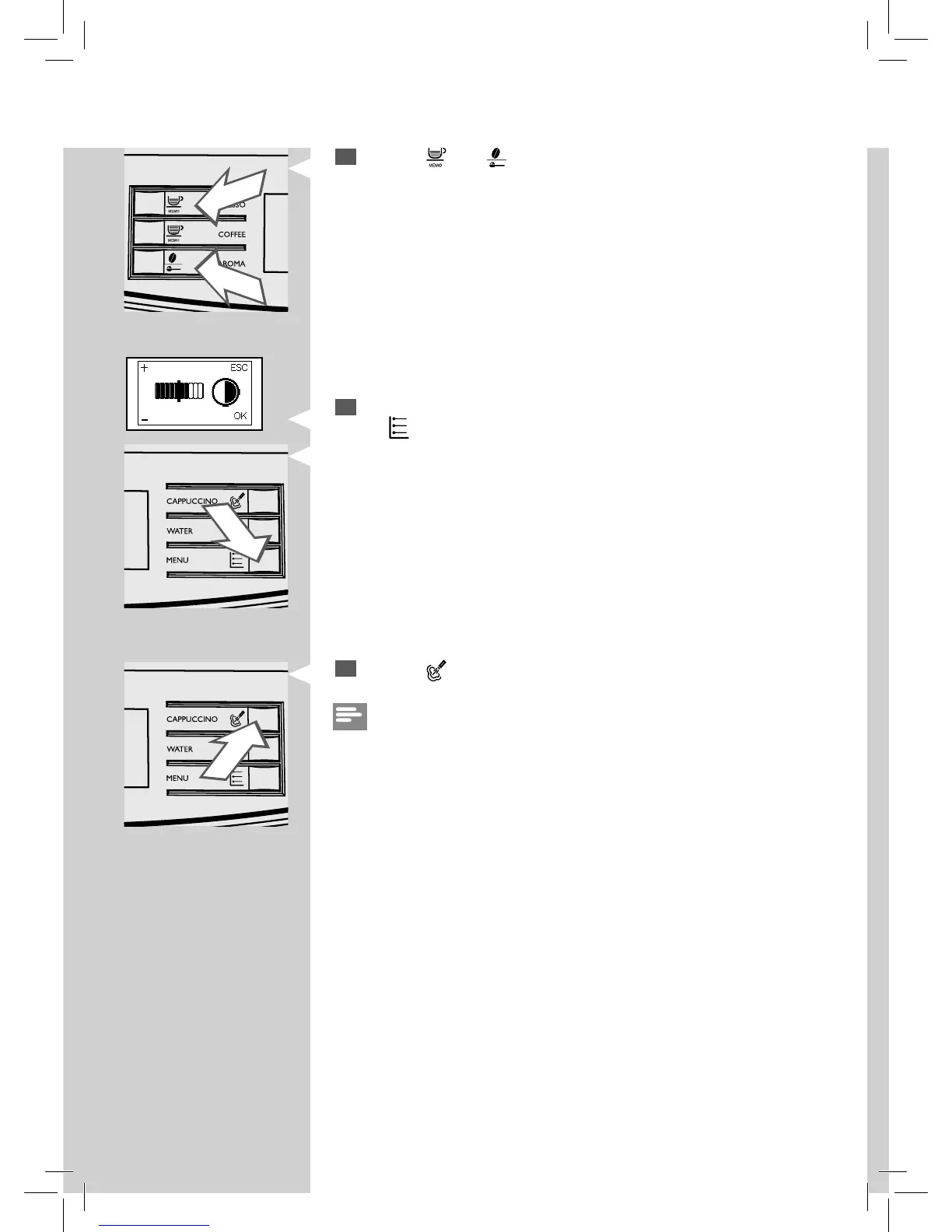
Press the “ ” and “ ” buttons to increase or decrease the value of the
function.
5
When the display value is changed, the “OK” message appears. Press
the “
” button to con rm the change.
6
Press the “ ” button to exit the programming mode.
Note:
The machine will automatically exit the programming mode if you do not
push any button for 3 minutes. The function’s values that were changed
but not con rmed won’t be saved.






 To Next Page